
 Translate




We have just released the latest update to the Trados Language Technology platform, and we would like to share the new functionality that has been delivered.
New features and updates are automatically added to your account, so simply log in to Trados, and they will be available immediately.
Concurrent Editing in Online Editor
(Applies to Trados Team, Accelerate/Business and Enterprise)
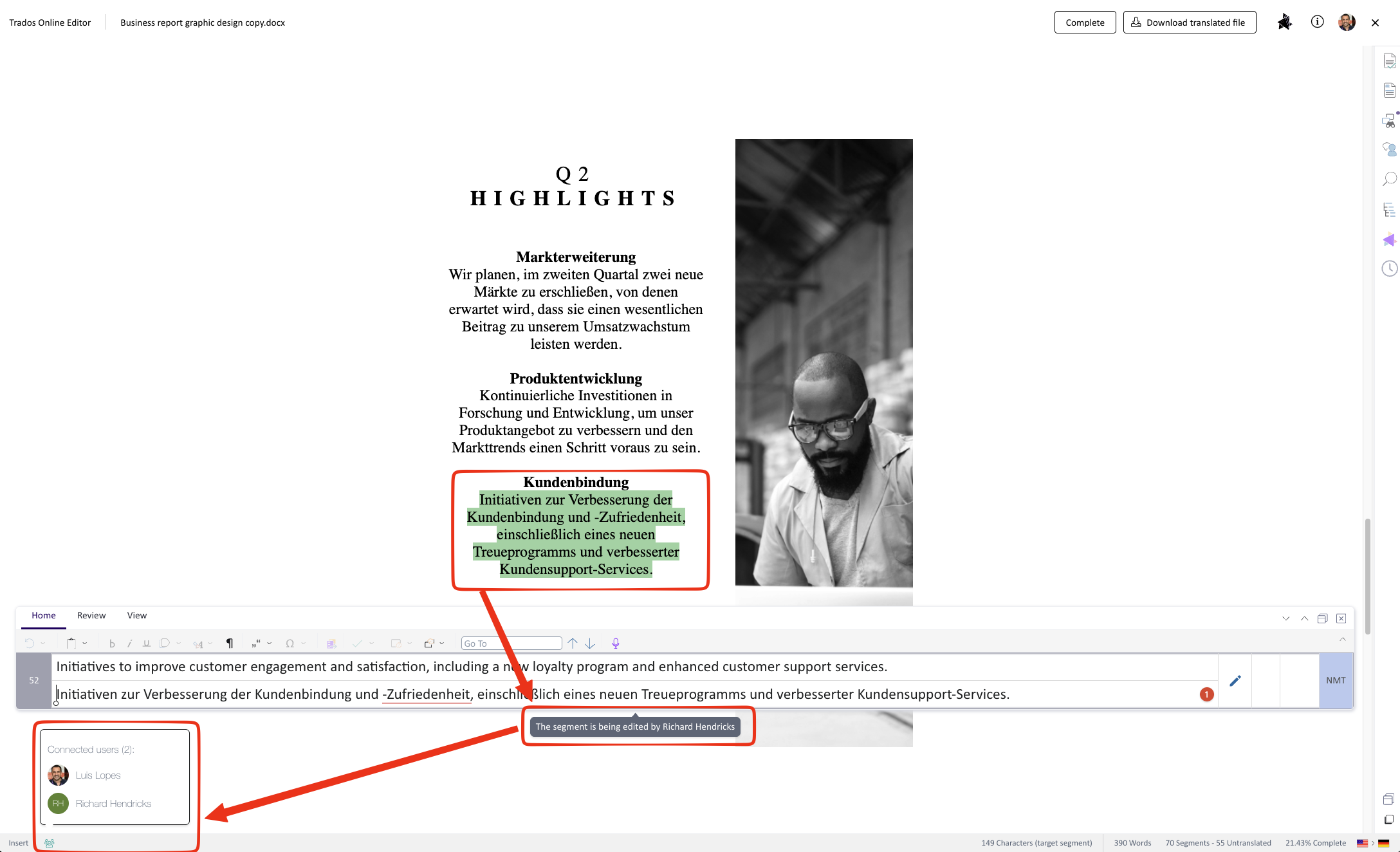
We are thrilled to introduce real-time concurrent editing within the Online Editor. For the first time, multiple users—such as translators and reviewers—can work on the same document simultaneously.
- Real-time synchronization: Just like in MS Word Online or Google Docs, you can see what everyone is typing in real time.
- Conflict prevention: To prevent accidental overrides, the segment a user is currently working on is locked for editing. Other users will see this segment greyed out with a tooltip indicating who is working on it.
- Visibility: A list of connected users is conveniently displayed at the bottom of the Online Editor interface.
This major feature is great for accelerating turnarounds as well as allowing peer review to happen in parallel with ongoing translation or customer review for internal teams where no payment is involved.
Note: Customer review will follow in a few weeks, pending a Customer Portal release.
To enable this functionality, on supported tasks you can now configure them to allow concurrent editing, after which tasks can be accepted and completed on behalf of a group: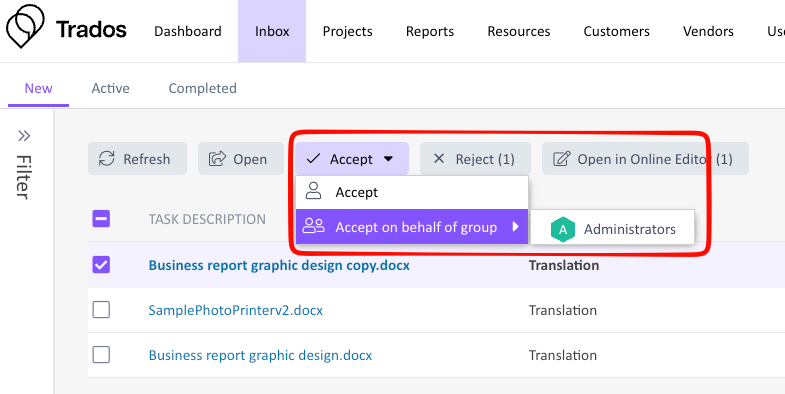
Vendor forecast (upcoming tasks)
(Applies to Trados Accelerate/Business and Enterprise)
We have significantly improved project visibility for our vendors to make resource planning easier. Previously, orders appeared in the Vendor Portal one task after another, leaving vendor project managers without visibility into upcoming steps.
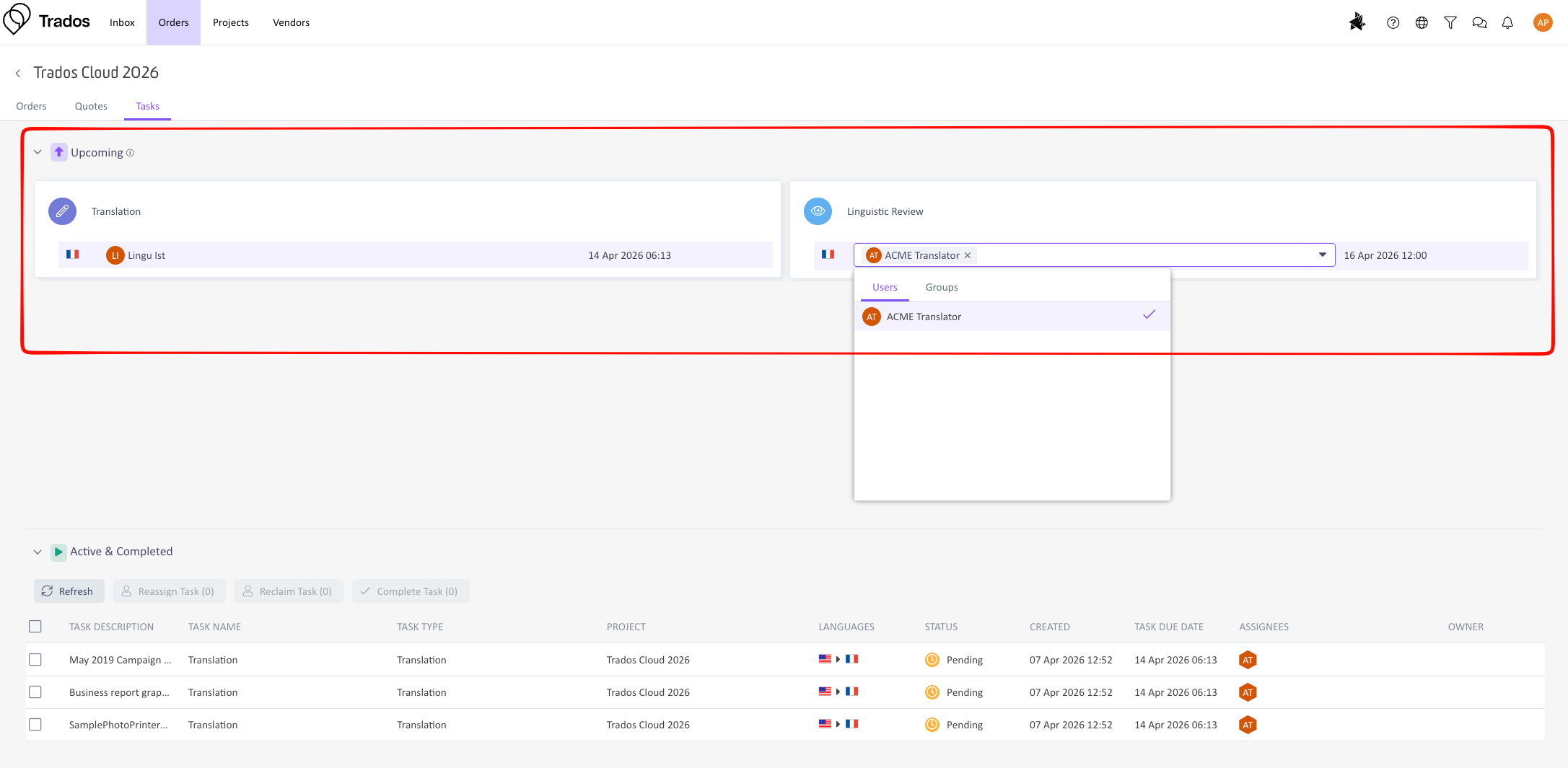
With this release, vendors now have access to a forecast of upcoming tasks directly in the Vendor Orders area.
- Better Planning: A new dashboard-like view provides vendors with full visibility into the entire project lifecycle and what steps are coming next.
- Pre-assignment: Vendor PMs no longer have to wait for a preceding task to be completed before assigning the next one. You can now seamlessly pre-assign upcoming tasks (e.g., assigning translation to one linguist and review to another ahead of time).
Subscription usage dashboard
(Applies to Trados Team, Accelerate/Business and Enterprise)
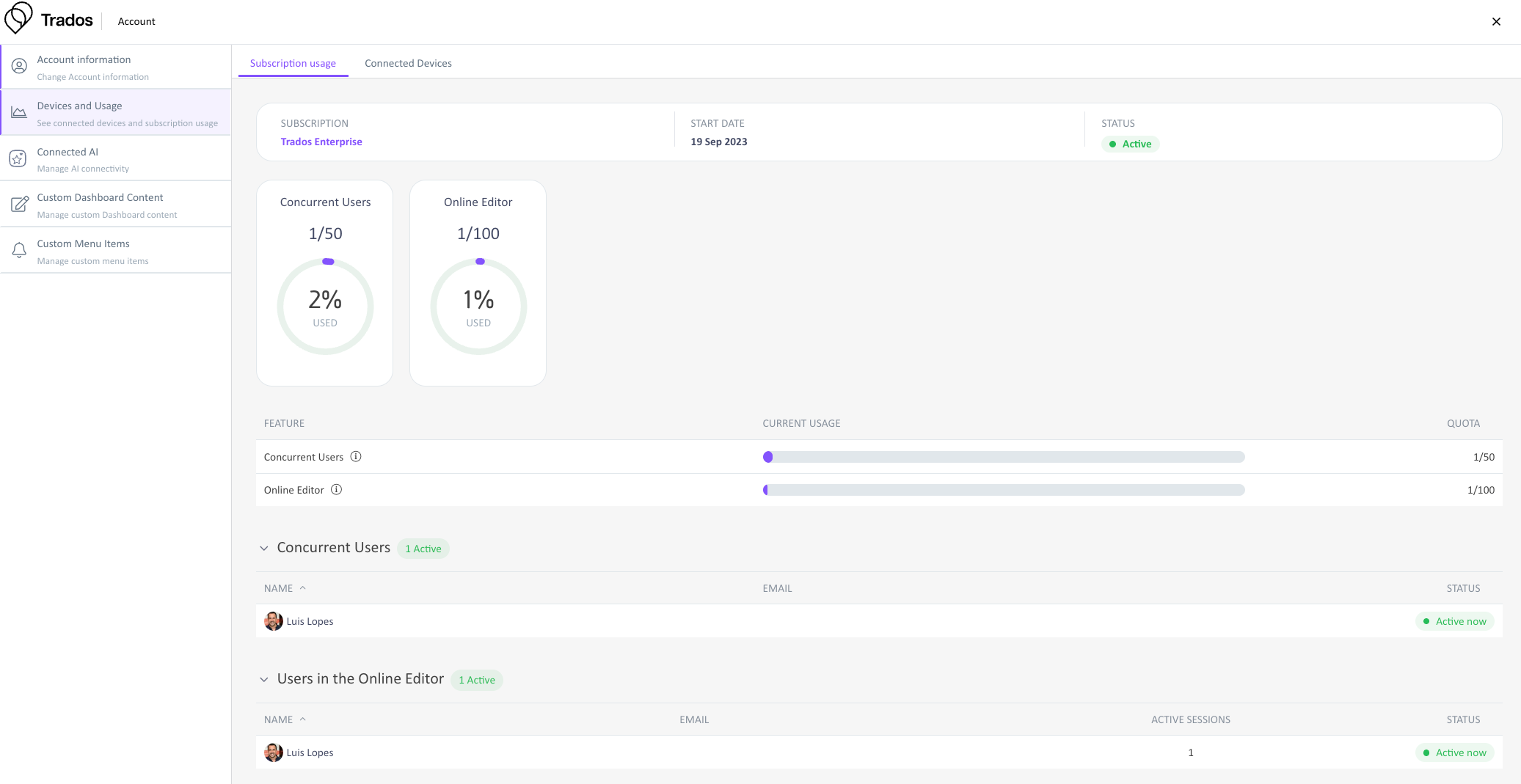
To give administrators better control and real-time visibility into their license consumption, we are introducing a dedicated usage dashboard.
Located under Account Management -> Devices and Usage -> Subscription usage, administrators can now easily track exactly how many licenses are being consumed at any given time. The dashboard also provides granular details on which specific users are actively consuming Online Editor and concurrent access licenses, making it much easier to manage your team's capacity and determine if additional licenses are required.
Advance Notice: 2 million Translation Unit Limit
(Applies to Trados Team, Accelerate/Business and Enterprise)
We are providing advance notice regarding the limit of 2 million Translation Units (TUs) per TM. Effective June 1, 2026, this limit will be enforced with the following system behaviors:
- TMs exceeding 2 million TUs will no longer accept new imports.
- TUs cannot be added via TM Maintenance.
- Note: Project-related interactions (such as confirming TUs and using Update TM) will continue to function normally.
We highly recommend reviewing and structuring your TMs proactively to remain under the 2 million TU threshold. If you need assistance, our Professional Services team is available to consult with you on TM management best practices.
Trados Accelerate renaming to Trados Business
We are working on rebranding Trados Accelerate to Trados Business over the next weeks, so if you see these names interchangeably in the future, they refer to the same product line. This is purely a name change.
Trados API Updates
This release introduces the following improvements to the Trados API:
- We've exposed the last modified date as lastModifiedAt field for project template endpoints.
- You can now read and update adjacent languages for a translation engine.
- We've added pagination for List Folders endpoint.
- Task owner functionality has been extended to support groups. The Get Task endpoint now returns group information when a task is assigned to a group instead of an individual user. Webhook events have been adapted to support group ownership.
- Previous task owner fields linked to user have been deprecated and will be maintained for backwards compatibility for at least 6 months.
- We have extended custom role management capabilities. You can now Create, Update and Delete custom roles. The Get and List Roles endpoints have been enhanced to include detailed permissions information. We've also introduced a new List Permissions endpoint to support custom role management.
- Various bug fixes
Visit the What’s New page for more information.
Additional changes
- The Online Editor now offers a new user option, “Search for fuzzy matches even if exact match found."
- Download of files for same source and target projects can now be enabled. Note: Trados Studio is not compatible with such projects.
- Various bug fixes and UX enhancements have been applied to improve overall stability and user experience.
We hope this post was informative, and we look forward to continuing to provide you with updates to the product.
Trados Product Management

