
 Translate


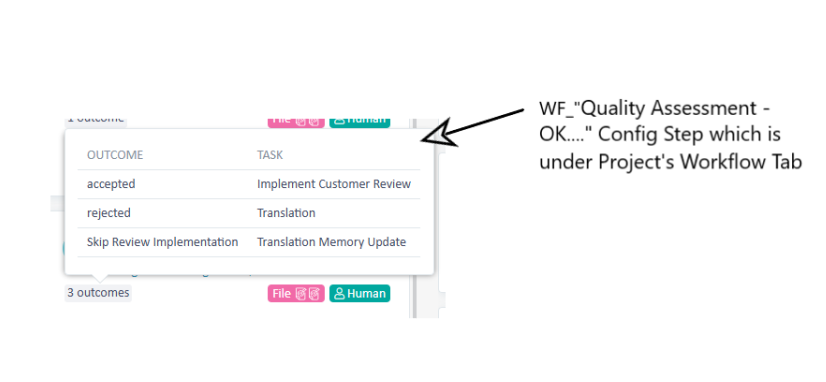
I have noticed that custom workflow tasks show differently in the workflows task description than the selecttions you have when completing the task:
1) Workflow task outcomes:
2) Selections available when completing the tasks:
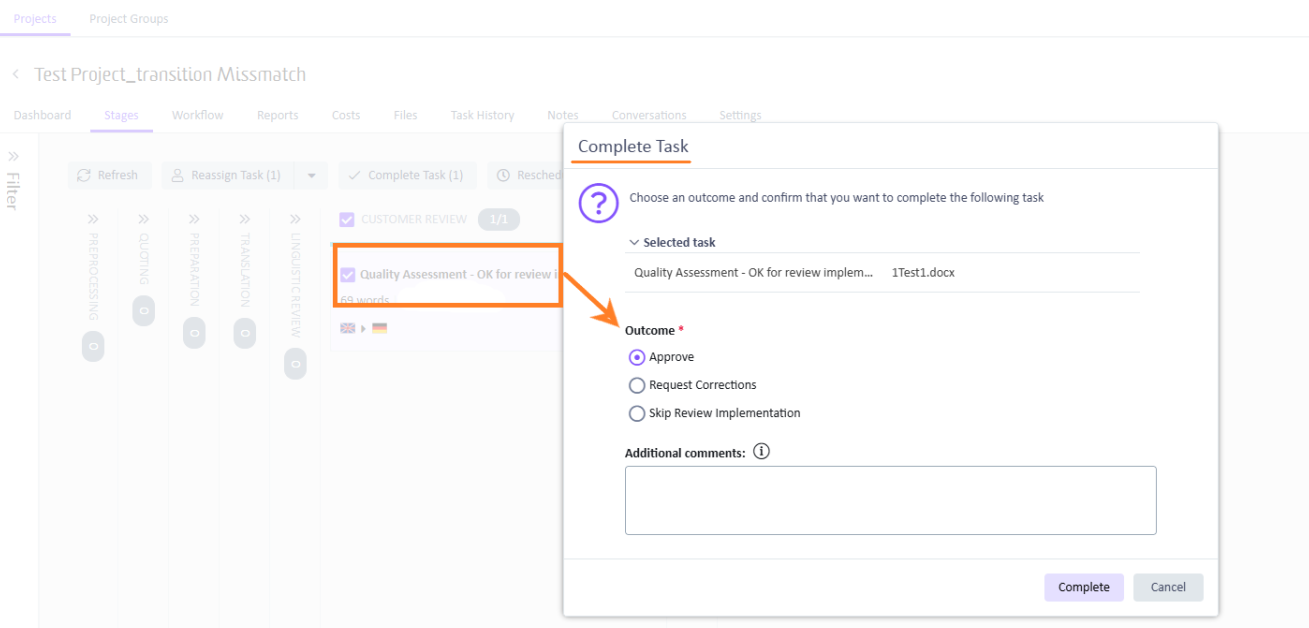
We have raised this with the support team and they say it is behaves as designed, but I do consider this bad design choices if this is the case.
What you see in the workflow view is the transition names that we gave the task transitions in the custom workfow template editor.
What you see in the "Complete Task" options however is the hardcoded, non-editable description for the workflow tasks outcomes.
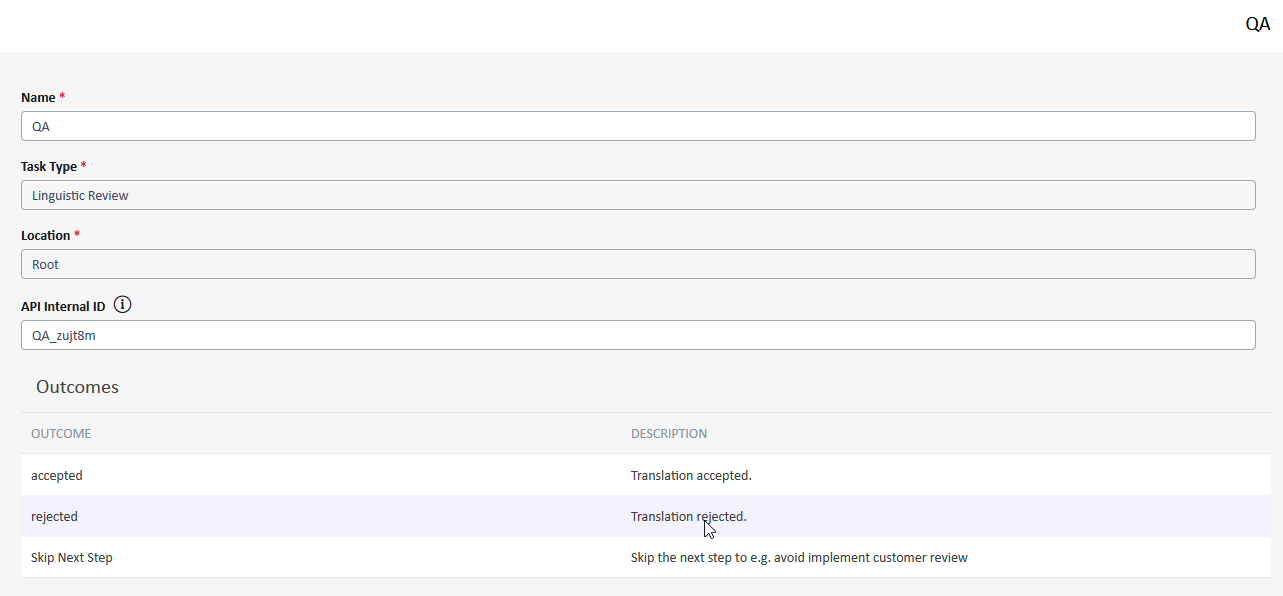
This is highly confusing to the users and it took us some time to figure out the root cause.
Please allow to either have the workflow task outcomes freely configurable and use this and not have the workflow transitions renabable or only show the names specified in the workflow transitions, but having it inconsistent does not make sense from my perspective.
