Translate


 Description
Currently, when a plugin is installed in Trados Studio, its buttons are typically added to predefined ribbon tabs such as Home or Review. While users can customize the ribbon by creating new tabs and groups, moving plugin functionality into these custom areas requires manually locating and re-adding each individual button.
This process becomes tedious and unintuitive, especially for plugins that expose multiple commands across different categories.
 Proposed Enhancement
Introduce the ability to:
- Move entire plugin groups (or tabs) via drag-and-drop
- Allow users to reassign existing plugin ribbon groups directly into:
- Custom tabs
- Custom groups
- Preserve the original grouping and structure of the plugin UI
 Example Use Case
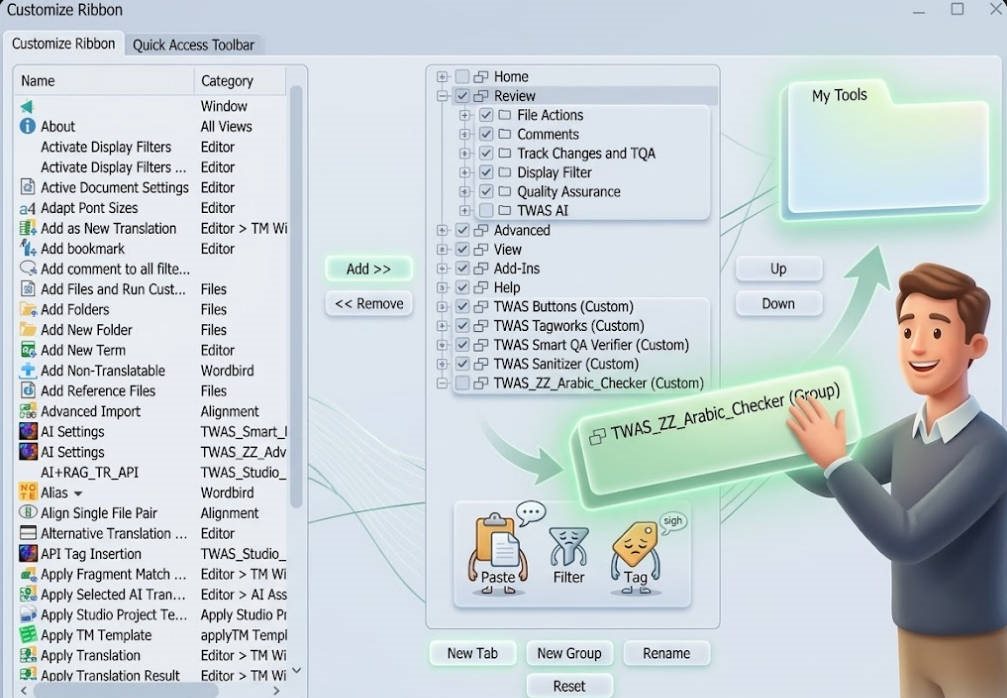
A user installs a plugin whose commands appear under the Review tab.
Instead of:
- Manually searching for each command
- Adding them one by one to a new custom tab/group
The user could simply:
- Drag the plugin group (e.g., TWAS_ZZ_Arabic_Checker)
- Drop it into a newly created custom tab
 One action instead of multiple steps
No need to hunt for commands individually
 Benefits
- Improved usability and discoverability
- Reduced friction for non-technical users
- Faster workspace customization
- Encourages better plugin adoption
- Maintains logical grouping defined by plugin developers
Suggested Technical Approach
This could be implemented by extending the existing ribbon customization system:
- Expose plugin groups as movable entities
- Currently, commands are treated individually
- Introduce a higher-level abstraction for group-level manipulation
- Enable drag-and-drop within the ribbon editor
- Allow
RibbonGroupelements to be reassigned between tabs - Maintain internal command bindings without duplication
- Allow
- Persist layout changes in user configuration
- Store reassigned group locations in the existing UI layout config
- Avoid modifying plugin manifests
- Fallback handling
- If a plugin is removed, gracefully clean up orphaned groups
- If a plugin updates, preserve user-customized placement where possible
 Optional Enhancement
- Allow plugin developers to flag groups as movable or locked
- Provide a “Move Group” context menu option as an alternative to drag-and-drop
 Closing Note
This enhancement would significantly improve the customization experience in Trados Studio, making it more intuitive and efficient—especially for users working with multiple plugins and complex workflows.