Translate


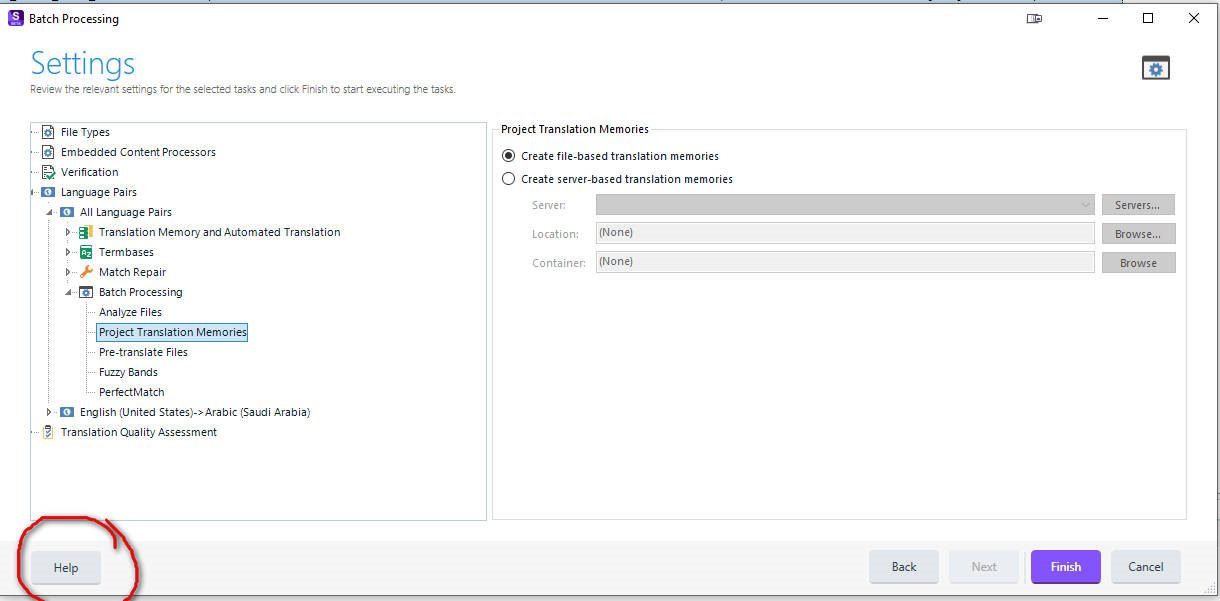
Title: Batch Processing: Missing "None" option for Project Translation Memories Area: Task Sequence / Batch Processing Build: Trados Studio 4.1 Quantum 64-bit Beta
Description: In the Project Translation Memories settings under Batch Processing, the user is currently forced to choose between "Create file-based translation memories" or "Create server-based translation memories."
The Issue: There are many workflows where a user may want to run a batch task (like Analysis or PerfectMatch) without creating any new Project TMs at all. Currently, there is no way to bypass this selection.
Proposed Solution: Add a third radio button option: "Do not create project translation memories."
User Impact: Saves disk space and processing time by preventing the generation of redundant .sdltm files for projects where they are not required.