
 Translate




Hi all,
I'm pleased to announce the following updates that have recently been added to Language Weaver.
New Features
Language Weaver Pro
The major recent update is the release of our latest model - Language Weaver Pro. Language Weaver Pro offers vastly enhanced translation quality, leading against alternative AI models on multilingual tasks across both human and widely recognised automated evaluations. The full whitepaper outlining the evaluation, methodology, and results is available here: https://www.rws.com/language-weaver/pro-benchmarking/
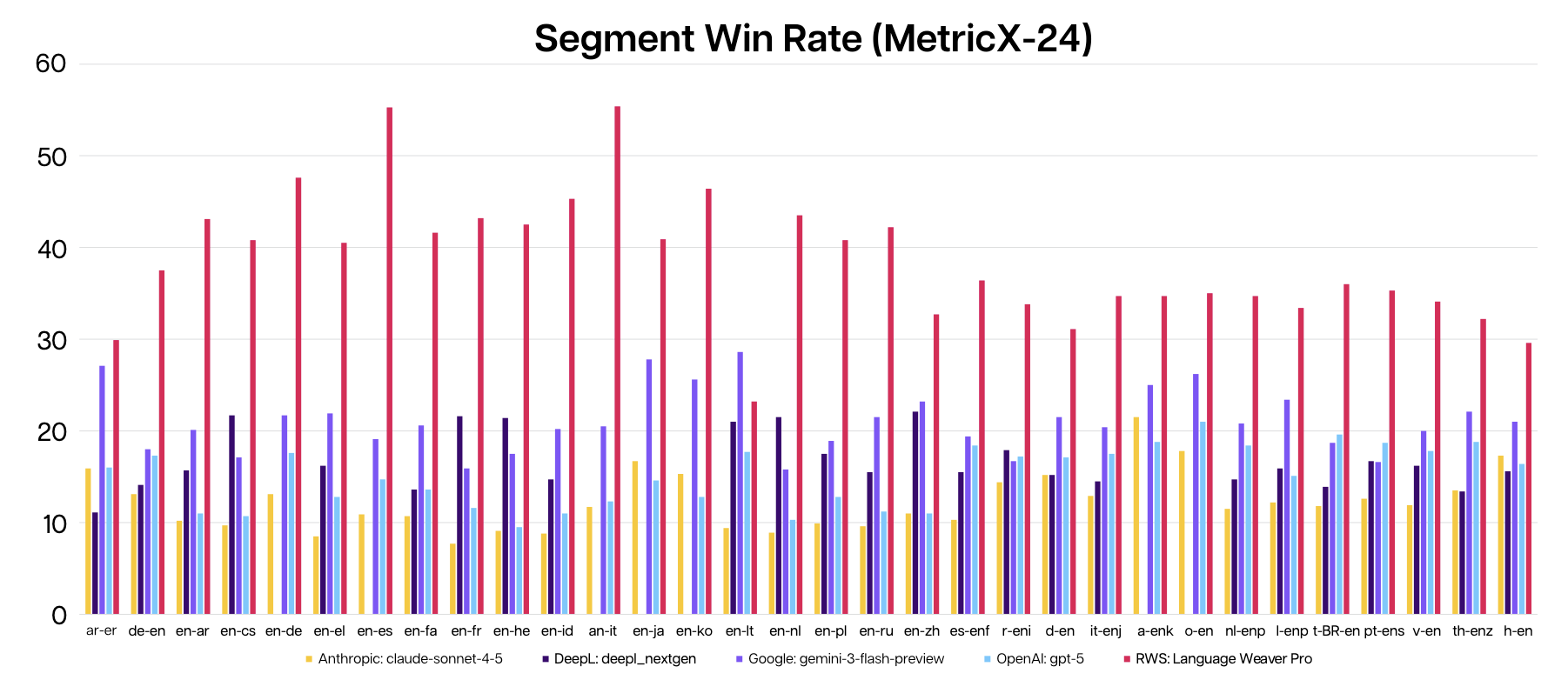
Pro models are available now in Language Weaver Cloud. You can reach out to your regular contact at RWS to activate these in your account.
Group-Based Permissions: Language Pairs, Character Volumes, PDF Restrictions
- In addition to the Groups feature outlined in the previous update, we have added the following capabilities to user groups:
- Admins can restrict access to specific Language Pairs by Group
- Admins can allocate character volumes to Groups from the overall account volume
- Admins can add read-only restrictions to generated PDFs for specific user groups
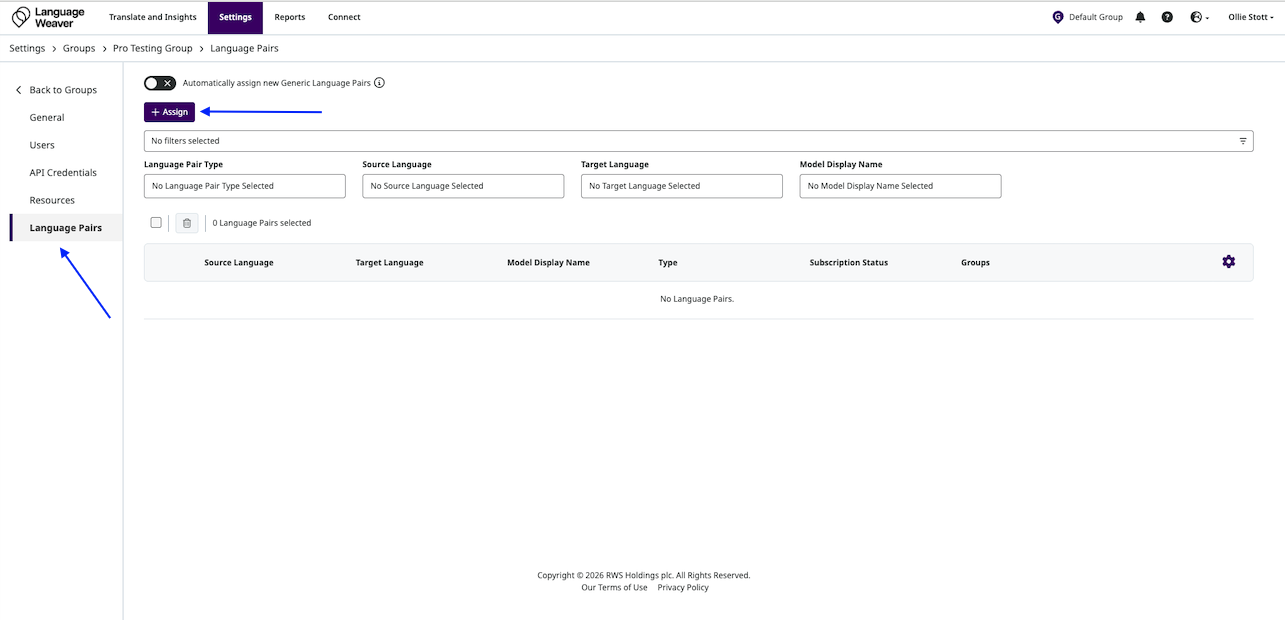
- Assigning Language Pairs:
- By default, new Groups created will have no language pairs assigned
- Admins can select "Language Pairs" at the left-hand panel, then click "Assign"
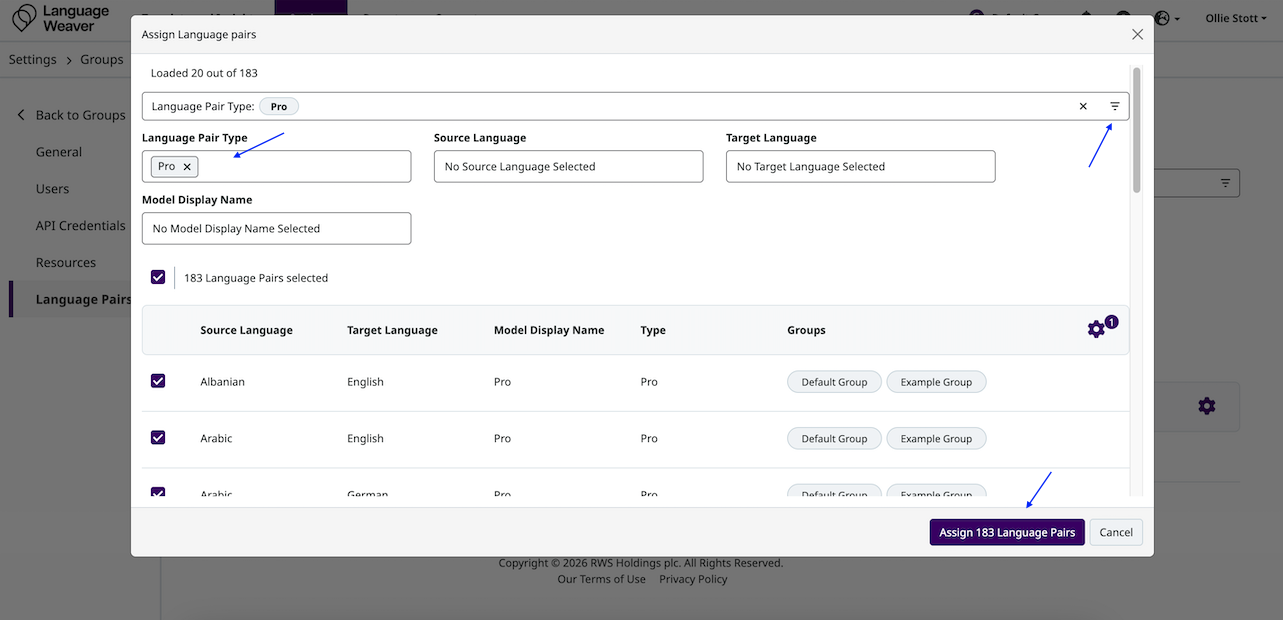
- This will open up a module with all language pairs available to that account
- Admins can select specific language pairs, or filter by selecting the filter icon at the top of the module
- After selecting the relevant language pairs, select "Assign Language Pairs"
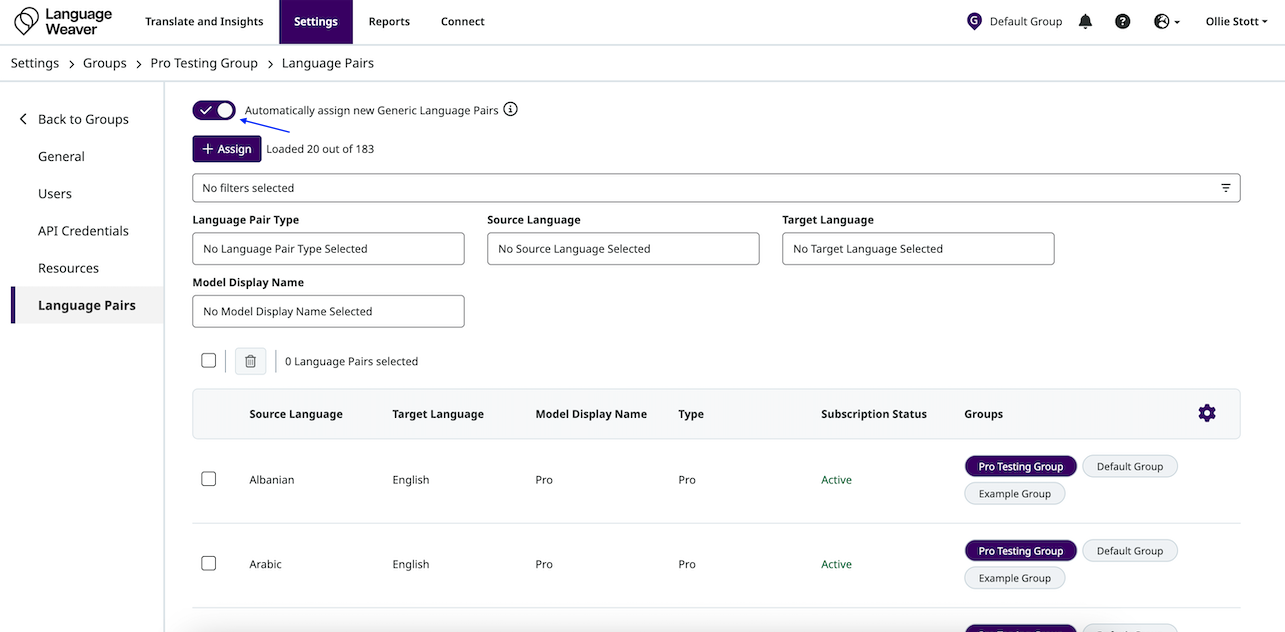
- The "Automatically assign new Generic Language Pairs" toggle can be switched on to automatically assign any new eligible language pairs for the account (such as new Pro or Nerual language pairs) to the Group
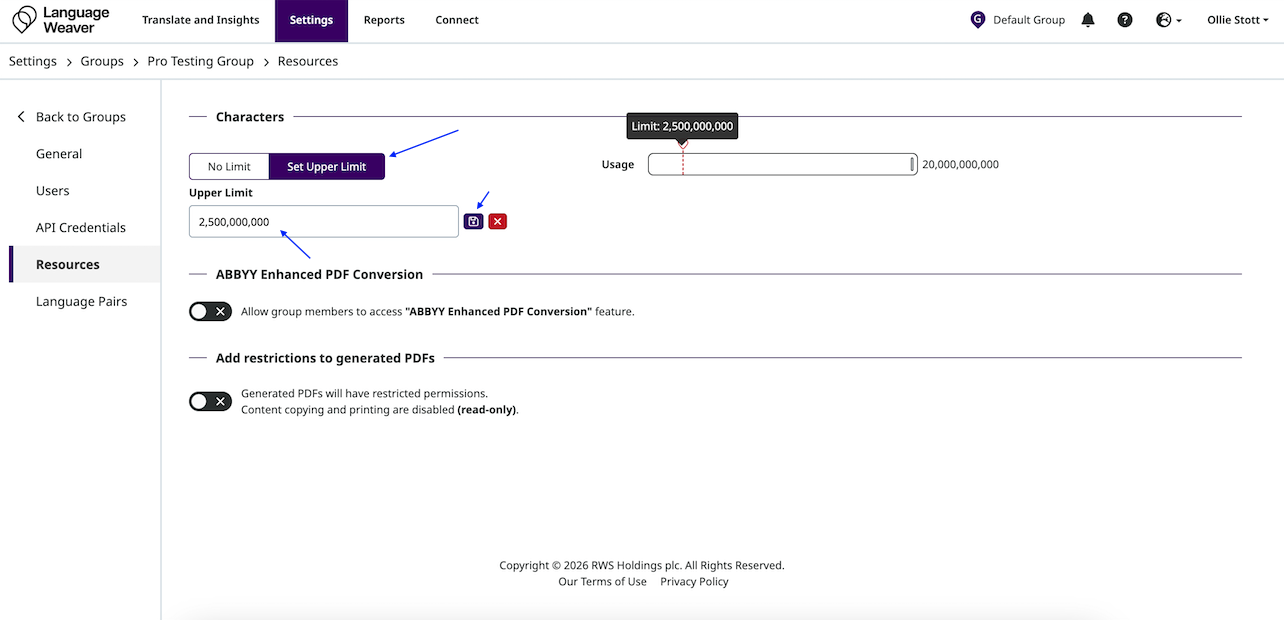
- Assigning character volumes from the overall account volume:
- By default, new Groups will have no limit on their character volume, and will share the overall account volume
- Admins can select "Resources" from the left hand panel to view resource allowances
- Select "Set Upper Limit", enter this below, and select Save
- Adding read-only restrictions to generated PDFs
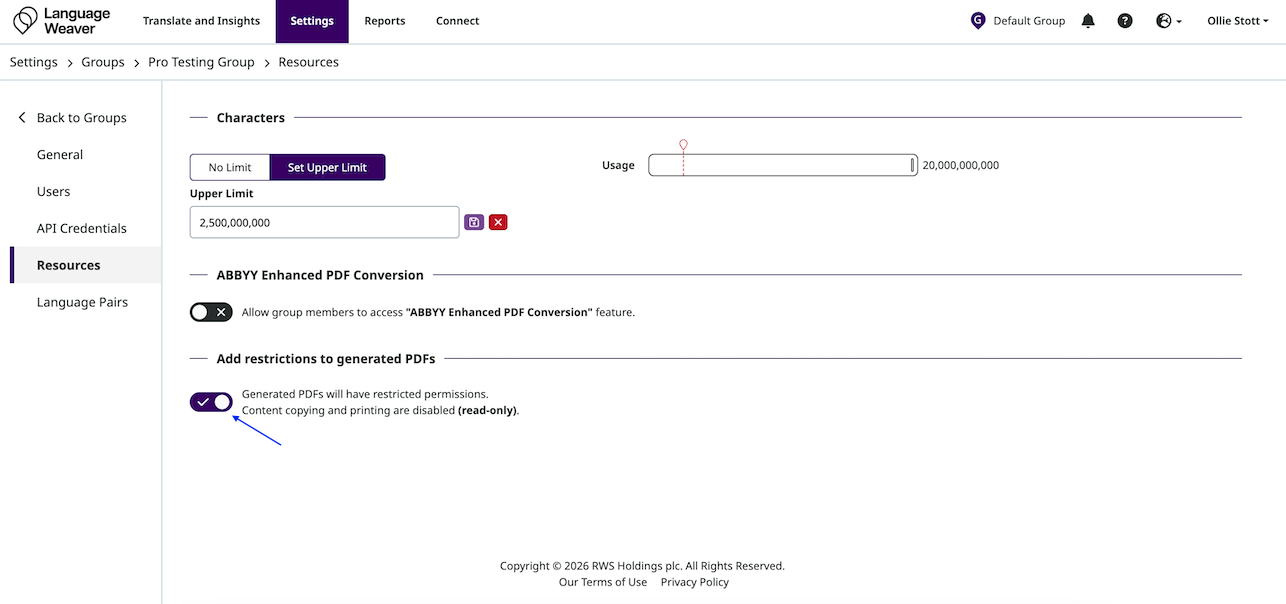
- By default, new Groups will not have read-only restrictions on generated PDFs
- Admins can select "Resources" from the left hand panel to view resource allowances
- Select the toggle to enforce read-only restrictions for PDFs generated by users in that Group
Read-Only PDF Enforcement
- It is now possible for admins to enforce read-only PDF output for translations
- This is useful for workflows where translated documents should not be editable by end users
- Combined with document watermarking, this gives admins a further enhanced degree of control over documents that go to end users
Improvements
- User Reporting
- The export users function in the "Users" page now respects active filters, so exported lists reflect exactly the users that are being reviewed in the UI rather than the full user base
- Account Settings
- The Account Settings UI has been updated with anchor navigation to support easier and faster navigation
- Adaptation Improvements
- The Auto-Adaptive and Generative Language Pairs tables have been redesigned to display quality metrics (showing the changes per adaptation) and a progress bar, making it easier to track adaptation statuses at a glance.