
 Translate




Hi all,
I'm pleased to announce that the following updates have been added to Language Weaver recently.
New Features
Language Pair Profiles
Profiles are predefined sets of conditions and settings that manage translation configurations in a structured way. They ensure consistency, control, and automation in translation workflows, reducing manual setup and standardizing outputs across an account.
When to Use Profiles
Profiles are useful when there is a need to:
-
Standardize translation settings across an account.
-
Enforce specific settings that cannot be modified by users.
-
Provide default values that users can adjust if allowed.
-
Organize settings efficiently for different translation workflows.
Key Components of a Profile
Profiles consist of:
-
Conditions: Define when a profile should be applied (e.g., source language, target language, users, models, etc.).
-
Settings: The translation-related configurations that will be enforced or suggested (e.g., dictionaries, quality estimation, linguistic options, etc.).
How Profiles Are Applied
When a translation is initiated, the system determines which profile(s) apply based on the defined conditions. The matching process follows a structured approach:
-
Profile Matching
-
The system evaluates all available profiles and selects those that match the given translation parameters (e.g., source language, target language, model, etc.).
-
If multiple profiles match, they are applied in the order they are defined.
-
The first matching profile in the order is applied first.
-
Condition Matching Rule:
-
If a condition is empty, it acts as a wildcard and matches all values for that condition.
-
If a condition has a specific value, it matches only that exact value.
-
-
-
Ordering Mechanism
-
Profiles are processed in a predefined order.
-
If multiple profiles match, the system applies the settings from the first applicable profile.
-
If a profile explicitly defines a setting, that value is used.
-
-
Fallback to Next Matching Profile
-
If the first matching profile does not specify a particular setting, the system checks the next profile in the order.
-
This continues until a profile that defines the missing setting is found.
-
If no matching profiles contain a required setting, the system uses default settings or leaves it unspecified.
-
-
Handling of Overridable Settings
-
All settings in a profile have the Enforce Selection checkbox option.
-
If Enforce Selection is checked, the setting is strictly applied, and users cannot modify it.
-
If Enforce Selection is unchecked:
-
If the user has translation setting preferences (only on the UI portal), those preferences will be used, and the setting will not be prepopulated with profile values.
-
If the user does not have preferences, values from the profile will be applied.
-
-
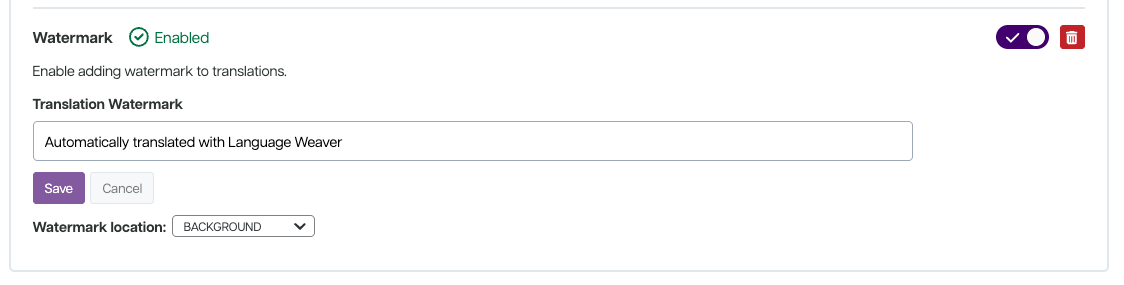
Support for Background Watermarks
-
From Account Settings, admins can enable adding watermarks to documents
-
The watermark itself can be customised (set, by default, to “Automatically translated with Language Weaver”
-
Watermark location can be set to background or footer
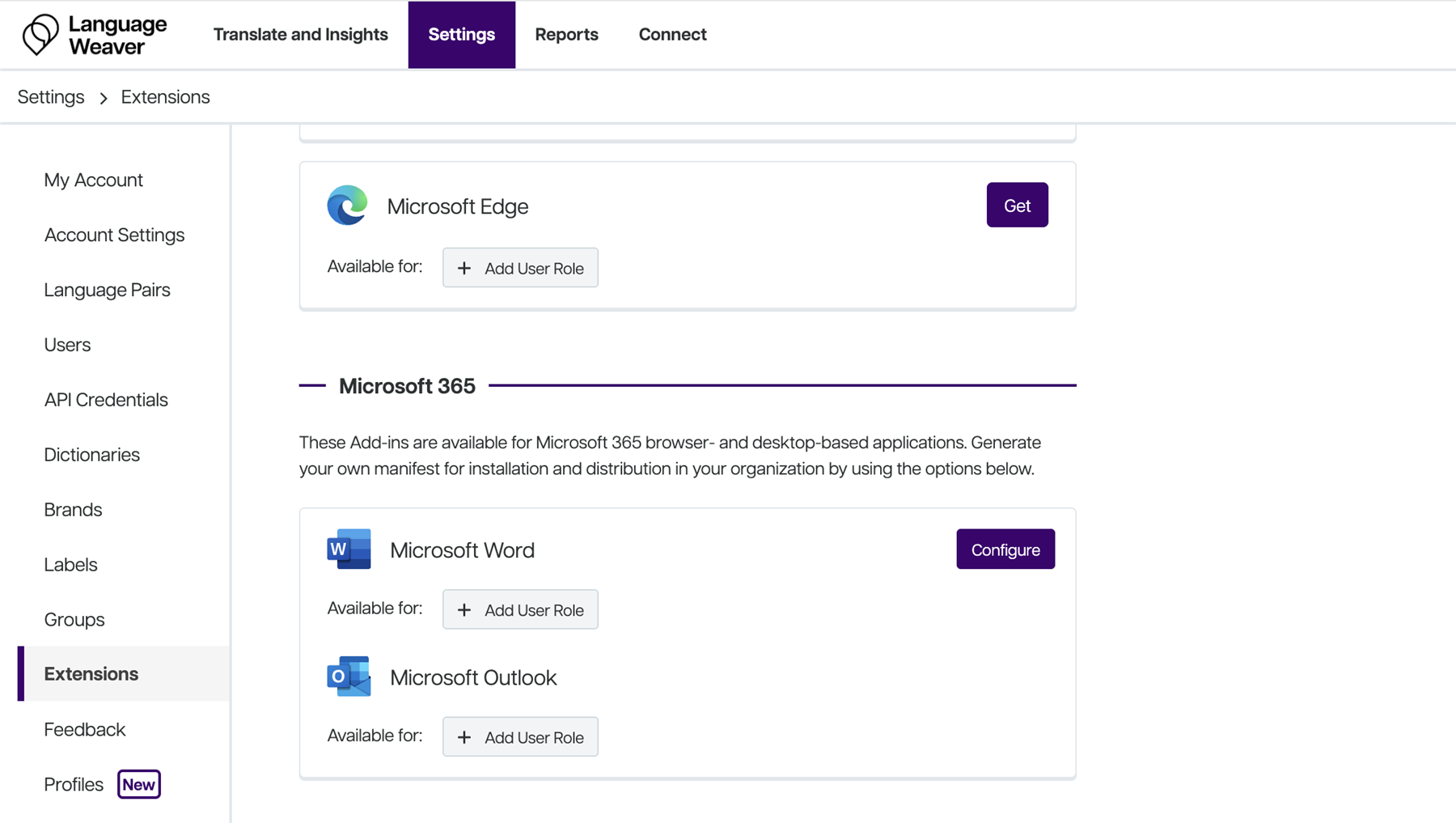
Microsoft365 Add-ins Management Added to Settings Page
-
Admins can configure the connection for the add-in (Word / Outlook) and a manifest file is generated based on those configs.
-
The admins can download the files afterwards and distribute them to the users so that they can use LW in word/outlook.
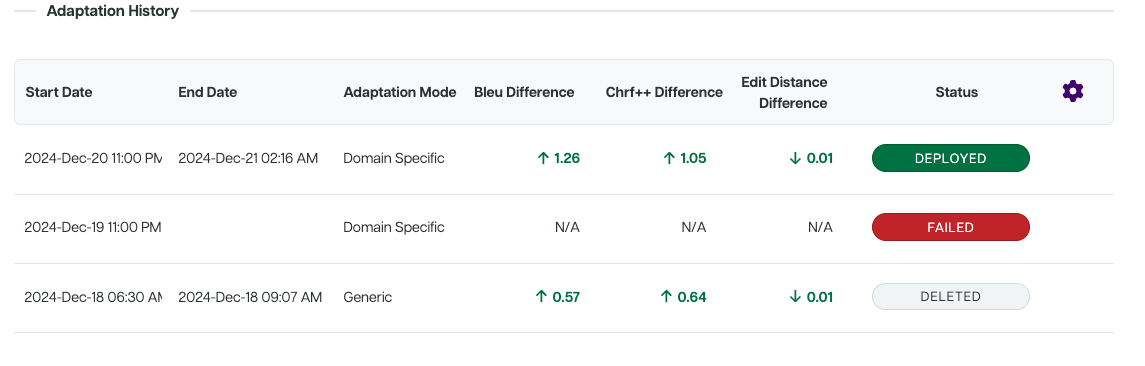
Adaptation History for Auto Adaptive and Generative LPs
- This enables users to see the gradual improvement of their LP, as well as giving admins deeper insight into user activity and resource usage
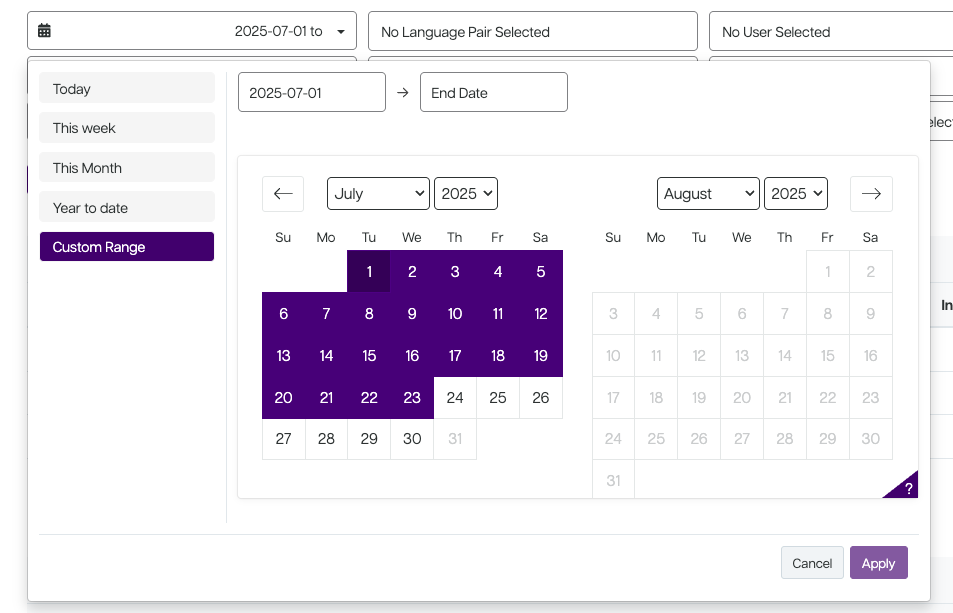
Enhancements
- Date selection component in Custom Reporting has been enhanced
- Content Insights is now available for all languages
- "Description" field added to subscriptions page to show per subscription, meaning the user no longer needs to click to find out basic information about a subscription
- Adaptation: Support added for .gz files upload
- Support either multiple files compressed as a .gz archive, or TMX files compressed as a .gz
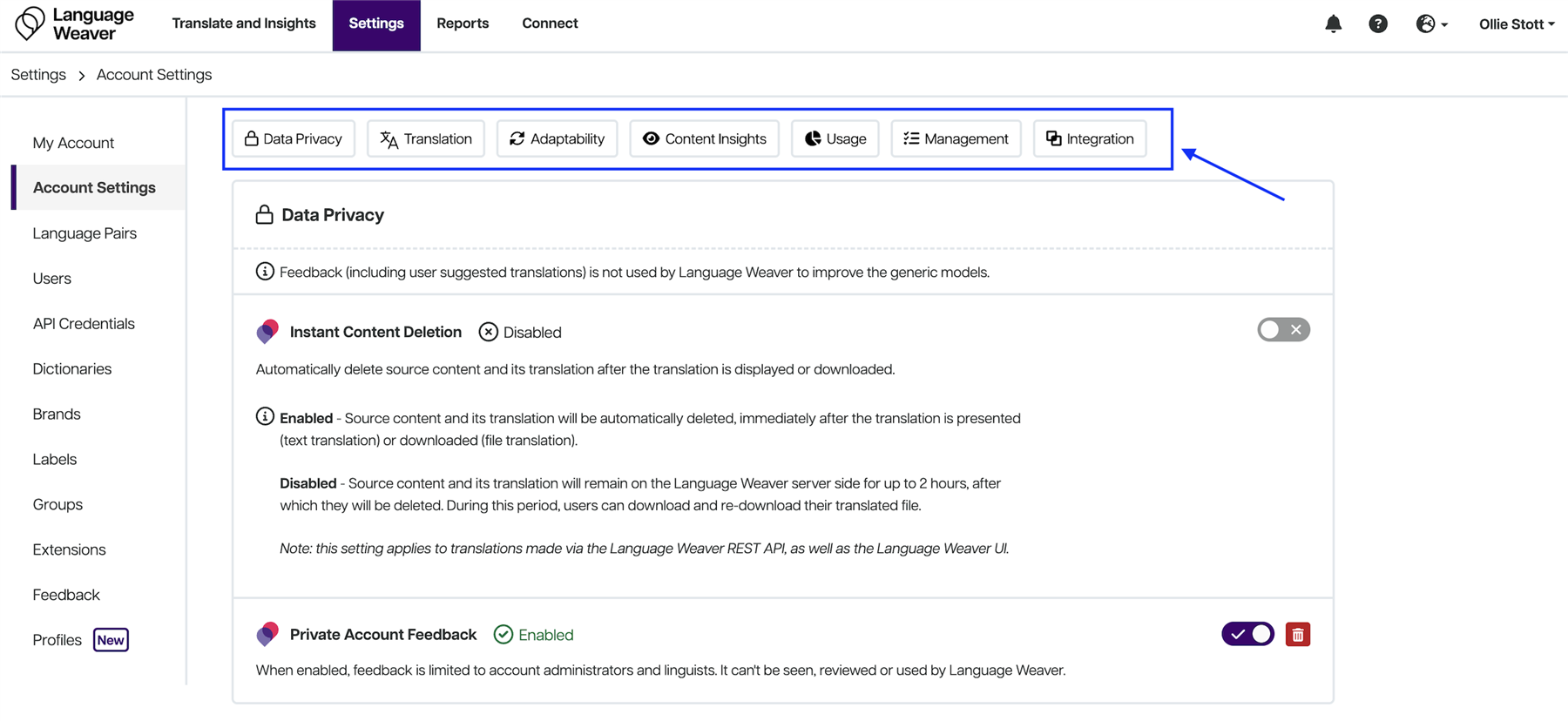
- Shortcuts added to the Account Settings page
- Feedback star ratings have been removed from the portal interface
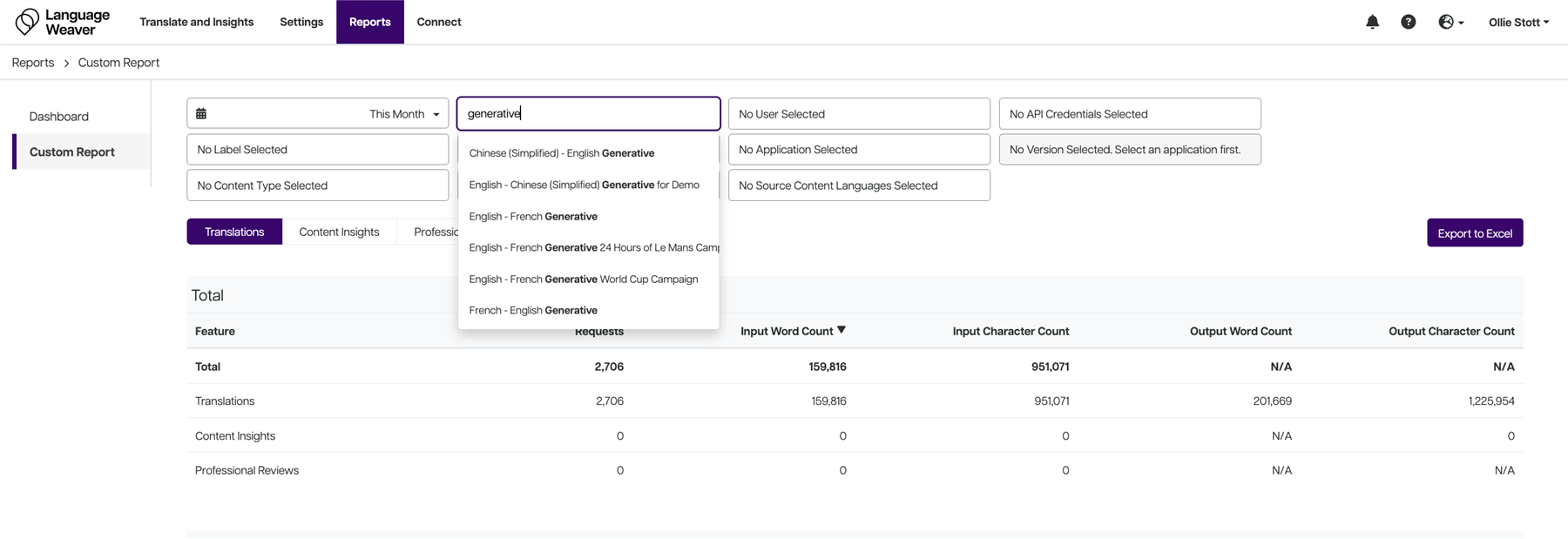
- Enabled searching of model type in the Language Pair field in Custom Reporting
- The adaptation progress bar has been added for Auto Adaptive and Generative LPs
- Ability has been added to enable users to delete all TMX files for Auto Adaptive and Generative LPs
- "Last Modified By" and "Created By" has been added for Auto Adaptive LPs
-
This is available on the /auto-adaptive-language-pairs API response
-