
 Translate




Over the year 2025, we have released a number of key updates to the Trados Cloud platform, including our brand-new CAT tool in the browser, Trados Go, as well as the Trados Studio cloud capabilities included with your license of Trados Studio. We would like to use this opportunity to share the new functionality that has been delivered throughout the year.
New features and updates are automatically added to your account, so just login to Trados, and they will be available immediately for you.
Online Editor
Let's start with Online Editor which has seen numerous improvements this year.
Open multiple files
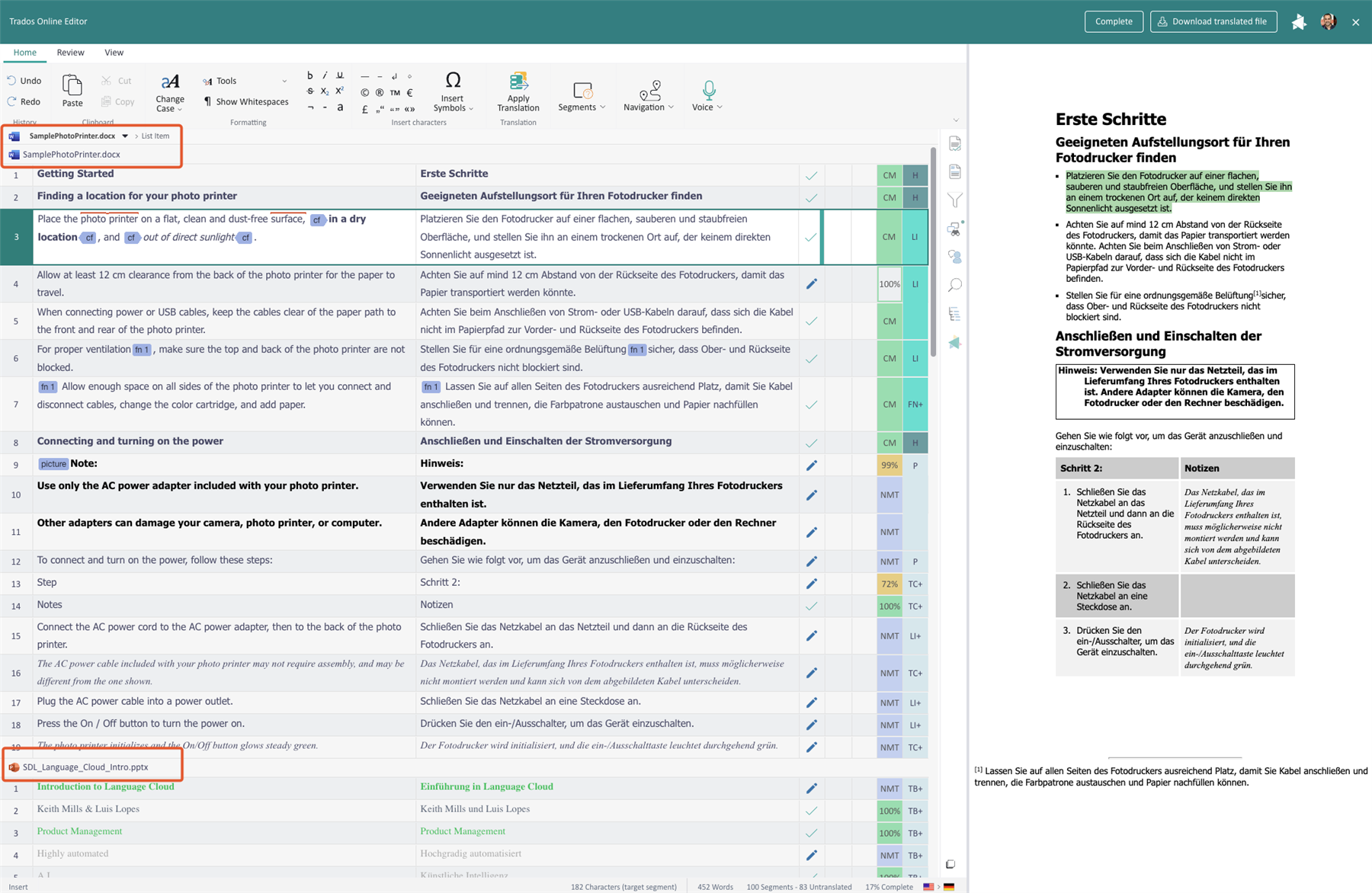
We have introduced the ability to open multiple files in the Online Editor. This is especially helpful for projects where many small files are included, enabling cross-file Find & Replace, auto-propagation, QA Checking and more. As you move through the file, the real-time Preview will load the respective file dynamically.
To use this feature, in Inbox or Project details –> Stages, select multiple files from the same project, for the same target language and task type, then click on Open in Online Editor.
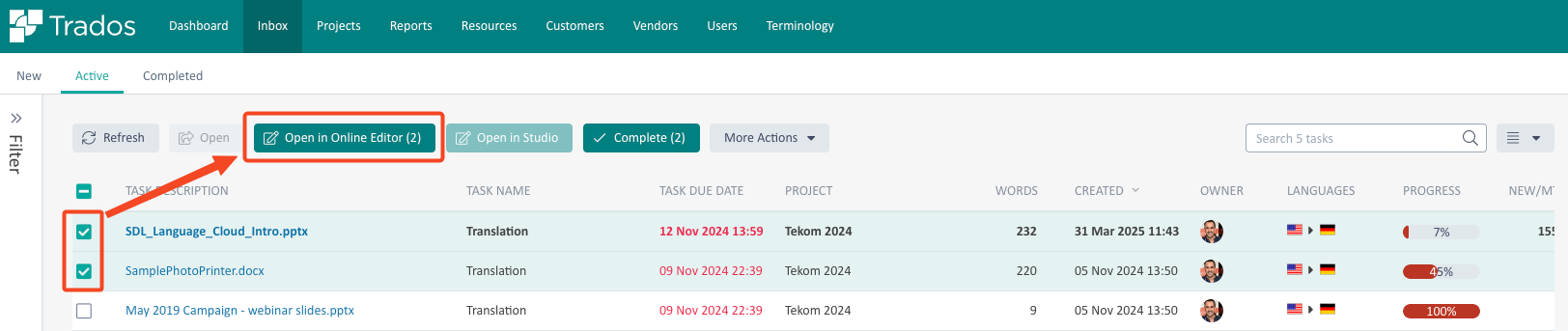
Note: Files will only be virtually merged, so you can open different combinations of files. There is a limit of 100 files and/or 10,000 segments.
Ability to validate source file formats
We have introduced the ability to validate native file formats, such as custom XML, RESX, DITA, DocBook, Author-IT, MadCap, ITS, AEM Sites XML, XHTML. The validation will be performed using the XML verifier using resources linked in the XML header, or alternatively uploaded as a custom XML Schema or DTD file in the File type settings.
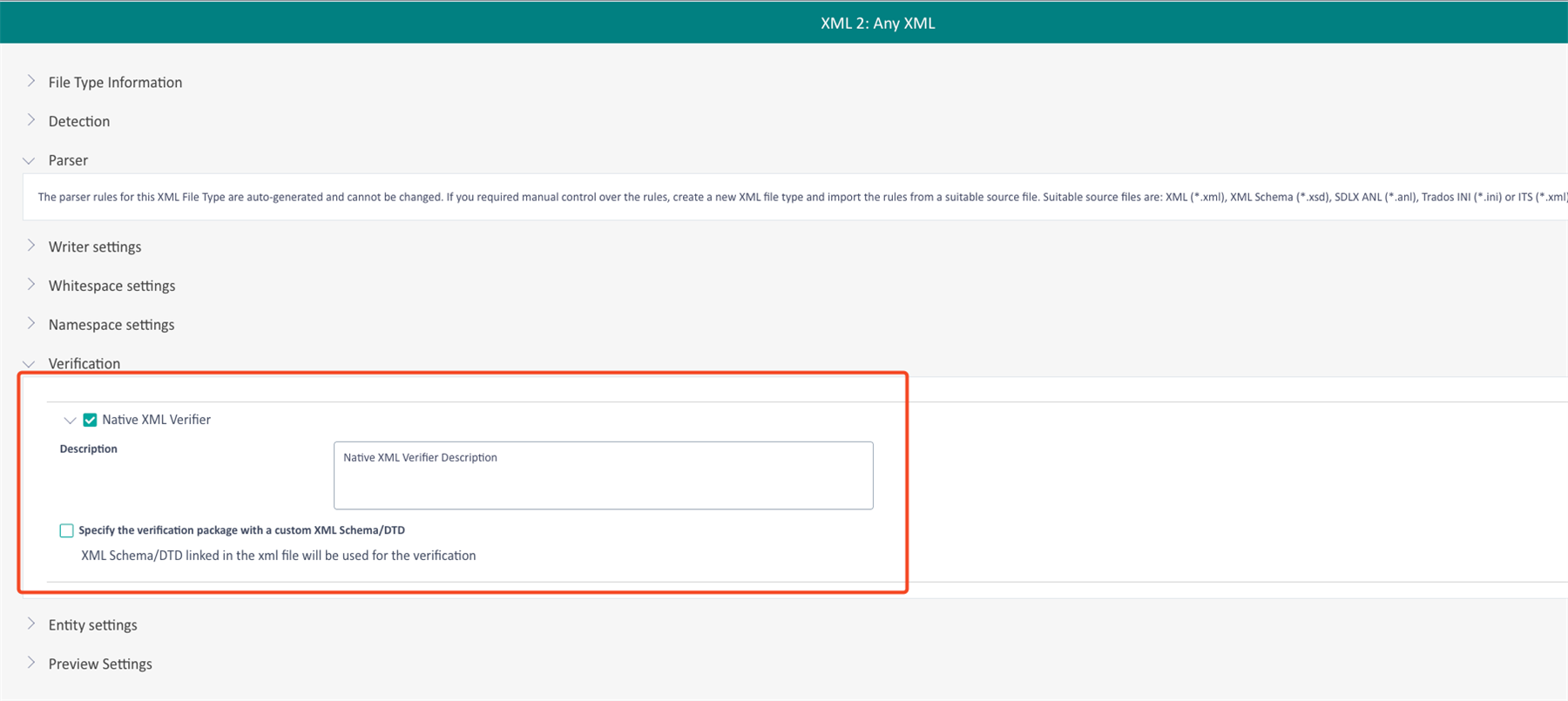
If enabled, this validation will be performed during the QA Check or by pressing Verify Document in Online Editor.
Edit content outside of segments
We’ve added support for displaying and editing content outside of segments in Online Editor. This includes whitespace, tags, and other non-segment content that can be essential for advanced localization adaption scenarios - like repositioning inline images or managing formatting more precisely. Already available in Studio, this enhancement ensures users can now handle the full range of editing needs in the browser without necessarily having to switch to Studio for these use cases.

Filtering Fuzzy Matches
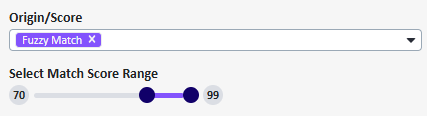
A new option in the Online Editor allows you to filter fuzzy match segments at a more granular level. When selected, a slider lets you define a fuzzy match range from 0 to 99, helping you focus on segments that meet precise similarity thresholds.
Other Online Editor enhancements
Other enhancements implemented during the year include:
- Option to confirm segments in bulk when completing the task
- New setting to overwrite segment if better match found
Terminology Management: Introducing Subfields
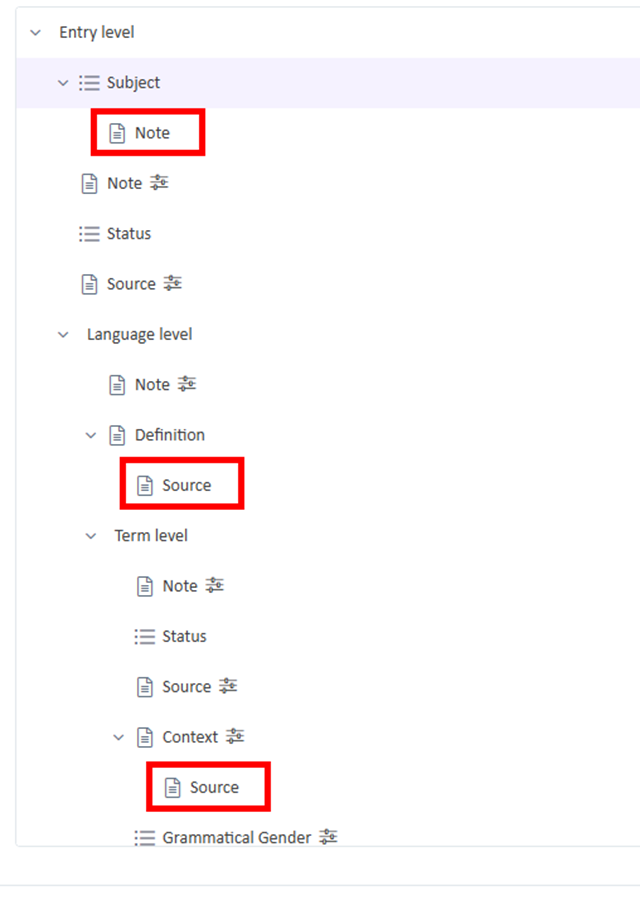
Trados Terminology is already a very sophisticated terminology management tool. We have added to that sophistication by supporting nested subfields, enabling you to create more detailed and structured terminology entries. This enhancement allows you to model terminology data more accurately, increasing its value as a key resource in your daily translation work.
Project Management Enhancements
There have also been a number of enhancements for managing projects more efficiently:
Enhanced File Sorting and Filtering in Project Dashboard
We’ve improved the sorting and filtering options in the Files section of your project dashboard. In the Files section of your project dashboard, you can:
- Quickly search for files by filename
- Sort results across more columns, giving you greater control over how you view your project data
Note: This functionality is currently available for projects containing up to 5,000 files.

Adjacent languages
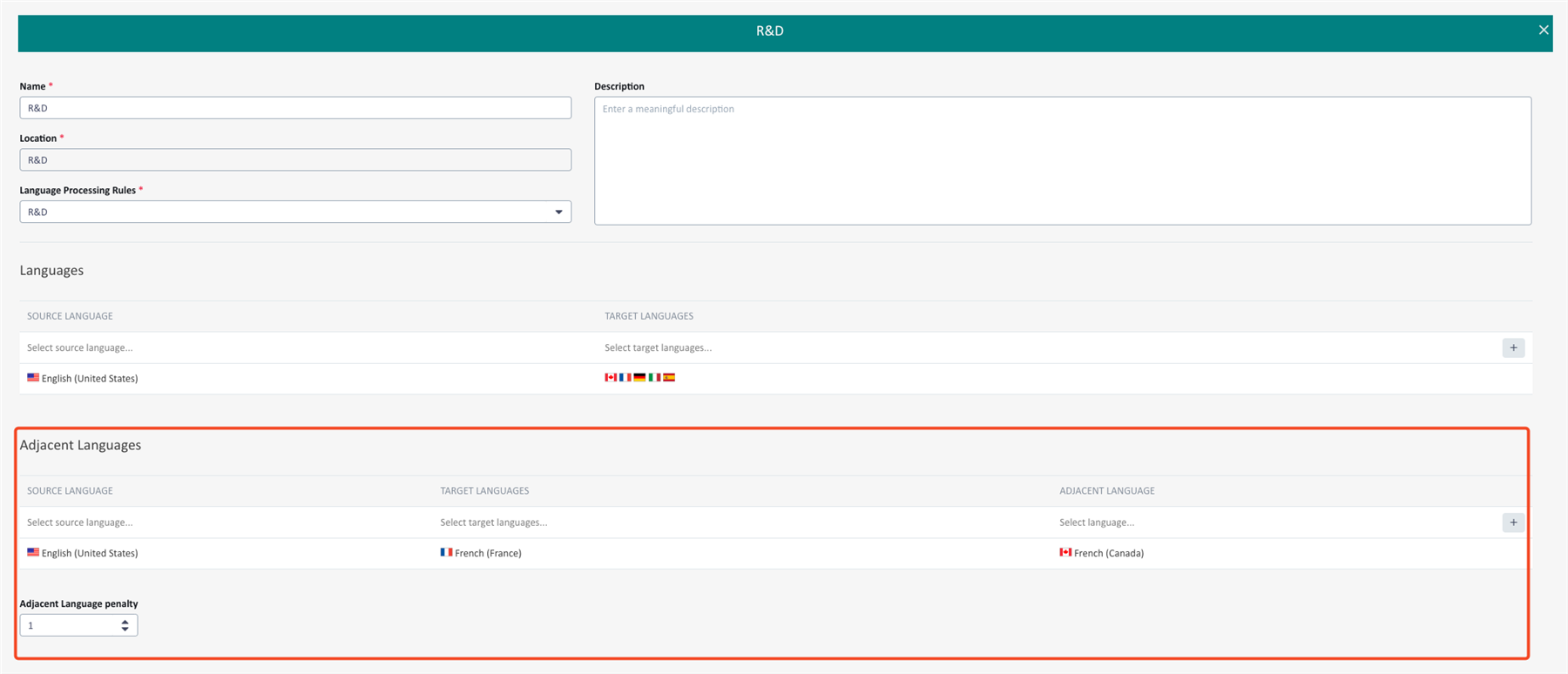
You can now leverage adjacent languages in projects, such as leveraging French-France translations for French-Canadian translation.
In Translation Engine, you can now specify an adjacent language, including a penalty.
TM Maintenance Enhancements
We have introduced a number of enhancements for the TM maintenance functionality:
- Reusable TM Maintenance filters: Filters created in TM Maintenance can now be shared and reused by the same user across all translation memories that share the same field template structure.
- More intuitive UI for advanced filter section
- Proper mapping for fields name in filter preview
- Improved handling for fields in advanced filter window
Additional Changes in the Trados Platform
Throughout the year, we have implemented the following additional changes:
- You can now specify in Translation Engine if Machine Translation should be applied during Workflow and Interactively or not

- We addressed segmentation, deletion bugs, and character/whitespace deletion behaviors in tracked changes
- Resolved an issue with auto propagated segments not being verified in some scenarios in Online Editor
- If you have access to multiple tenants, you can now search in the tenant selection dialog
- Resolved an issue where deleting a space after a tag would mistakenly also delete the space before the tag
- We’ve rolled out the new RWS branding in Trados, kicking things off with an updated logo in this release.
- Various bug fixes and UX enhancements
A big thank you from the team for using the Trados Cloud platform!
