


The Trados cloud platform will be undergoing maintenance on Saturday, 9th May 2026 between 05:00 to 17:00 UTC. During this time, you will not be able to log in to the Trados platform.

Unable to access cloud account

Hi Team,

My account id is 485477, I am using mac and want to use my existing Trados Studio 2024 on browser but I am unable to log in to the cloud account.

Please find the below error for your reference.
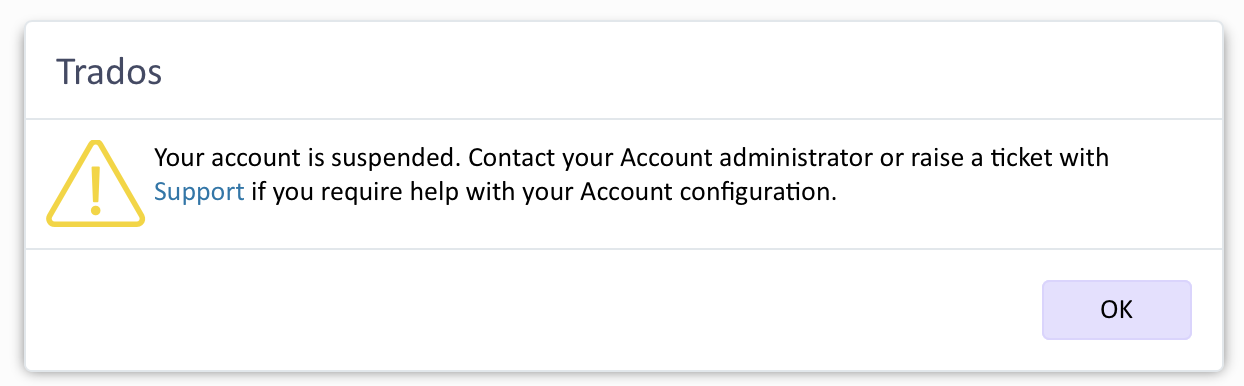
Trados error message stating 'Your account is suspended. Contact your Account administrator or raise a ticket with Support if you require help with your Account configuration.' with an OK button.

Can you please look into it.


Removed AI Suggestion
[edited by: Savio D'Britto at 10:38 AM (GMT 0) on 15 Jan 2026]
emoji
  • Probability score: 0.6  

    Question improvement suggestion: Please provide the exact error message you are encountering when trying to log in to your cloud account.  

    In the meantime, based on the information you have provided, here is a suggested answer to your question:  

    Hello,  

    It seems you're experiencing issues accessing your Trados Studio 2024 cloud account. Here are some steps you can take to troubleshoot the problem:  

    **Step 1:** Verify your account details. Ensure that you are using the correct username and password. Remember, the username does not necessarily have to be your email address.  

    **Step 2:** Check if you have the necessary permissions. If you are part of a team, contact your Trados Live Administrator to confirm that you have been granted the appropriate role in the Language Cloud account.  

    **Step 3:** Clear your browser cache. Sometimes, cached data can cause login issues. After clearing the cache, try logging in again.  

    **Step 4:** If you have previously installed versions of Trados Studio, ensure that you are not facing conflicts with old settings. You can rename or delete the "Language Cloud.bin" file as described in the troubleshooting steps provided in the community articles.  

    **Step 5:** If the issue persists, please provide the exact error message you are receiving. This will help in diagnosing the problem more effectively.  

    If none of these steps resolve your issue, consider logging a support case with RWS Support for further assistance.  

    I hope this answer addressed your question. If not, please reject the answer, add the question improvement suggestion information, and click the RWS Community AI checkbox on the right to try again.  

    RWS Community AI

    emoji
  • We will be pleased to help you with this problem so have logged a support case on your behalf. We do prioritise customers who have a support contract so please keep in mind it could take up to 48 hours, especially over a weekend, but rest assured we will contact you as soon as we can. You will be contacted at the email address used for this Community. Support Case Id : CS0036998.

    emoji