
 Translate



In the Language Cloud portal, one can define Language Processing Rules, which define the date, time and currency formats that the system recognizes.
This works the same as in Trados Studio.
In Trados Studio however, one can also define in the Project Settings which of these formats should be used when localizing dates. This is done with the "Auto-Substitution" option shown here: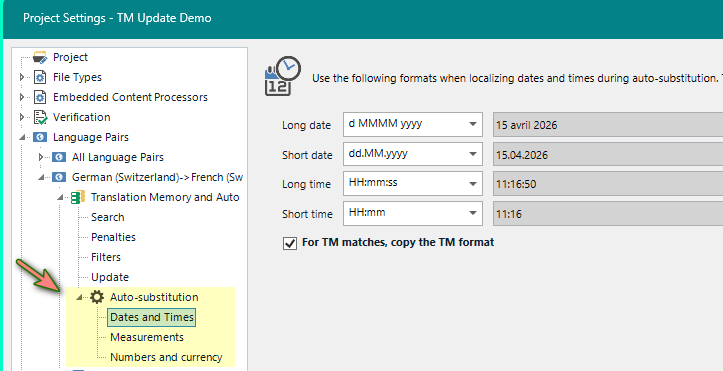
Where is the equivalent of this function in Trados Team? I cannot find it.
The documentation for Trados Cloud offerings does not help either.
Can anyone point me in the right direction?
Thanks
Walter
Removed AI Suggestion
[edited by: Walter Blaser at 9:31 AM (GMT 1) on 15 Apr 2026]

