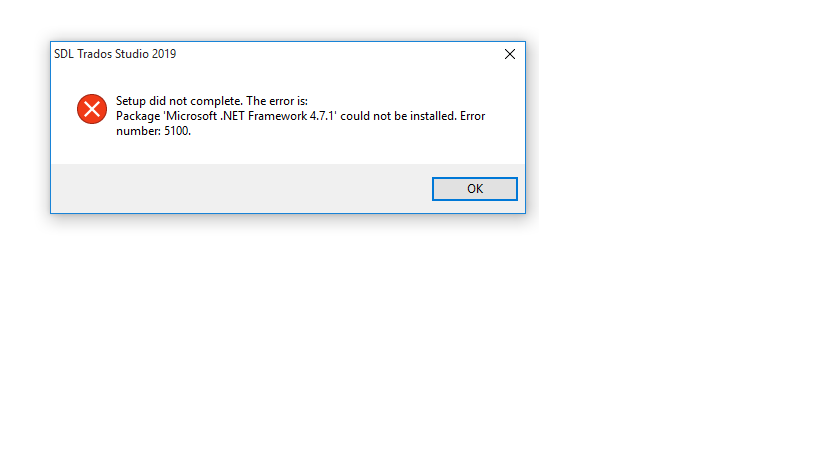
I got my laptop upgraded to Windows 10 (64 bit) for installing newly purchased Studio 2019 Freelance Plus.
However, I got error No.5100 while installing Studio 2019.
Generated Image Alt-Text
[edited by: Trados AI at 11:27 AM (GMT 0) on 4 Mar 2024]

I got my laptop upgraded to Windows 10 (64 bit) for installing newly purchased Studio 2019 Freelance Plus.
However, I got error No.5100 while installing Studio 2019.

Hello @Dr. Maheshwar Ghankot
SDL Studio 2019 requires that .NET Framework 4.7.1 is installed- this should happen automatically when installing Studio.
As this is obviously not the case, please check the following-
You are logged on to the machine as 'administrator'.
You will need to have at least Windows 7(SP1)- better would be Windows 8.1 or W10- please ensure that all updates have been downloaded and installed.
Manually install the correct .NET framework- you can follow this article from Microsoft support-
Please let me know if the problem is resolved.
Oana Nagy | Developer Experience | QA Engineer | RWS Group
Hello @Dr. Maheshwar Ghankot
SDL Studio 2019 requires that .NET Framework 4.7.1 is installed- this should happen automatically when installing Studio.
As this is obviously not the case, please check the following-
You are logged on to the machine as 'administrator'.
You will need to have at least Windows 7(SP1)- better would be Windows 8.1 or W10- please ensure that all updates have been downloaded and installed.
Manually install the correct .NET framework- you can follow this article from Microsoft support-
Please let me know if the problem is resolved.
Oana Nagy | Developer Experience | QA Engineer | RWS Group
Hi Dr. Maheshwar Ghankot
Perhaps the information in this post will help?
community.sdl.com/.../69294
Paul Filkin | RWS Group
________________________
Design your own training!
You've done the courses and still need to go a little further, or still not clear?
Tell us what you need in our Community Solutions Hub