Translate



Hello everyone,
I bought a Trados Studio 2019 license today but I can't activate it.
I submitted a report and received an answer from SDL Trados Support Team proposing a remote session to solve the problem but, for some reason, they don't write back to my emails anymore.
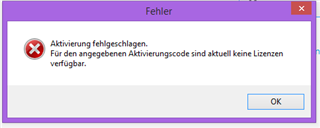
Here is the problem: if I try to activate the license online, I get the following error message (translation: no license available):
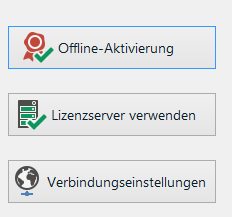
Here is what is being displayed when I try alternative activation options:
I could activate my account offline, but my SDL account only has a deactivation link, since it registered that the license is already being used, although I didn't install the license on any computer other than mine.

So I can't activate my license online or offline, but I can't deactivate it either since the "deactivate option" is only available on my SDL account.
Could someone help me a little with this problem?
Thank you very much for your feedback!
Generated Image Alt-Text
[edited by: Trados AI at 11:29 AM (GMT 0) on 4 Mar 2024]