 Translate



Hi,
can you help please?
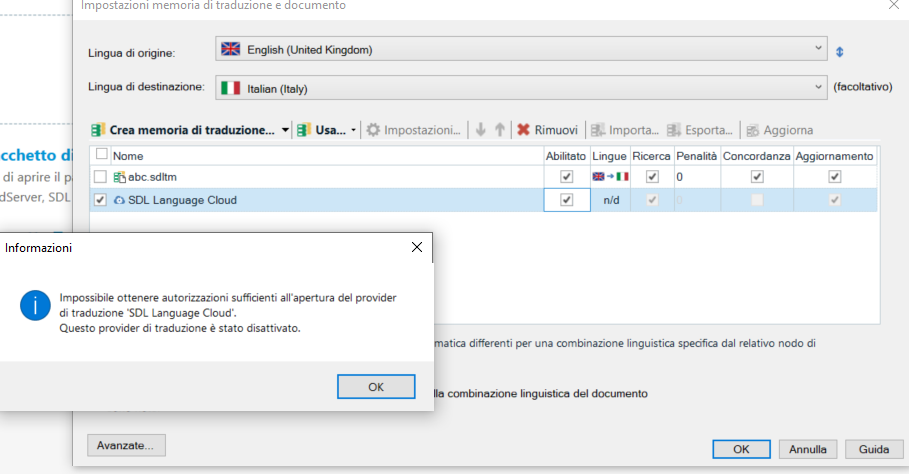
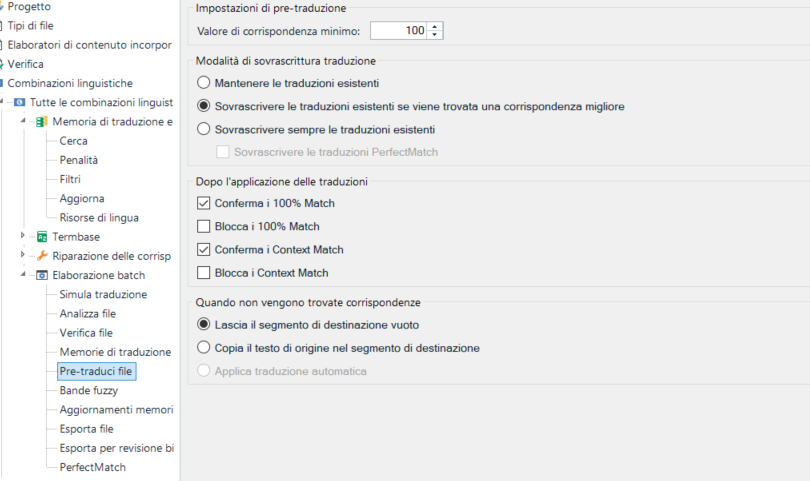 No pre-translation works - apply auto translation cannot be selected.
Please provide some urgent support?
Thank you
Kind regards,
Cristina
Generated Image Alt-Text
[edited by: Trados AI at 1:16 PM (GMT 0) on 4 Mar 2024]


Hi,
can you help please?
No pre-translation works - apply auto translation cannot be selected.
Please provide some urgent support?
Thank you
Kind regards,
Cristina
Cristina Boscariol We will be pleased to help you with this problem so have logged a support case on your behalf. You will be contacted at the email address used for this Community. Support Case Id : 00670981 .


Thank you. I am really looking forward to a reply...
Hi, in the meanwhile I've installed Language Weaver Cloud and have selected pre-translate file from Batch Task and Applied automated translation as suggested.
What should I do next, and where can I finally find my translated file please?
Many thanks again.
Here below my screen:
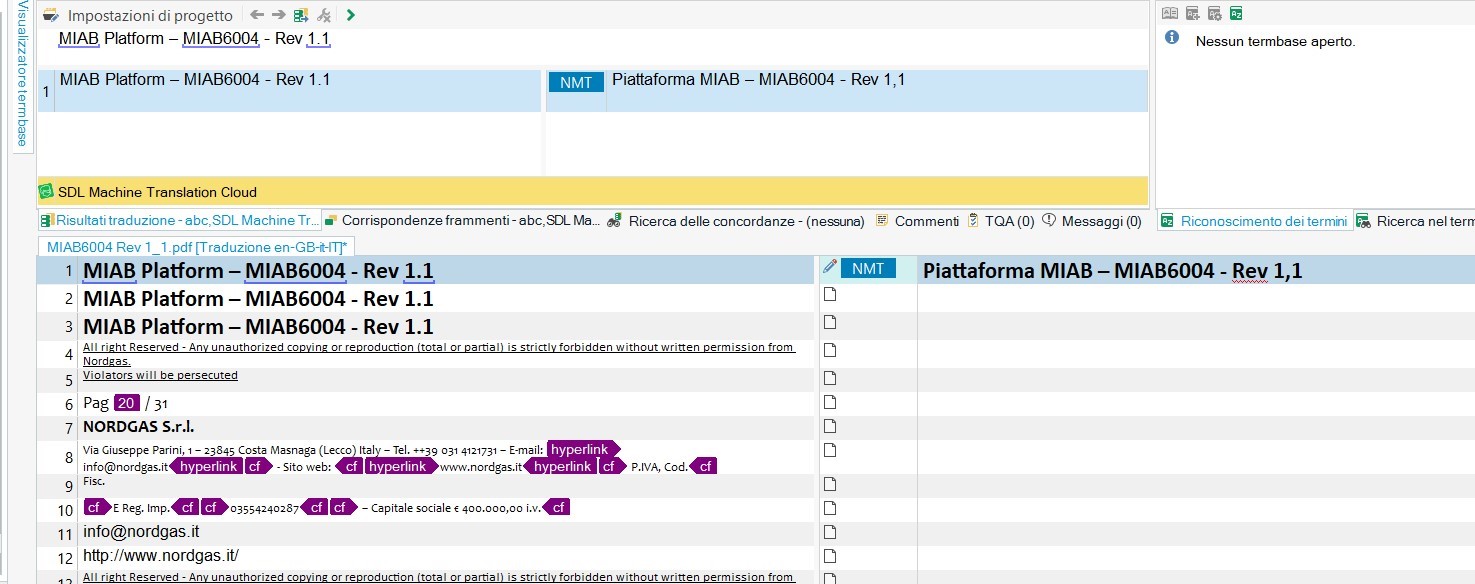


We managed to solve the issue by drag & dropping a file for translation in Studio > clicking on Batch Task > saving the sdlxliff > selecting Pre-Translate > making sure we have the MT Cloud plugin connected > making sure that we Apply the Automated Translation > finishing the process and resulting in a translated file. We then managed to obtain a translated target file.

