
 Translate



Hello,
We have currently our SDL License Manager installed on a Windows Server 2008 R2
We are trying to move it to a Windows Server 2019
We have downloaded the SDL License Manager from the RWS Portal and we have installed it on the Windows Server 2019.
But, when we launch the SDL License Manager on the Windows Server 2019, we receive the message below :
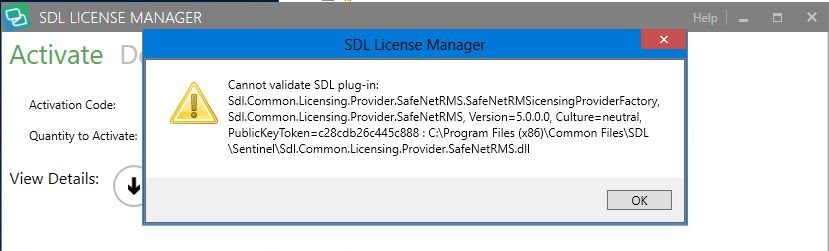
Can someone help us in this process please ?
Many thanks.
Best regards,
Generated Image Alt-Text
[edited by: Trados AI at 1:25 PM (GMT 0) on 4 Mar 2024]




