 Translate



When I try to open WS packages in Trados 2022, Trados starts installing again.
Coluld you help me?
Márcio Capone


When I try to open WS packages in Trados 2022, Trados starts installing again.
Coluld you help me?
Márcio Capone
I'm not sure why you get that behaviour, but perhaps make sure you have installed the plugin from the integrated appstore?
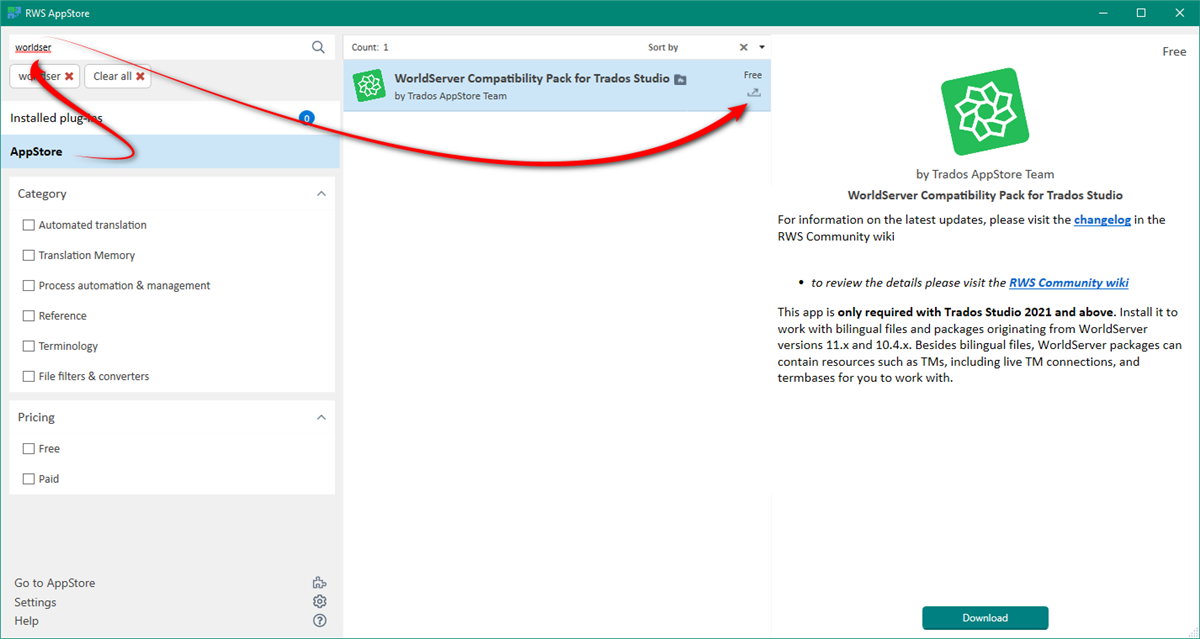
You can find a wiki here that explains how to get set up to use the (Missing Wiki Page)
Paul Filkin | RWS
Design your own training!
You've done the courses and still need to go a little further, or still not clear?
Tell us what you need in our Community Solutions Hub


Hello Paul Filkin
I had to revert from 2022 SR1 back to 2023 (due to the right-to-left issues), but now I cannot open World Server packages (wsxz). The option above does not appear in the AppStore plugins.

There is no version 2023.
The option above does not appear in the AppStore plugins.
What version of Trados Studio did you revert to?
Paul Filkin | RWS
Design your own training!
You've done the courses and still need to go a little further, or still not clear?
Tell us what you need in our Community Solutions Hub
There is no version 2023.
The option above does not appear in the AppStore plugins.
What version of Trados Studio did you revert to?
Paul Filkin | RWS
Design your own training!
You've done the courses and still need to go a little further, or still not clear?
Tell us what you need in our Community Solutions Hub
Sorry, I meant that I revert from 2022 SR1 back to the previous version, i.e., 2022.
And have you installed the necessary plugin for that? I don't know which specific version prior to SR1 you have installed but the plugins are here:
Version 17.5.1933 for Trados Studio 2022 (CU5+ but not SR1 and above)
https://appstore.rws.com/Plugin/103
Version 17.1.1918 for earlier 2022 versions
Archived Versions: Worldserver Compatibility Pack for Trados Studio
Paul Filkin | RWS
Design your own training!
You've done the courses and still need to go a little further, or still not clear?
Tell us what you need in our Community Solutions Hub

Hi Paul
Yes, I tried to install the plug-in.
I tried the ones I had and I tried the ones that you suggested. Still not working.
I installed Studio with this installation file: TradosStudio2022_17.0.6.14902.exe.
Really, so frustrating. Each time Studio is getting worse and worse.
I have a pile of wsxz files to work on tomorrow, and I cannot work.