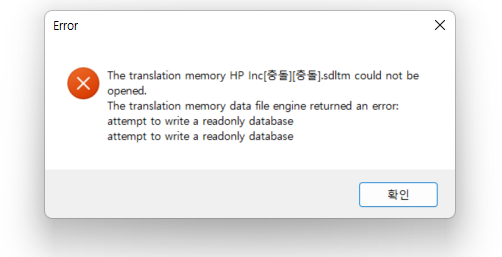
The translation memory XXX.sdltm could not be opened.

I recently updated to Trados 2022, and also updated to Windows 11. 

And I constantly see below messages whenever I try to open and use TMs I created before. 

Anyone can help with this issue? What should I do to fix this problem?
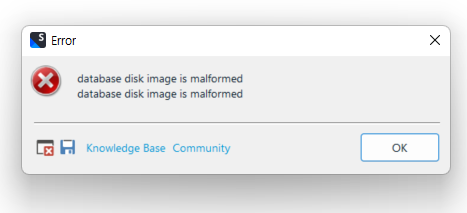
Error message window showing 'database disk image is malformed' repeated twice with OK button, Knowledge Base and Community links.Error message window indicating 'The translation memory HP Inc transliterated characters .sdltm could not be opened' and 'attempt to write a readonly database' with an OK button.


Generated Image Alt-Text
[edited by: Trados AI at 1:27 PM (GMT 0) on 4 Mar 2024]

emoji
Parents Reply Children
No Data