
 Translate



Since my computer storage is low, then I change the project folder under C and D drive to my external hard drive.
I opened the "Project Settings", click opened the project, then change the location "C:\Users\asus\Documents\Studio 2019\Projects\..." to be "F:\Trados文件\....".
After completing the above operation, trados operates as usual, except for some files disappeared from the project list after I moved them to the external hard drive.
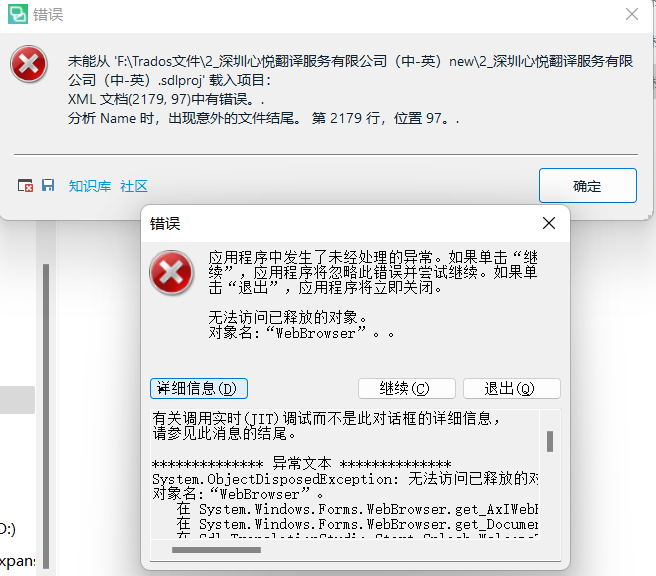
I can import file to trados, and work on it. When I re-open trados, everything changes. All project list disappeared. When I click "Project" on the left menu bar, it shown errors as below, and then trados flash back at once...
When can I do now? URGENT.
Generated Image Alt-Text
[edited by: Trados AI at 1:32 PM (GMT 0) on 4 Mar 2024]



