
 Translate



Dear RWS community or staff,
We just purchased the Studio 2022 upgrade. The first step consists in deactivtaing the current 2021 licence, but unfortunately, all colleagues receive the same error message:
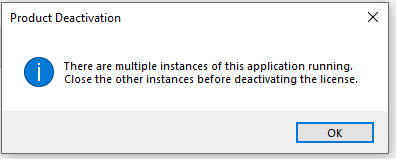
We've checked Task Manager and tried offline deactivation, but nothing seems to work. One colleague has the 2022 Trial version installed, but that couldn't be be the source of the problem (for all colleagues)?
Looking forward to your help!
Generated Image Alt-Text
[edited by: Trados AI at 1:34 PM (GMT 0) on 4 Mar 2024]


