 Translate



Hello,
I'm afraid this problem has not been solved. We we told that the licence had been deactivated, but we canno deactivate it. The licence is:
xxxxxxxx-xxxx-xxxx-xxxx-xxxxxxxxxxxx
Thank you in advance.
Kind regards
Fernando Gilsanz


Hello,
I'm afraid this problem has not been solved. We we told that the licence had been deactivated, but we canno deactivate it. The licence is:
xxxxxxxx-xxxx-xxxx-xxxx-xxxxxxxxxxxx
Thank you in advance.
Kind regards
Fernando Gilsanz
Hello Fernando Gilsanz
Can you please tell me exactly what are you trying to do and what error message are you getting?
Thank you,
Sorin


Hello,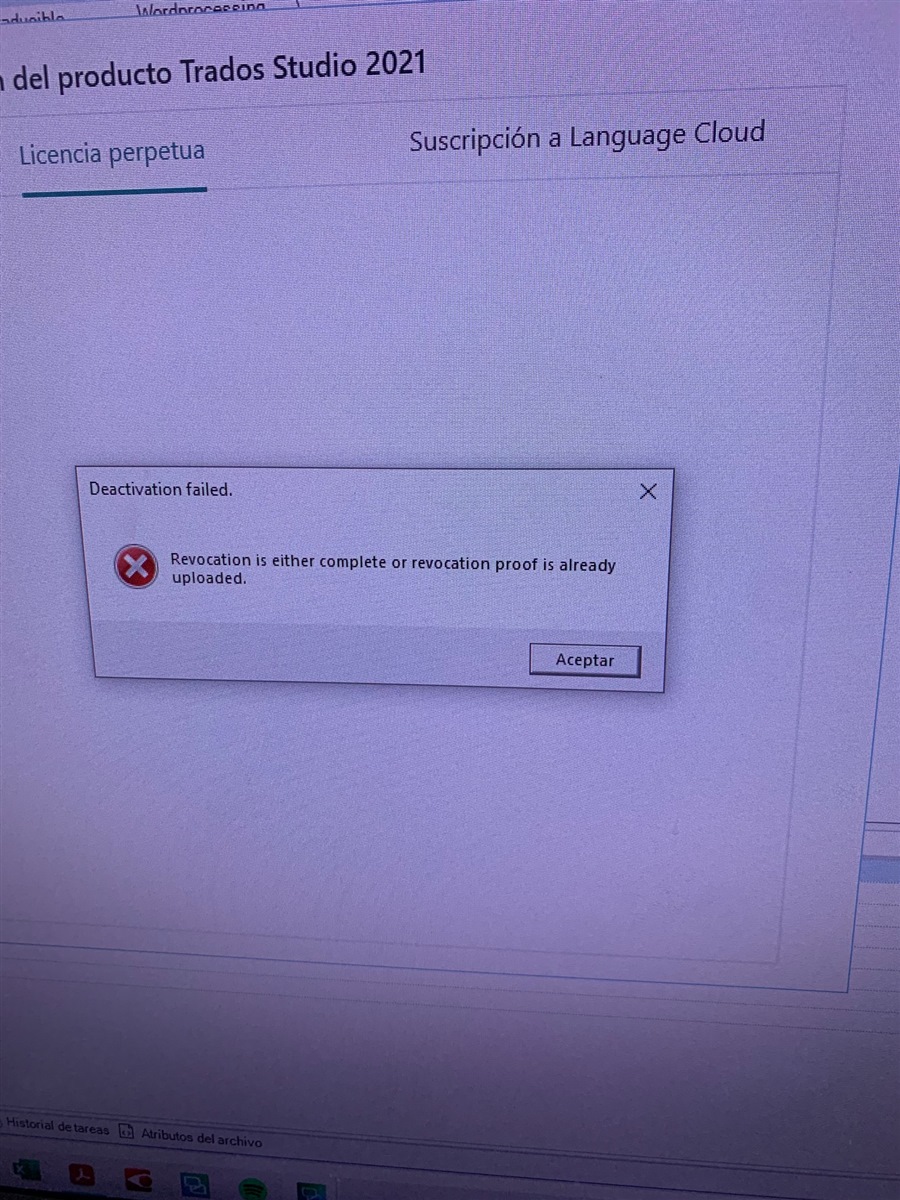
As I said, I were told that the problem was solved, but I can not deactivate the aforementioned licence online or offline. Here is the error message I keep getting. I need a solution as soon as possible. Thank you.
Hello Fernando Gilsanz
Your license has been reset. On the computer where you have this error please follow the below steps:
Note: If you can't find the path above, open Windows File Explorer, click on View and check "Hidden Items" checkbox.
Thank you,
Sorin
Thank you for your fast reply, but there is no “Data” folder. I already checked the “hidden items” checkbox. Can you help me?

Hello Fernando Gilsanz
Are you sure you`re in the right folder? Can you send a screenshot where the path from File Explorer is visible?
You can try to copy the path C:\ProgramData\SDL\SDL Trados Studio\Studio16\Data directly in file explorer and hit Enter. It should take you the correct location.
Thnak you,
Sorin
That's right. Thank you. I was looking at a wrong path.
Kind regards
Fernando
That's right. Thank you. I was looking at a wrong path.
Kind regards
Fernando