
 Translate



Hello!
This is the next episode in my saga (after my first question).
Now through Paul's looparound (thank you!), I managed to install Trados (2022) on the old computer, just so that I can desactivate my licence there, and re-use my licence properly on the new computer.
But long story short: it looks like my licence is in limbo.
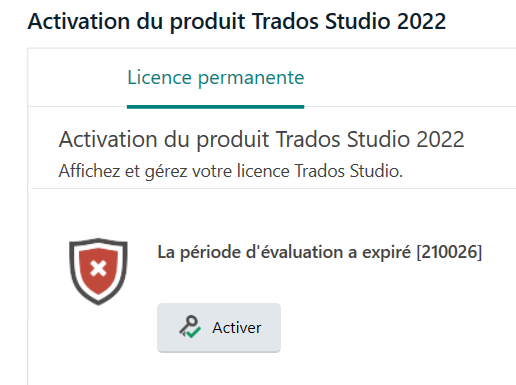
1. When the newly-installed-on-old-laptop Trados 2022 opens, I get the "your trial period expired" window, with Activate button (so far so good):
2. But: when I do put in my activation code, though, it's "impossible to activate, an error occurred, click Retry":
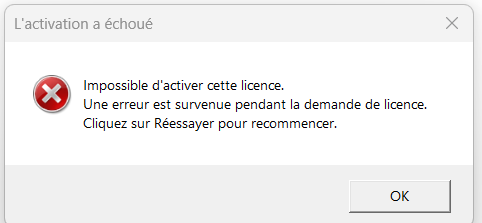
Retrying leads to the same error message.
3. Since nothing was working, I clicked the Reset licence link (I may have made a funest mistake there  )
)
Nothing happened.
I then went to my RWS account / licence page, and clicked the "Deactivate offline". I received an e-mail with an offline deactivation authorization ticket.
But when I paste it in the offline deactivation page, here:
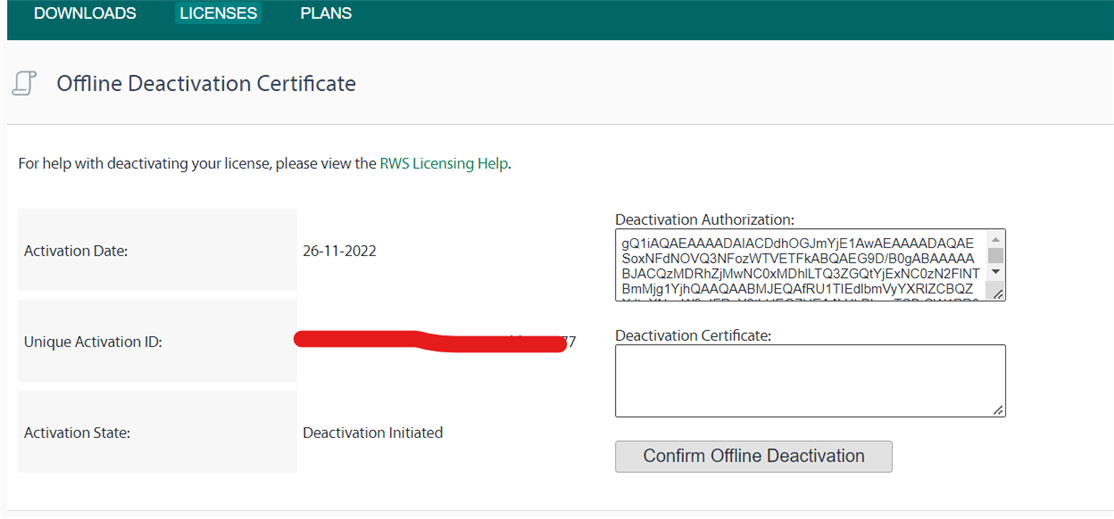
The "Generate certificate" buton that should appear as per the RWS Licensing Help page doesn't show up. So I can't get the certificate and clicking "confirm offline deactivation" doesn't work, obviously.
SO. It seems by this point, my licence is in a "deactivation initiated" stage, while in my licencing info in my account, it shows as "in use".
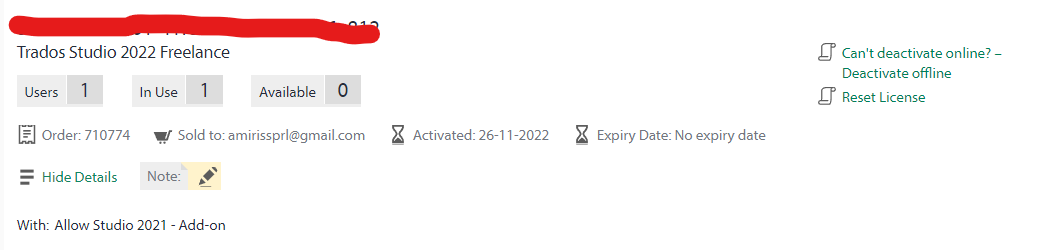
Activation doesn't work, and deactivation doesn't work either, and I'm obviously ripping my hair out.
Ideally, I'd want to deactivate my licence on the old computer to be able to use Trados on a more functional computer. But by this point, I'd just be delighted to be able to use Trados at all somewhere (Commodore 64, here I am! )
Do you have any idea what I can do?
Thank you!
Generated Image Alt-Text
[edited by: Trados AI at 1:43 PM (GMT 0) on 4 Mar 2024]



