
 Translate



Dear Support Team,
I have a copy of Studio 2017, and I can no longer activate, deactivate or reset my licences. When I tried to move the licence to my laptop recently, it wouldn't deactivate normally, and I had to deactivate offline, which worked fine. However, now I am unable to do that.
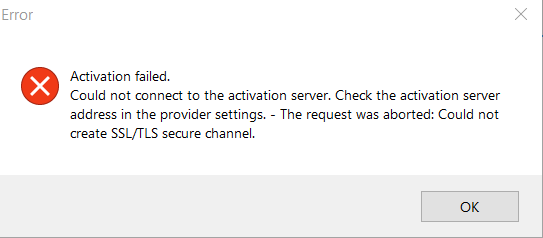
I get a "Could not connect to the activation server (Could not create SSL/TLS secure channel)" error when trying to de/activate online. When deactivating offline, I can generate the certificate within Studio, but then I get a generic error when trying to deactivate it on the RWS site. I tried resetting the licence, but I get a generic error for this too. Having done this, I have lost the local copy of the licence on my laptop, but without getting it credited on my RWS account.
Currently both of my licences are "in use", but I can't use either of them. I'd be grateful if you can reset my licences, but I'm also not convinced I'll be able to activate them afterwards considering the trouble I'm currently having. As such, all assistance you can provide would be gratefully received.
Best regards,
Richard Davis
Generated Image Alt-Text
[edited by: RWS Community AI at 10:46 PM (GMT 0) on 14 Nov 2024]




