
 Translate



Hi,
This issue was not handled properly be the tech support staff. I raised the below case earlier, and here's what I got as a reply: "We have renewed your Starter license. Please try to log in again. Thank you for contacting RWS Technical Support. The case you have contacted us about is now closed and can no longer be updated." Before deleting this post, please notice that I was asked to open the case again by the RWS technical support.
Without a chance to reply, I'm forced to ask the same again. My problem, as I see it, is not related to the existing Starter license. Please review the original post from below, and perhaps I can help you with any question, since I was left the impression my original conversation was with an unrelated bot.
-
I've subscribed to the freelance edition L1 subscription, and have access to the cloud. However, when I try to log in on my desktop software, the window is empty.
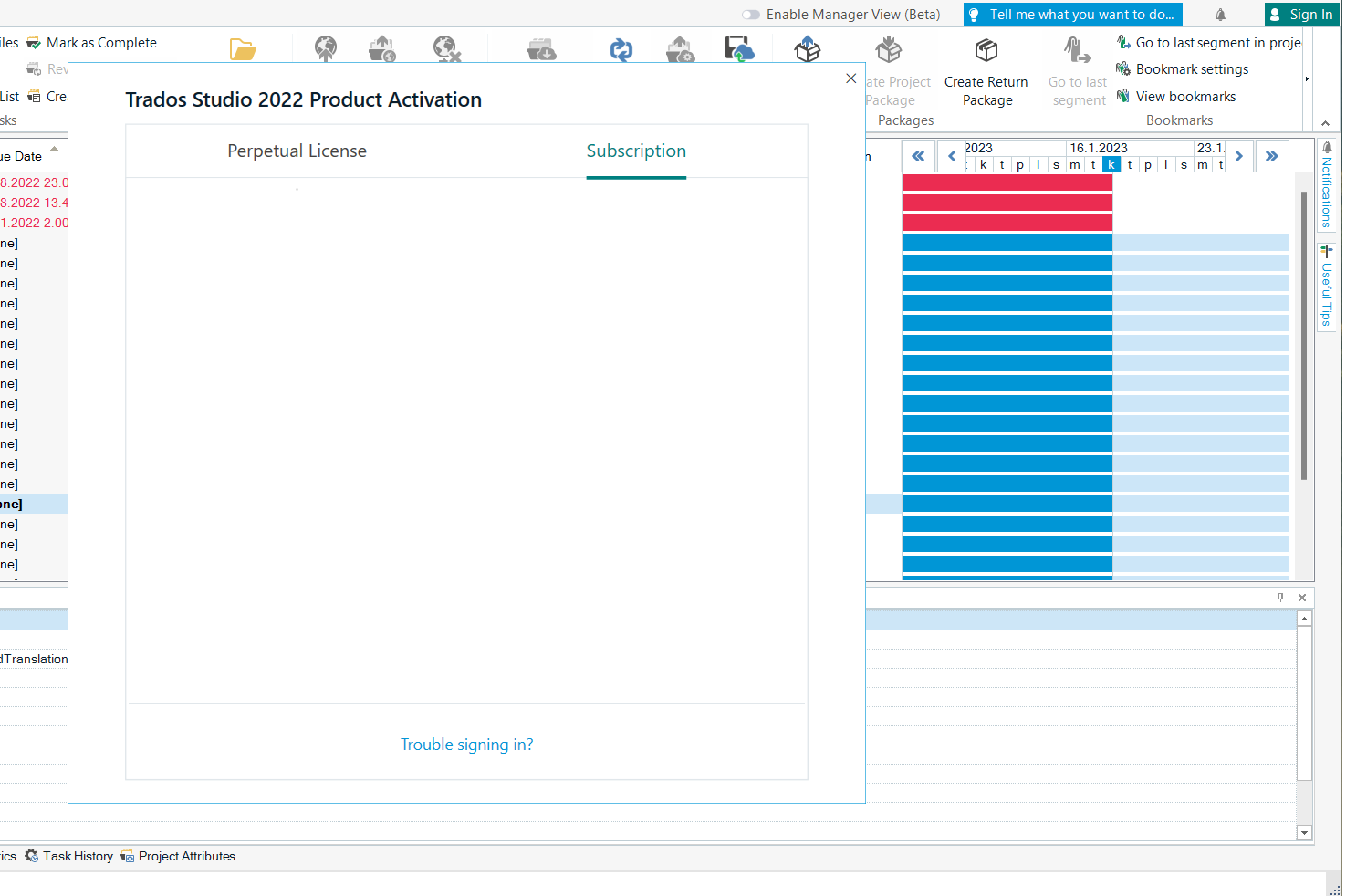
As you can see, there isn't even an option to log in at all.
I'm using the latest Trados 2022 with Win 11, previous license Starter.
So far I have:
- Removed and reinstalled the software
- Deactivated my old Starter version, tried to log in again, and activated Starter again. Nothing.
- Restarted my PC and the software
- Made sure the software is not restricted by Norton 360 firewall
- Tried signing in from the upper right button
- Been in contact with the client support chat, but it's useless
- In the end, I even turned off my antivirus and resetted Trados according to https://gateway.rws.com/csm?id=kb_article_view&sysparm_article=KB0033669
So at this point I'm open to all suggestions.
best
Tuomas
Generated Image Alt-Text
[edited by: Trados AI at 1:52 PM (GMT 0) on 4 Mar 2024]


