


Trados Studio 2022 activation not complete

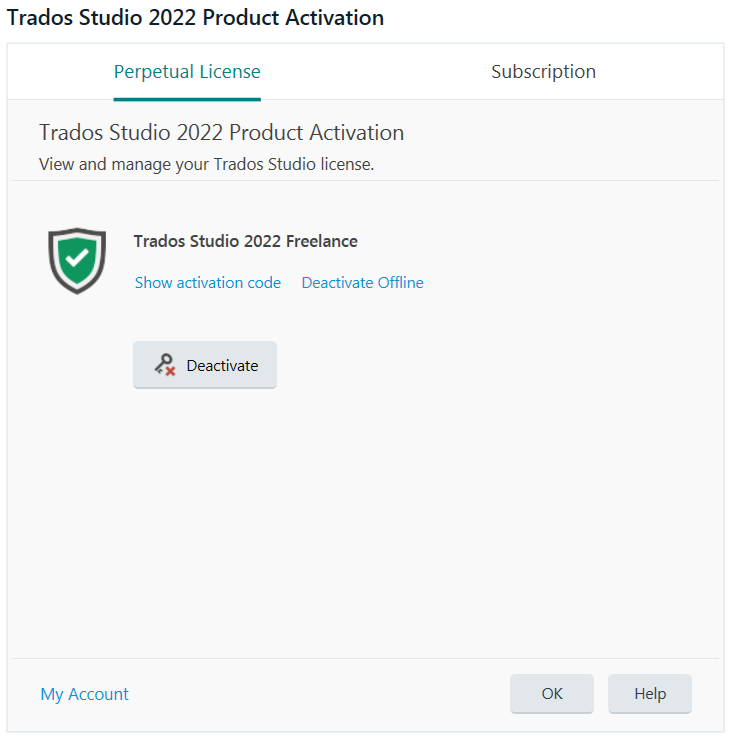
I purchased Trados Studio 2022 and successfully installed & activated it as instructed. However, each time I open Studio, a pop-up window will prompt me to click the tab [Perpetual License -> OK] (as shown in the picture below) to go to the normal UI. How can I skip this tedious operation?
My OS is Win7 64-bit.
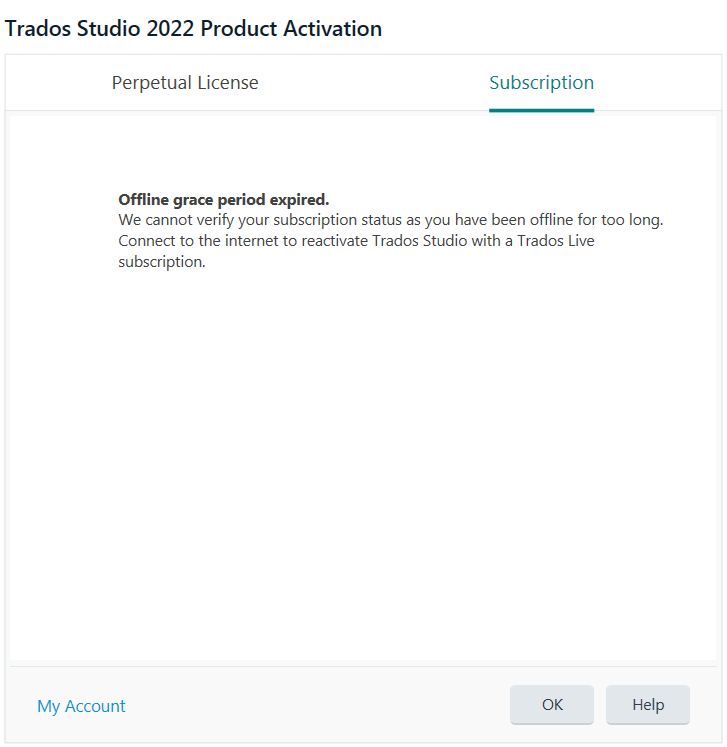
Trados Studio 2022 Product Activation window showing an error message: 'Offline grace period expired. We cannot verify your subscription status as you have been offline for too long. Connect to the internet to reactivate Trados Studio with a Trados Live subscription.' There are tabs for 'Perpetual License' and 'Subscription'.

Trados Studio 2022 Product Activation window with a green checkmark indicating a successful activation of 'Trados Studio 2022 Freelance'. Options to 'Show activation code' and 'Deactivate Offline' are visible. A 'Deactivate' button is also present.


Generated Image Alt-Text
[edited by: RWS Community AI at 3:01 AM (GMT 0) on 15 Nov 2024]

emoji
Parents Reply Children
No Data
