
 Translate



I use machine translation in Trados Studio 2021 once every few months for a French Canada to English Canada translation using as resources my own local TM and machine translation for new segments. I have never had any problems accessing the machine translation. The last time was in mid December.
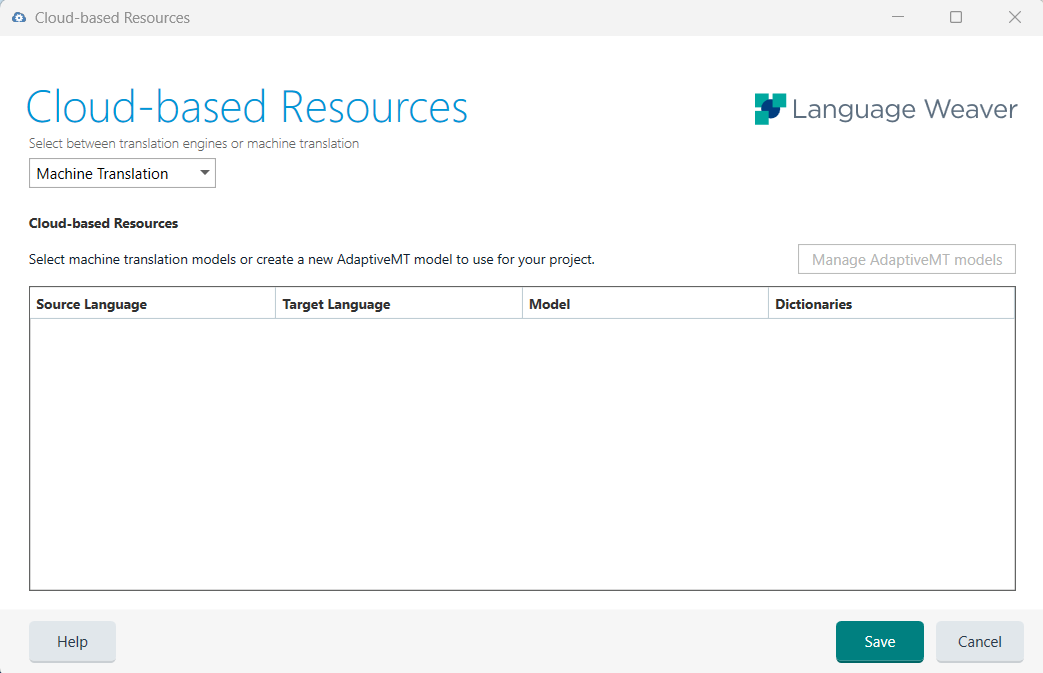
Now, when I go to Project Settings --> Translation Memory and Automated Translation --> Cloud-based resources, in the "Cloud-based Resources" window there is nothing available to select in the "Machine Translation" tab and the "Manage AdaptiveMT" button is greyed out (unavailable). I can't remember if I was using something in the "Translation Engines" tab but I don't think so. All of this is very difficult to understand. I've spent hours looking through this site and the help files and I can't for the life of me figure out what has changed and how to get the machine translation feature working in Studio.
My Trados Studio Freelance Cloud Capabilities subscription is active until late March 2023, so the problem shouldn't be there. Any help resolving this issue would be very much appreciated.
Generated Image Alt-Text
[edited by: Trados AI at 1:55 PM (GMT 0) on 4 Mar 2024]


