 Translate



Unable to link customer and users. This is a network license and need help with the same.


Unable to link customer and users. This is a network license and need help with the same.
Shraddha Singh
Please can you try rephrase your concern. I dont understand the context when you say you are unable to link customer and users.
Are you speaking about Language Cloud?
Lyds
Oana Nagy | QA Engineer | RWS Group

Hi Lydia,
We have a network license, and I am unable to see the work done by other users on my license. So, need help in mapping the users to my license, so I can see everything.
Shraddha

Hi,
Any update on the ticket?
Shraddha
Is there no one to look into this?

Can you please advise if you have a single trados studio professional license or multiple licenses? Also can you please provide us with a bit more details on the workflow used - as an example did you created and SDLPPX project package and send it to someone for translation and now you received the return package and can not see the translation ?--- or steps followed and expected result?
Looking forward for your reply
Loredana

I have a network license. When I create a study and send it to the translator for translation, they are not able to see that and do the translations. Please help here. I want to map their Trados to mine, so all the memory is saved here in my account.
Please help in closing this issue asap.
Shraddha
Can you please advise how you are sending to the translator the project , is it in SDLPPX format?
If it is not in SDLPPX then I would recommend to create a project package - as the professional version of trados studio allows you do so - click here for a step to step on how to create a project package
The project packages allows you to send project files and associated data to translator in one simple file - and you can include there the TM , termbases also .
After you have create the project package , you need to sent it to the translator - the translator opens it in trados studio - translates - then creates return package and send it back to you - you open the return package and update the SDLPPX and then can see the translation done and the TM updated . For more details on workflow possible the following link can help https://docs.rws.com/980998/301977/trados-studio-2022/package-and-return-package-workflows
Best regards,
Loredana
Hi Team,
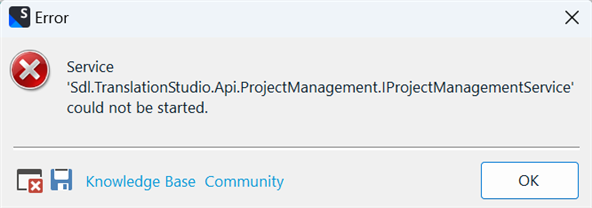
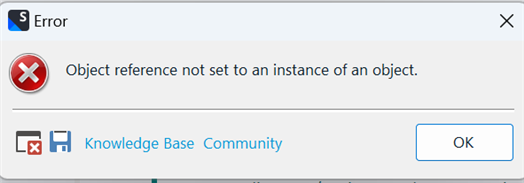
Not sure why I am unable to log in. Please check this and help in logging. It would be of a great help if some one can take control of the system and help.
Shraddha
Hi Team,
Not sure why I am unable to log in. Please check this and help in logging. It would be of a great help if some one can take control of the system and help.
Shraddha
