


Nothing displayed when creating a project package

Hi, can you please help me with this problem?
Even though there are files, nothing is displayed on the screen below, so I can't proceed to create a project to send to a translator.

I am currently using Trados Studio 2021 SR2 - 16.2.12.9338, Trados Studio 2021 Professional.
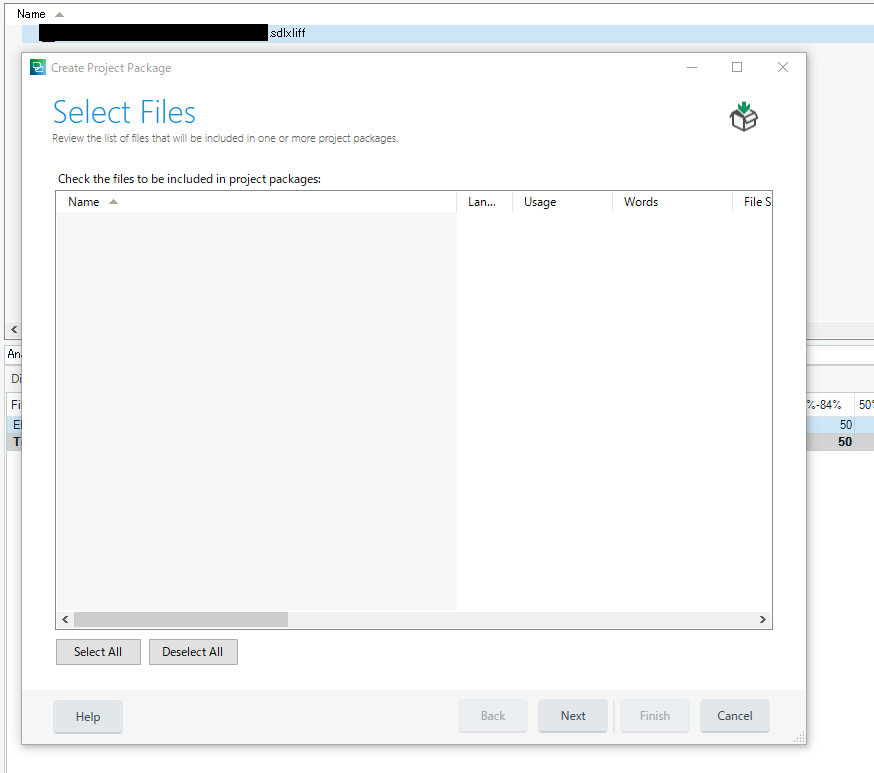
Trados Studio 2021 Create Project Package window showing an empty Select Files list with no files displayed despite the presence of .sdlxliff files in the directory.

Thanks a lot!


Generated Image Alt-Text
[edited by: Trados AI at 2:05 PM (GMT 0) on 4 Mar 2024]

emoji
Parents
  • Hey  

    I suspect, you have your project location but the actual project files are placed elsewhere.

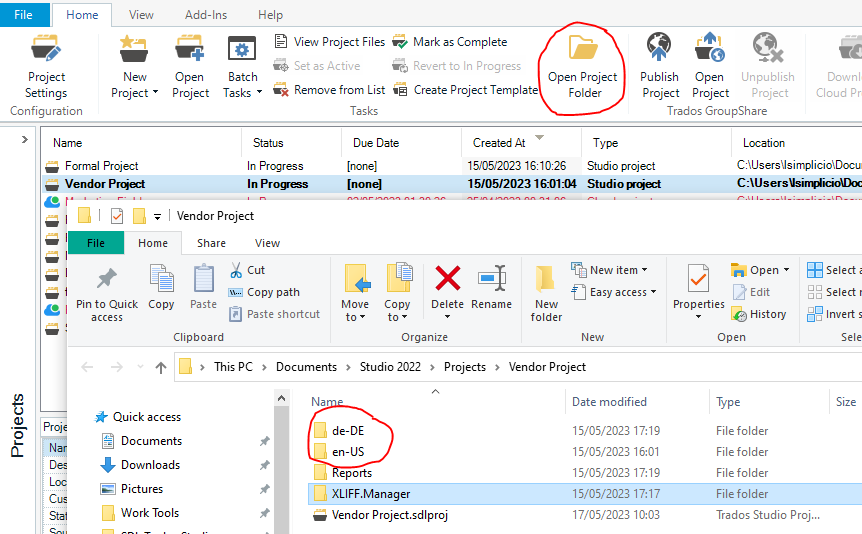
    To help troubleshoot this, please can you go to the Project Folder as understood by Trados Studio.
    Then ensure you see the target folders and be sure that within these folder you have the working sdlxliff files.

    Trados Studio interface showing the 'Vendor Project' selected with 'Open Project Folder' button highlighted. Below, Windows Explorer shows project folders 'de-DE' and 'en-US' circled in red.

    The only other time I am aware of this happening is if you are working on a collaborative project, example GroupShare.
    Or your project was a package you received, and now you want to send it to someone else. 

    Please confirm if your the origin of your project so we can guide you further 

    Lyds

    Oana Nagy | QA Engineer | RWS Group

    emoji


    Generated Image Alt-Text
    [edited by: Trados AI at 2:05 PM (GMT 0) on 4 Mar 2024]
Reply
  • Hey  

    I suspect, you have your project location but the actual project files are placed elsewhere.

    To help troubleshoot this, please can you go to the Project Folder as understood by Trados Studio.
    Then ensure you see the target folders and be sure that within these folder you have the working sdlxliff files.

    Trados Studio interface showing the 'Vendor Project' selected with 'Open Project Folder' button highlighted. Below, Windows Explorer shows project folders 'de-DE' and 'en-US' circled in red.

    The only other time I am aware of this happening is if you are working on a collaborative project, example GroupShare.
    Or your project was a package you received, and now you want to send it to someone else. 

    Please confirm if your the origin of your project so we can guide you further 

    Lyds

    Oana Nagy | QA Engineer | RWS Group

    emoji


    Generated Image Alt-Text
    [edited by: Trados AI at 2:05 PM (GMT 0) on 4 Mar 2024]
Children
