
 Translate



Hi,
I am trying to transfer my 2019 license to a new computer; when I try to do this via the Activate button in Trados I get the following message:
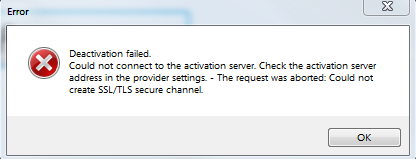
And I don't seem to have the option of deactivating via my RWS Account:
Any help would be greatly appreciated.
Many thanks,
Julie
Generated Image Alt-Text
[edited by: Trados AI at 2:05 PM (GMT 0) on 4 Mar 2024]

