
 Translate



Hello community
We have Studio 2019 and Studio 2021 network licenses that are managed on the same server. In other words: We have two separate network licenses, see creenshot below. For the Studio 2019 network licenses we already have purchased the upgrades to Studio 2021. All licenses are currently activated.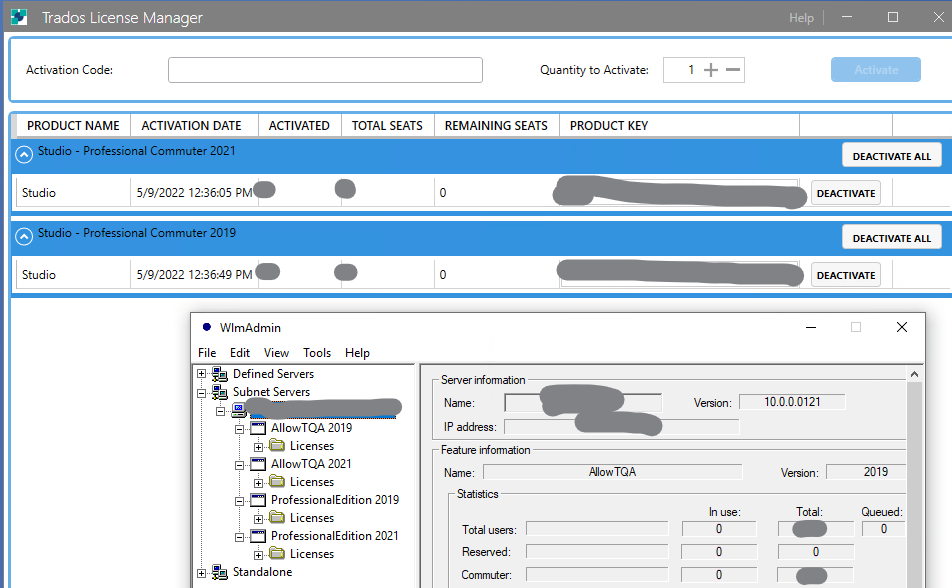
My question is how to process the upgrades. Do I need a new license file that contains all Studio 2021 network licenses or can I simply deactivate, upgrade and activate the Studio 2019 network licenses and use two license containers as I do now?
If I need a new network license including all seats: How do I get it from RWS?
Kind regards
Victor Linnemann
Generated Image Alt-Text
[edited by: Trados AI at 2:07 PM (GMT 0) on 4 Mar 2024]



