
 Translate



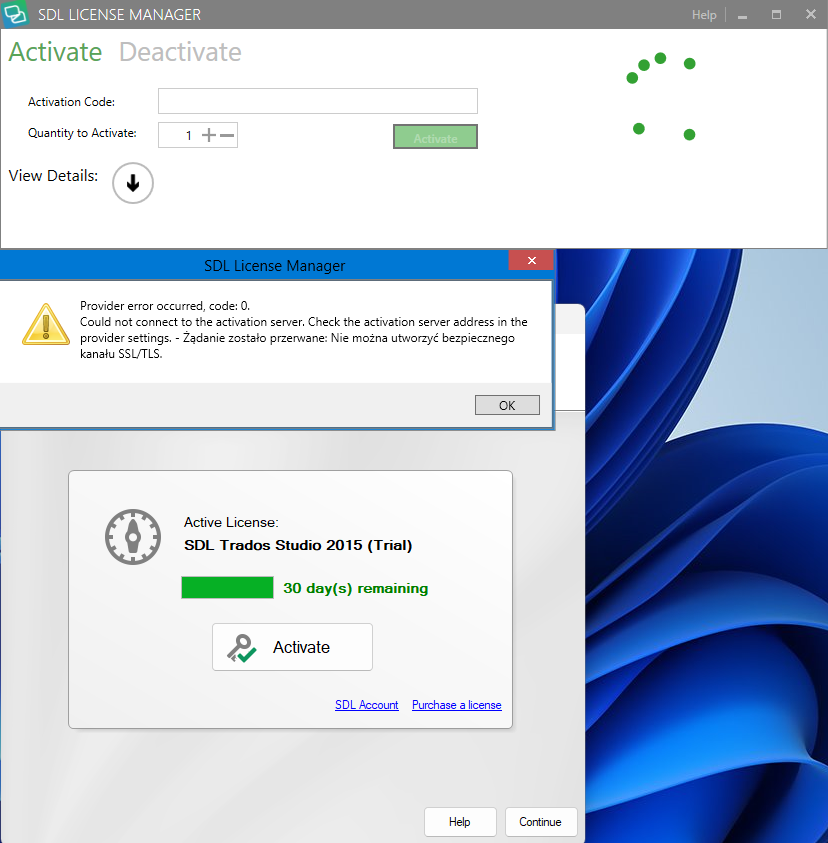
When installing SDLTradosStudio2015_SR3_5262R I get the error provider error occurred, code 0:
Could not connect to the activation server. Check activation server address in the provider settings. The request was aborted. Unable to create SSL/TLS secure channel. Is there any way to do that? All my RWS account licenses have been reset and are available. I thank you in advance for your help
Generated Image Alt-Text
[edited by: Trados AI at 2:07 PM (GMT 0) on 4 Mar 2024]


