Translate



I tried to install the update Trados Studio 2022 SR 1 from automatic update, but it failed mid procedure.
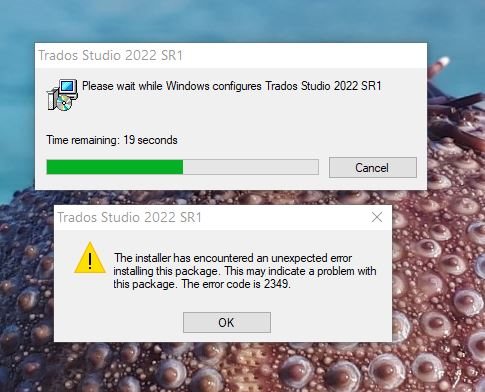
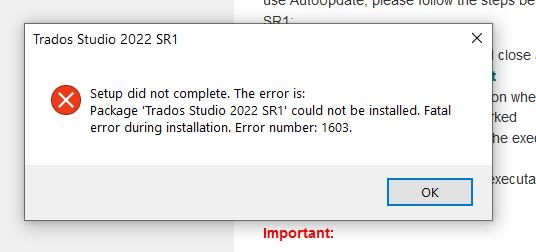
It uninstalled old version, and during installation of update (during "copying new files" step) it reported Error 2349 and Error 1603 (see attached screenshots at the end).
I tried to repeat the procedure with downloaded update from the RWS page. I executed it and followed the wizard, but it fails in the same way.
Currently, my copy of Trados Studio 2022 is uninstalled and not usable!
In the "Add or remove programs" page, I can see only Trados Studio 2022 SR1 (only available option is Uninstall), but I can not start it.
Please help me to resolve this issue so I can continue my work!
Best regards,
Monika

Generated Image Alt-Text
[edited by: RWS Community AI at 10:17 PM (GMT 0) on 14 Nov 2024]