
 Translate



Dear TRADOS Support Specialists,
Hello!
This is Marcio Tondin, from Sao Paulo, Brazil.
I’ve recently upgraded to TRADOS Studio Freelance 2022 Plus.
However, I am experiencing what I think it is a BUG in this new version.
Bug Description:
When I am working in the EDITOR window and I try to insert a text before another word, the system fails and shows de error message “INVALID PARAMETER”, then the cursor disappears, and I cannot continue editing the segment.
This is happening many many times.
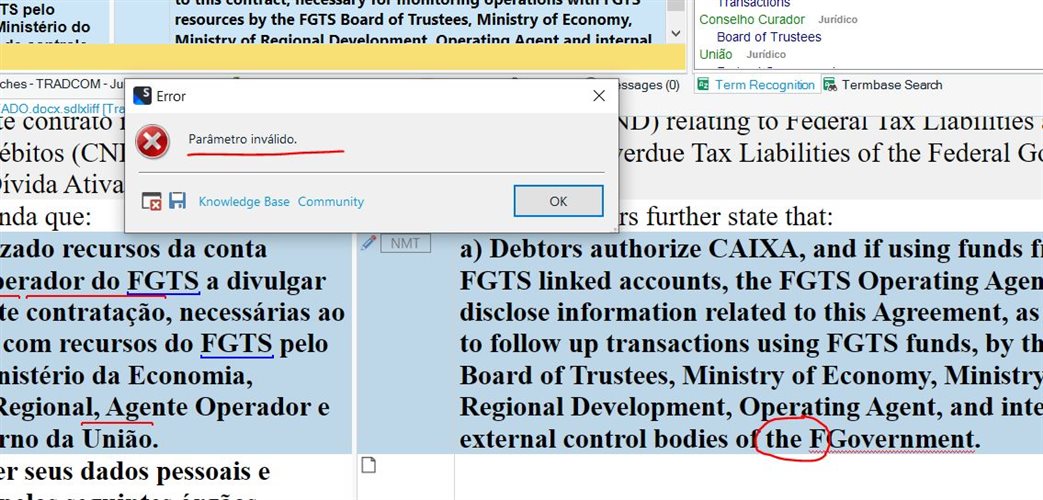
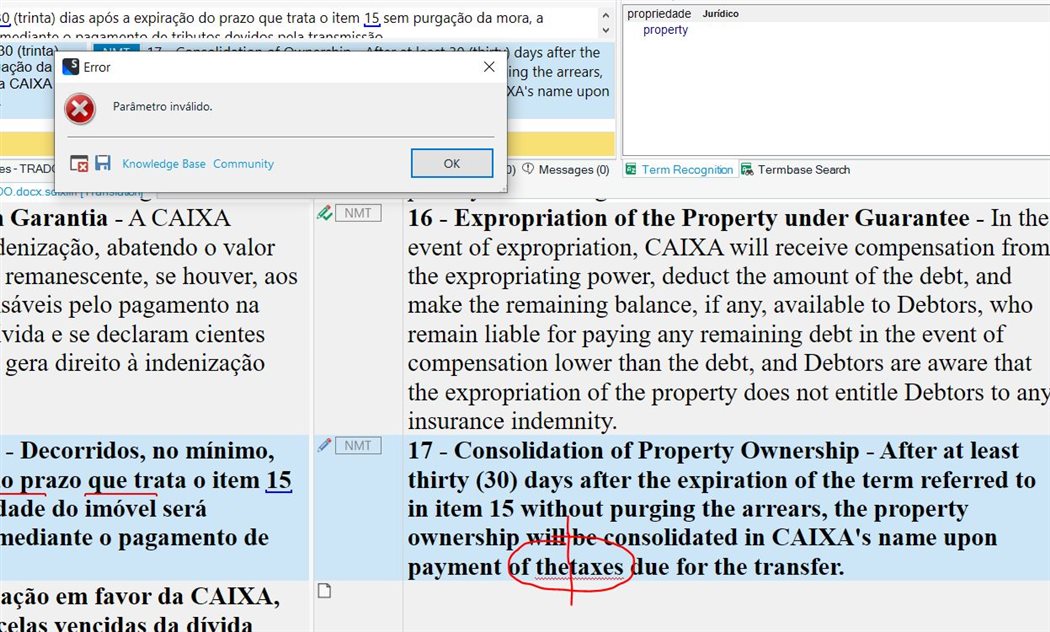
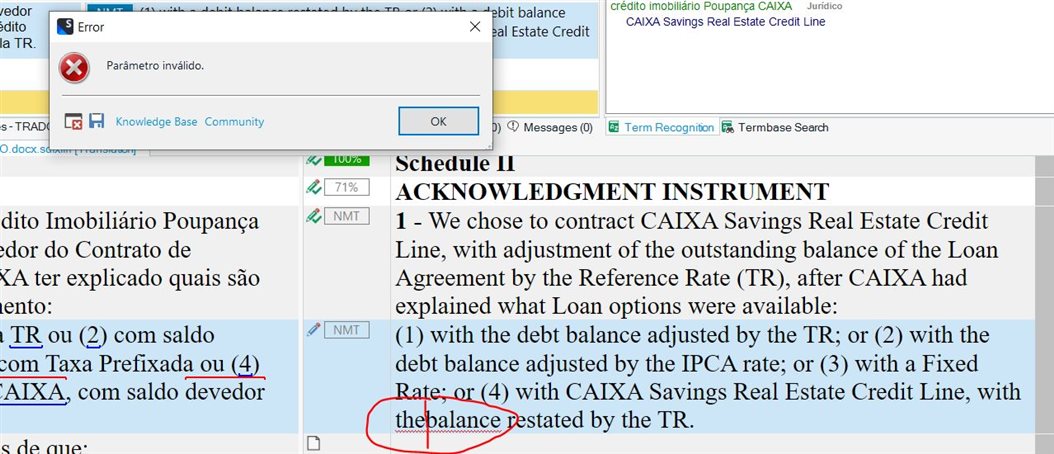
I notice that the error happens (most of times) when I try to write the word “the” before another word.
But it also happens with other words too.
Every time this happens (and it’s happening a lot), I have to save the job, close the Editor Window, and then start again, which really annoying and it’s making waste a lot of time, making me less productive 
It’s very strange. I think it might be a bug.
Could you please check and return to me as soon as possible.
Maybe it is a problem related to the Keyboard Shortcuts, although I never changed them. Can you please check that too?
I am using the “Google Cloud Translation Provider” plugin, but it doesn’t seem that this bug is coming from there, I don’t know.
Could you please check and return to me as soon as possible.
I am looking forward to your soonest reply!
Thank you very much.
MARCIO TONDIN
ENG <> PT-BR Translator
São Paulo / Brazil
Generated Image Alt-Text
[edited by: Trados AI at 2:12 PM (GMT 0) on 4 Mar 2024]



