
 Translate



Hello everyone,
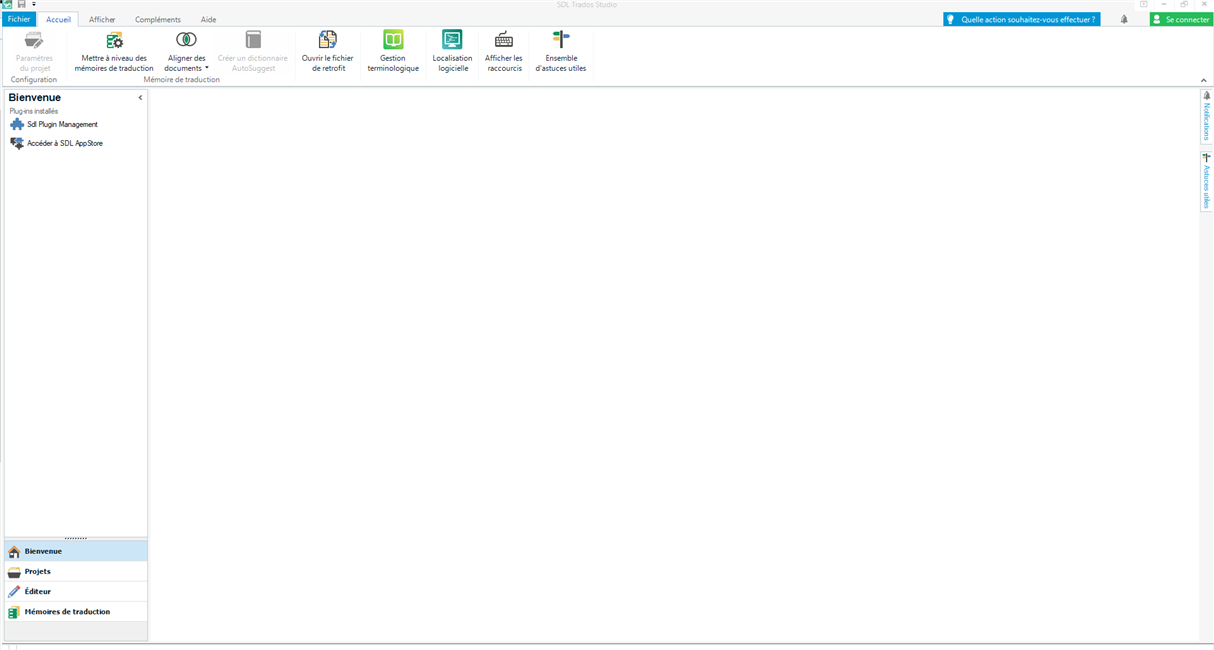
I'm facing a embarrassing issue: my Trados Studio 2019 suddently doesn't want to work. More precisely, I can open it, but it freezes at the Welcome page (the page remaining blank, with the side panel and the upper option rubbon visible, see the capture below). I can move the mouse cursor but no option/icon responds. Sometimes, I see the cursor changing for a waiting cursor for few seconds but nothing happens. For context, and in case this may have a incidence to my issue: just before that, I lost my MS Office version by trying to install the OpenOffice suite (to check if it could work). I finally installed OpenOffice, then I replaced it by LibreOffice for preference purpose.
I uninstalled ans reinstall Trados Studio, but that didn't solve the issue.
I really need help as I must translate a big project for Friday…
Thx in advance.
Generated Image Alt-Text
[edited by: RWS Community AI at 10:19 PM (GMT 0) on 14 Nov 2024]




