 Translate



Restarted machine and Trados Studio 2022 does not work with .Net Framework error (it is already installed but says it is not) and unable to start Trados Studio
Unable to download the latest version of Studio 2022 with the same error.


Restarted machine and Trados Studio 2022 does not work with .Net Framework error (it is already installed but says it is not) and unable to start Trados Studio
Unable to download the latest version of Studio 2022 with the same error.

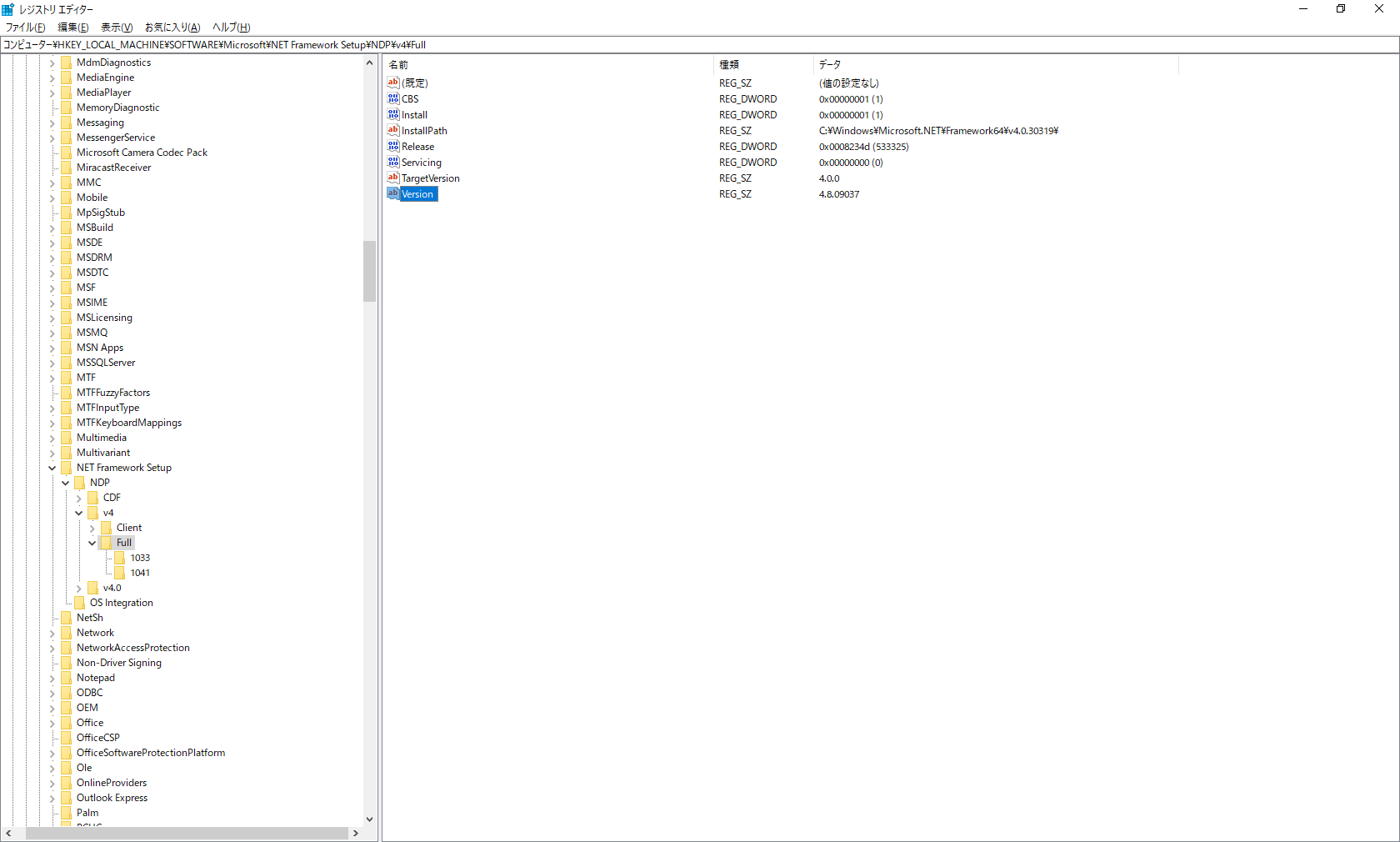
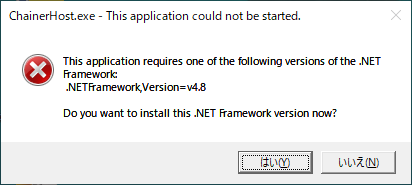
As you can see, I have v4.8 .NET framework but keep getting the error message.

Hello Teruyo Nakamura
Please check if you have any pending updates to install for Windows and install them if that`s the case. Then try to run a Repair for Microsoft .Net 4.8 from Control Panel. If it still doesn`t work try to install a higher version of .Net (6.0 for example) and see if it works afterwards.
Thank you,
Sorin
Thanks! Already run Repair for 4.8 but it failed. Will try higher version instead then. No pending MS updates.
Still no luck... I did install .NET 6.0

Still no luck... I did install .NET 6.0
Should I upgrade to Windows 11?? I am using Windows 10.
Hello Teruyo Nakamura
If it's not too much trouble please try to update to Windows 11 or reinstall Windows 10. Normally this should resolve the .Net error. If it still doesn`t work I`ll log a support case for you.
Thank you,
Sorin
