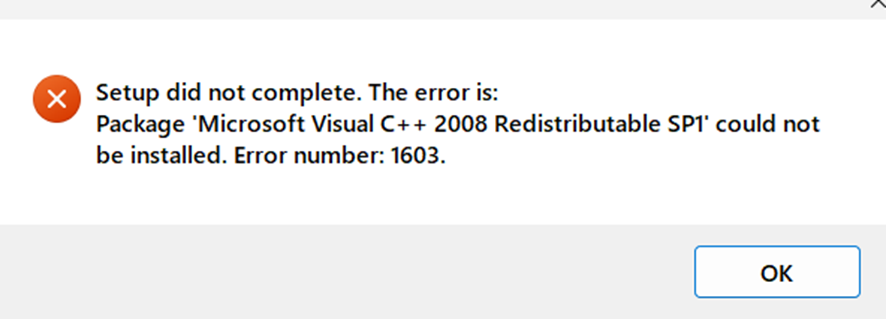
SDL Trados Studio2019_SR2 instrallation error

Hi,

I have trouble installing SDL Trados Studio 2019 SR2 version 15.2.8.3007 on my new laptop. An error message pops up during installation. I cannot proceed further. Please see the error message below. Please advise me on what to do.


Best Regards,
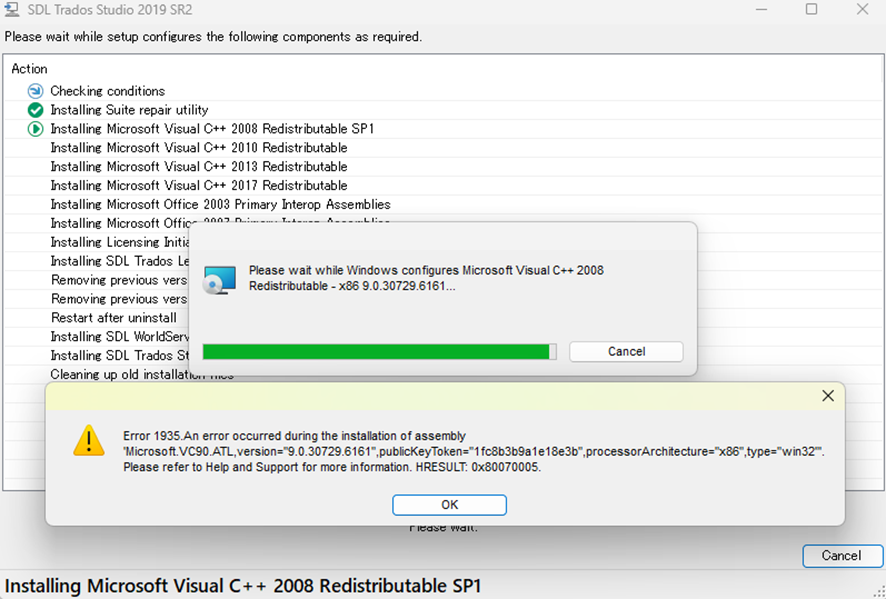
SDL Trados Studio 2019 SR2 installation error message: Error 1935. An error occurred during the installation of assembly 'Microsoft.VC90.ATL'. Error code: 0x80070005.

Final installation error message for SDL Trados Studio 2019 SR2: Setup did not complete. Package 'Microsoft Visual C++ 2008 Redistributable SP1' could not be installed. Error number: 1603.


Generated Image Alt-Text
[edited by: Trados AI at 2:14 PM (GMT 0) on 4 Mar 2024]

emoji
Parents Reply Children
No Data