
 Translate



1. I was using Trados Studio 2015 in my workspace and needed to use it at home due to my company's working-from-home policy. I tried to deactivate the product and received an error message (I could not capture it).
2. After receiving this error message, strangely enough, the product was deactivated, but the license was showing as "In use" in SDL Account page.
3. To resolve this issue, I performed a "Reset license " and tried to reactivate the product.
4. At this point, I received the following error message.
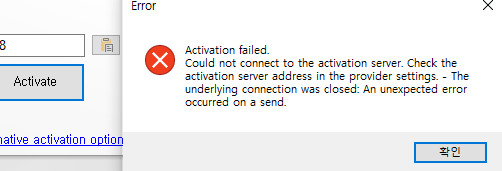
5. I checked out the following article, but the symptoms were not exactly the same as what I experienced, and the solution provided did not resolve the issue.
https://gateway.rws.com/csm?id=kb_article_view&sysparm_article=KB0029241
Please help resolve this issue ASAP. Thanks.
Generated Image Alt-Text
[edited by: RWS Community AI at 1:09 AM (GMT 0) on 15 Nov 2024]


