Passolo 2022: After running update to version ...135, the license is lost

Windows Server 2019: Update Passolo 2022 to Version ...135.

License is activated on machine:
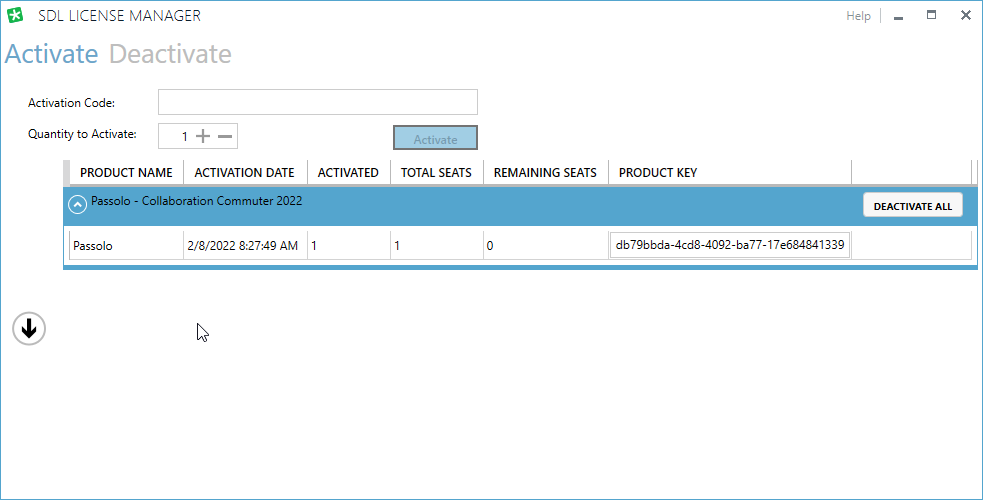
SDL License Manager window showing Passolo - Collaboration Commuter 2022 activated with 1 total seat and product key ending in 41339.

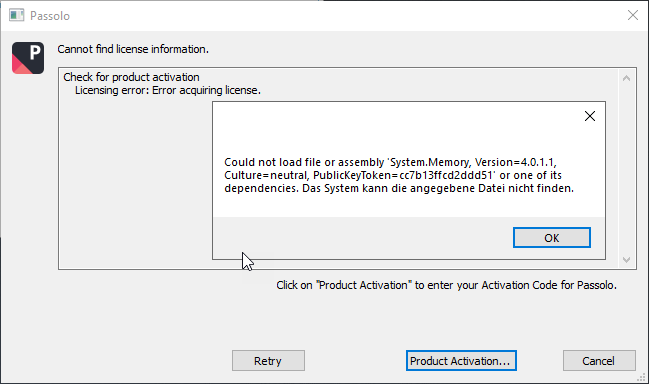
But running Passolo ends up in:

Error message in Passolo stating 'Cannot find license information. Check for product activation Licensing error: Error acquiring license.' with a system error about missing file.

Can't figure out to make this work again. Please help me out here.

Greetings,

Franz-Josef


Generated Image Alt-Text
[edited by: Trados AI at 2:22 PM (GMT 0) on 4 Mar 2024]

emoji