Hello, I am trying to run the install of TradosStudio2022_17.0.6.14902.exe on a Windows Server 2019, but it goes beyond the "Microsoft Webview2 Download and Install" screen of the wizard

Hello,

I am trying to run the install of TradosStudio2022_17.0.6.14902.exe on a Windows Server 2019,

- I have the installed WebView2 by using MicrosoftEdgeWebView2RuntimeInstallerX64.exe and

- confirmed that Net 4.8 is installed HKEY_LOCAL_MACHINE\SOFTWARE\MicHKEY_LOCAL_MACHINE\SOFTWARE\Microsoft\NET Framework Setup\NDP\v4\full
version REG_SZ 4.8.03761

Is ther anything pending? BTW, I have to do a totally offline installation

Thanks you

Kind regards

emoji
Parents
  • We will be pleased to help you with this problem so have logged a support case on your behalf. We do prioritise customers who have a support contract so please keep in mind it could take up to 48 hours, especially over a weekend, but rest assured we will contact you as soon as we can. You will be contacted at the email address used for this Community. Support Case Id : 00824294 .

    Paul Filkin | RWS Group

    ________________________
    Design your own training!

    You've done the courses and still need to go a little further, or still not clear? 
    Tell us what you need in our Community Solutions Hub

    emoji
  • Hello

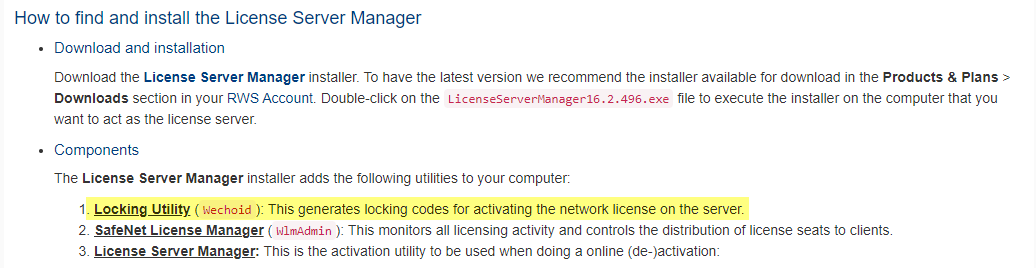
    We have sucessfully installed TRados Studio doing the manual installation. Now in the first run of the SW  we are trying to active the license in OFFLine MOde but we do not find the Locking utility to the Installation ID. As it is mention in this user guide: activating_license_offline.pdf

    Procedure
    1. Use the Locking Utility to get the Installation ID (locking code) of your license server
    machine to generate the installation ID:
    a. Launch the Locking Utility (wechoid).
    b. Enable Host Name and Disk ID and disable all the other available criteria.
    c. Make sure that the New Style option is selected and that the Selector field
    shows 0xC. This indicates that only the Host Name and Disk ID criteria are
    enabled and that the corresponding code will generate a compatible license
    file.
    d. Copy and save the locking code string available in the Code field.
    With the Installation ID, you can then generate the activation certificate that
    enables you to activate the network license on your server.

    emoji
Reply
  • Hello

    We have sucessfully installed TRados Studio doing the manual installation. Now in the first run of the SW  we are trying to active the license in OFFLine MOde but we do not find the Locking utility to the Installation ID. As it is mention in this user guide: activating_license_offline.pdf

    Procedure
    1. Use the Locking Utility to get the Installation ID (locking code) of your license server
    machine to generate the installation ID:
    a. Launch the Locking Utility (wechoid).
    b. Enable Host Name and Disk ID and disable all the other available criteria.
    c. Make sure that the New Style option is selected and that the Selector field
    shows 0xC. This indicates that only the Host Name and Disk ID criteria are
    enabled and that the corresponding code will generate a compatible license
    file.
    d. Copy and save the locking code string available in the Code field.
    With the Installation ID, you can then generate the activation certificate that
    enables you to activate the network license on your server.

    emoji
Children