
 Translate



Hello,
I am trying to deactivate my SDL Trados Studio 2015 Freelance (SR 2) license on an old computer and activate it on a new one but I get several errors:
1. I am unable to deactivate it via SDL Trados Studio (Help > Product Activation) and via the deactivation offline option on the RWS Account. The following error shows up:

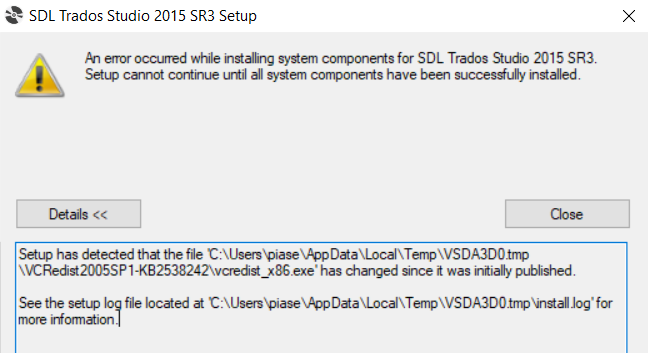
2. In the meantime, I am trying to install my SDL Trados Studio 2015 on a new computer using the installation file from the DOWNLOADS available on my RWS account - the following error shows up:
Please support me in the above matters.
Kind regards,
Piotr Piasecki
email: piasecki.piotr89@gmail.com
Generated Image Alt-Text
[edited by: Trados AI at 2:24 PM (GMT 0) on 4 Mar 2024]


