
 Translate



Hi
Today I updated Trados Studio 2022 to the latest version and now I can't access Groupshare and my TMs. I have an active freelance supscribtion licence and made sure to be logged in there.
I have this one installed now: 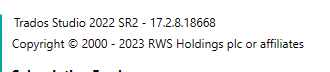
It asks me to sign in to Groupshare. I do. Then it asks me to sign in again.I do. Then it says  If I try to do it through the project, it doesn't even offer me te log in page. It just says I don't have access and disables my TMs.
As I haver versions of Trados Studio, I have tried these as well:
I have this beta-version, as well: 
And it gives me this error message about something with an object reference.
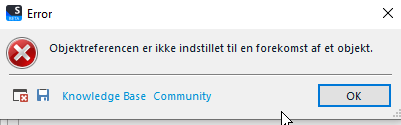
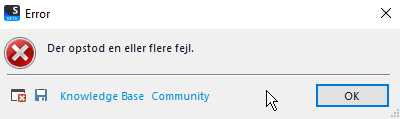
I click OK, then I get to the log in page. If I try to log in, I get the "An error occured":
I've tried installing Trados Studio 2021 ( ) to see if I could access Groupshere there. But no luck. It says something about failed authentication even though that part should be alright.

I got the beta-version because of a different issue (unable to apply templates), and now this... My TMs are a must.
Kind regards
Generated Image Alt-Text
[edited by: Trados AI at 2:29 PM (GMT 0) on 4 Mar 2024]



