
 Translate



Hello!
I am looking for help.
I had Trados 2017 installed and activated on my old laptop, which suddenly decided to die. I have not been able to rescue anything from this laptop.
I have a new laptop now. Installed Trados 2017 again, went on to my RWS account to get my activation code.
It says Users:1, In Use :0, Available:1.
I copied the activation code and pasted it on online activation when prompted by the software but I keep getting the error message saying activation failed.
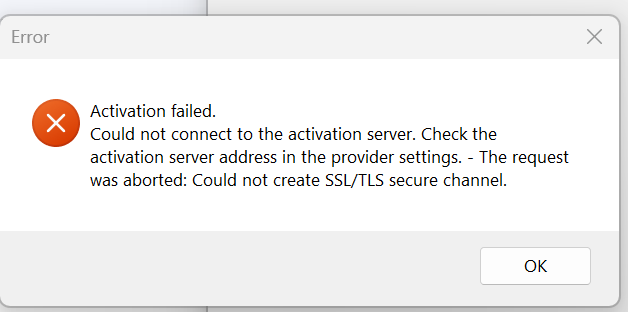
I am just going around in circles.
How could I get my Trados 2017 on my new laptop, activated, please?
Many many thanks for you help!
Generated Image Alt-Text
[edited by: RWS Community AI at 1:32 AM (GMT 0) on 15 Nov 2024]


