
 Translate



Hi,
I recently posted another problem here (that for my Studio 2019 installations, where 1 licence and 1 extra activation were spread across three machines after a laptop computer crash and unexpected revival, could not be deactivated properly: Only one (Desktop) installation worked properly, whereas the installation on one old Laptop could not be deactivated, preventing the activation on the new Laptop. Online and offline self-help failed). Support then managed to reset the extra activation, so that installation on the new Laptop was now possible.
I have since purchased an upgrade to Studio 2022 and would like to properly purge Studio 2019 before starting the new installation. I have now uninstalled all existing Studio 2019 installations, as previously recommended by support. However, this only worked properly on one of the Laptops (where the installation was not being used anyway) – so that machine was finally sorted out. The other Laptop as well as the Desktop refused to deactivate online:
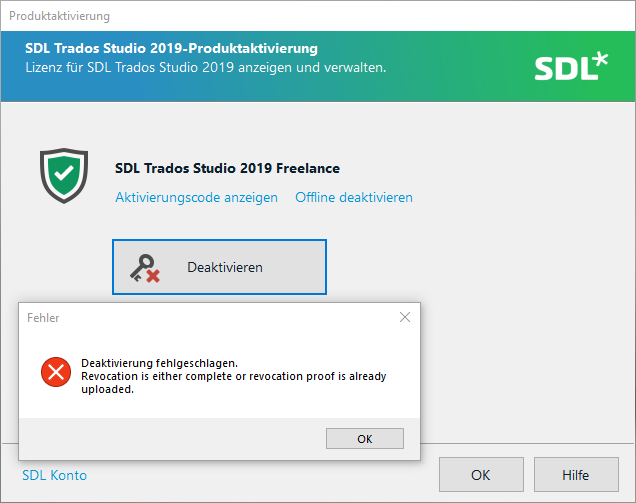
So I simlply uninstalled the software on both machines anyway.
I then tried "Reset licence" on the website, but this only worked for the Extra Activation: One licence remained active even though there was no longer an installation on any machine. "Offline deactivation" provided me with an Authorization Code; for the sole purpose of deactivation I then reinstalled the software on the desktop (where it claimed to be activated properly) and tried entering the Authorization Code for deactivation, but with no success:
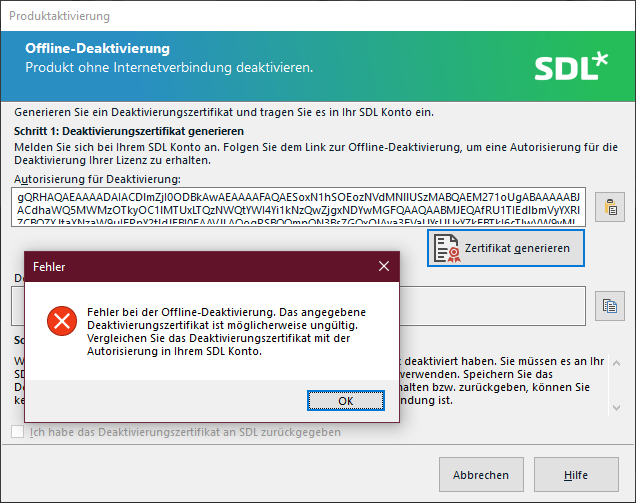
So I am a bit stuck now: There seems to be one active licence (used for the Desktop installation)

which claims to be properly activated but refuses to be deactivated as described before ...
How can I reset the licence and uninstall the 2019 software before perfoming the upgrade to Studio 2022?
Thank you!
Generated Image Alt-Text
[edited by: Trados AI at 2:29 PM (GMT 0) on 4 Mar 2024]


