
 Translate



Hello,
I own a perpetual license of Trados Studio 2021, which was updated to Trados Studio 2022. Recently, I purchased a new laptop and reinstalled Trados. Before doing that, I uninstalled the software from my old computer and properly reset the license.
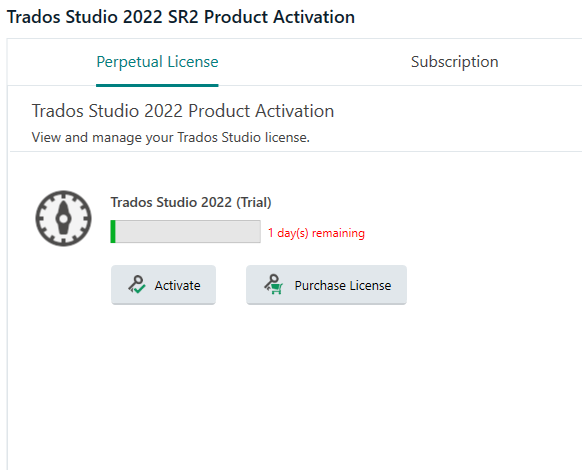
However, when I try to activate the license on my new machine, I receive an error message and the activation process does not complete successfully. On the RWS website, the license appears as active, but inside the software Trados still runs in trial mode (30-day trial is counting down).
Additional details:
-
I have already reset the license three times, reaching the limit for this procedure.
-
I have tried the Repair Installation option.
-
I have also uninstalled and reinstalled the software completely, but the problem persists.
Could you please help me resolve this licensing issue and fully activate my perpetual license on the new laptop?
Generated Image Alt-Text
[edited by: RWS Community AI at 1:29 AM (GMT 1) on 25 Sep 2025]


