
 Translate



I need to uninstall Trados Studio 2022 from a laptop that I am putting out of service.
When I go to Help > Product Activation in Trados Studio 2022, the Product Activation window opens normally. However, when I click on "Deactivate", I get this error window:
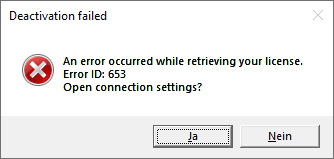
Clicking on "Yes" just closes the window without opening any connection settings.
When I click on "Deactivate Offline" in the Product Activation window, this takes me to a website with the licenses for my account, where I can click on "Can't deactivate online? - Deactivate offline!". Here I can generate a "Deactivation authorisation" and copy and paste it into the Product Activation window in Trados Studio. However, when I click on "Generate certificate" there, I get another error:
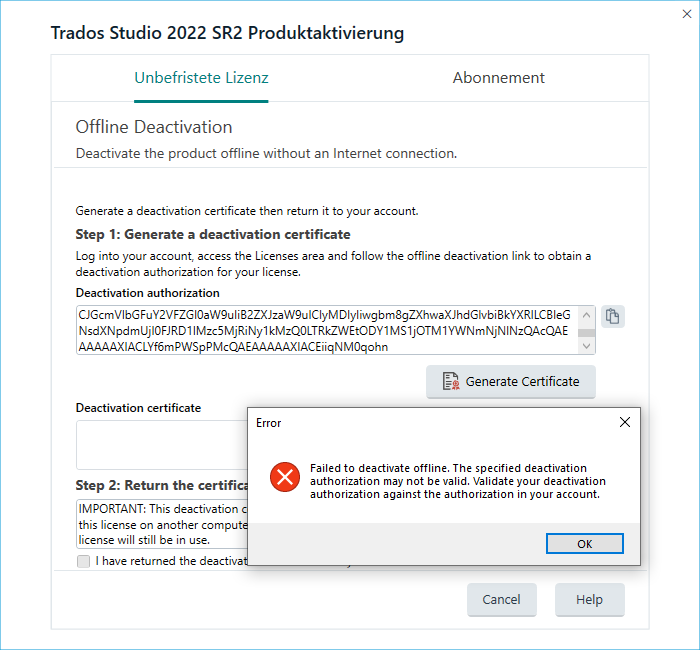
So I seem to be stuck. Please le me know how to proceed to deactivate the license on my old computer.
Thank you!
Generated Image Alt-Text
[edited by: RWS Community AI at 7:24 PM (GMT 0) on 6 Dec 2025]


