
 Translate



Dear RWS Support,
We recently moved our Trados Studio license to AWS.
All licenses were deactivated successfully on the old server and were successfully activated on the new AWS server.
However, when entering the server name to connect to the server from Trados Studio we get an error message:
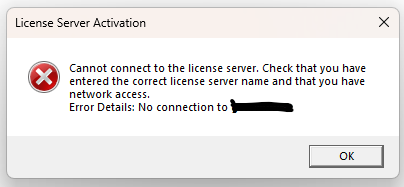
When I try connecting with IP address I get error:
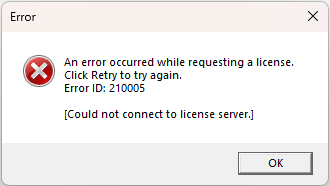
I checked the AWS server and port 5093 is open.
I added regedit parameter AllowNBToInternet to both license server and client.
Sentinel RMS License Manager, version: 10.2.0.94
Trados License Manager, version: 18.0.179.0
Please help!
Thank you.
Best regards,
Tzvi Gordon
Generated Image Alt-Text
[edited by: RWS Community AI at 12:41 PM (GMT 0) on 14 Dec 2025]


