 Translate



I'm unable to activate my license for the Trados Studio 2024 upgrade I recently bought. I've tried all the instructions provided in other discussions, but nothing seems to work. I''m in desperate need of a support contact.,


I'm unable to activate my license for the Trados Studio 2024 upgrade I recently bought. I've tried all the instructions provided in other discussions, but nothing seems to work. I''m in desperate need of a support contact.,
Hello Mikko Ristolainen
Please try to reset the license from your RWS account as described in this article: https://gateway.rws.com/csm?id=kb_article_view&sysparm_article=KB0038545
Before activating it again please check your computer name and if it does contain any special characters change it into one that doesn`t.
If it still doesn`t work please send a screenshot with the error message.
Thank you,
Sorin

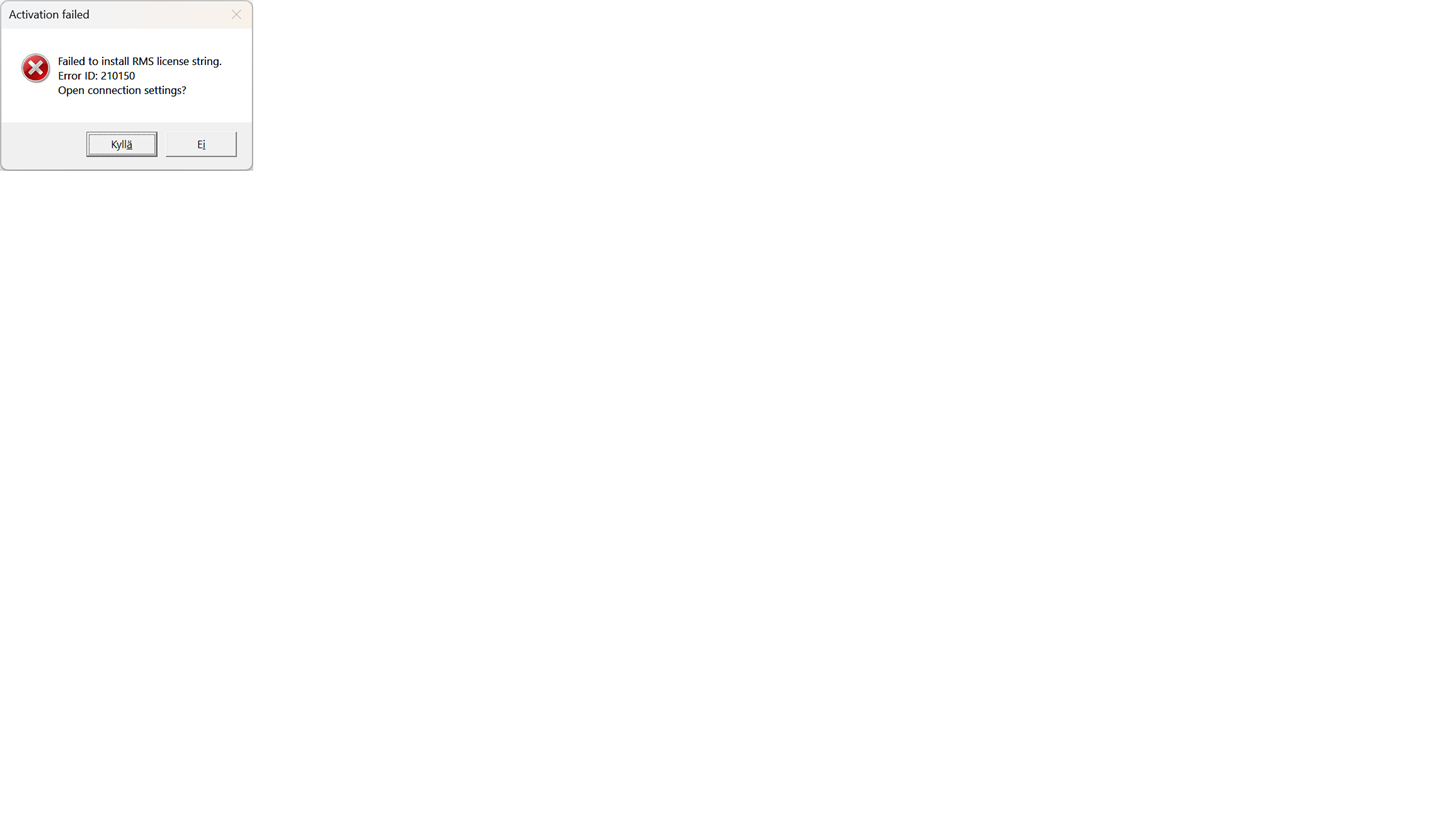
Hi,
The issue persists even after resetting the license. The error message is above.
Hello Mikko Ristolainen
Did you check the computer name? This error message is thrown when the computer name contains special characters.
Please check it, change it if it contains special characters, restart the PC and try to activate the license again.
Thank you,
Sorin
Hello Mikko Ristolainen
Did you check the computer name? This error message is thrown when the computer name contains special characters.
Please check it, change it if it contains special characters, restart the PC and try to activate the license again.
Thank you,
Sorin
Hi Sorin,
Thank you very much, this finally solved the problem.
As a tip for future Studio updates for the SW developers: Might be a good idea to include an error message in the setup flow for computer names with special characters if these block activation, or fix the problem causing this (especially since the error messages provided in the UI after activation fails don't offer any info about this).

Hello Mikko Ristolainen
We have logged this as a defect and the Development team will fix it for future releases.
Thank you,
Sorin
