


Upgrade issues with Trados Licnese

We have two upgrades we can perform on our tenant from Trados 2022 to Trados 2024. I can see the updates available and in the final page of upgrade getting the attached error related to Expiry date. 
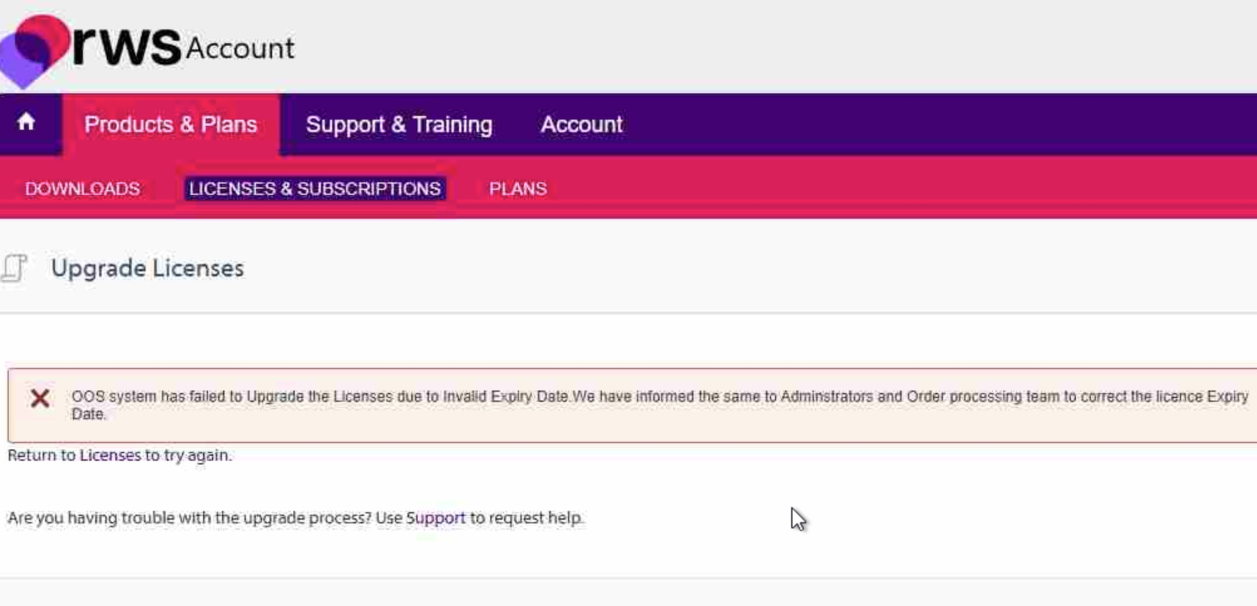
Screenshot of the RWS Account page showing an error message: 'OOS system has failed to Upgrade the Licenses due to Invalid Expiry Date. We have informed the same to Administrators and Order processing team to correct the licence Expiry Date.' The error is displayed in a red box under the 'Upgrade Licenses' section. Navigation tabs include 'Products & Plans,' 'Support & Training,' and 'Account.'


Generated Image Alt-Text
[edited by: RWS Community AI at 2:21 PM (GMT 0) on 8 Jan 2026]

emoji
