
 Translate



I have been trying to obtain assistance with activating my licence of SDL Trados Studio 2019 Freelance Plus on a second computer. My licence is for two computers and I have it installed in one. The account reflects this correctly.
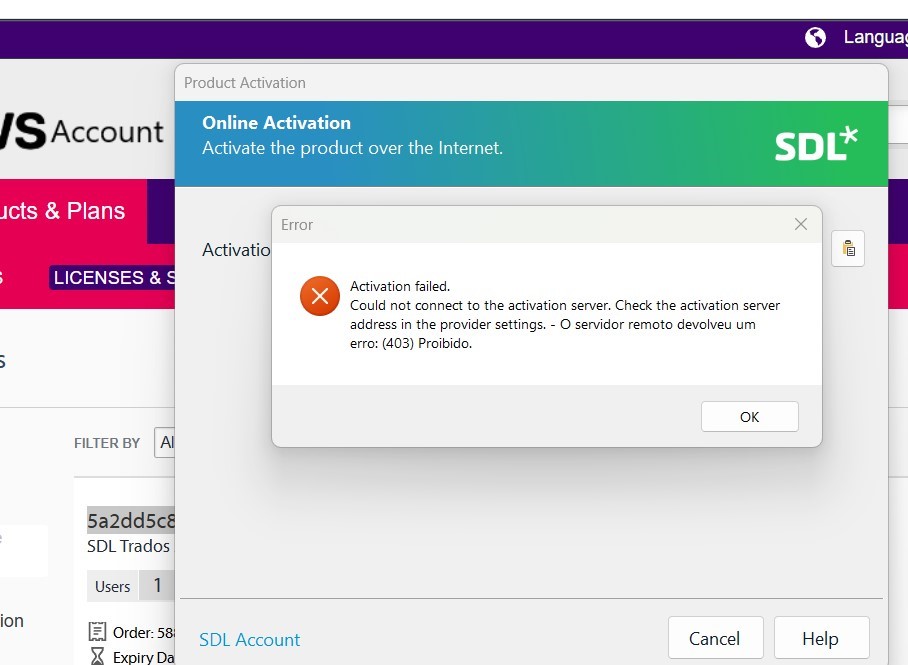
When attempting the activation, I receive the following message:
“Activation Failed. Could not connect to the activation server. Check activation server in provider settings.”
The error code shown is 403.
I have already checked the relevant Community answers, but unfortunately they did not resolve the issue. I am also unable to activate the licence offline. Please see picture with the error message below.
I would appreciate your support in resolving this matter and look forward to hearing from you.
Generated Image Alt-Text
[edited by: RWS Community AI at 9:53 AM (GMT 0) on 11 Jan 2026]



