
 Translate



Hi
I'm sorry, I have had had a ticket for this problem a couple of weeks ago but unfortuantely I had to go into hospital to it expired.
Ref. CS0036400
I will order my thoughts a bit better this time.
I changed computers, without deactivating Trados on my old one. Vlad from the RWS help centre has successfully reset this for me so I can see my activation code in my RWS account (assuming it is the alpha numeric code consisting of groups of characters separated by hyphens) above the words SDL Trados Studio 2017 Freelance Plus
Now I open Trados Studio.
I am not sure whether I need to login first (via the green login tab on top right), but if I enter my email address and passord I get a spinning icon that does not resolve. See image below.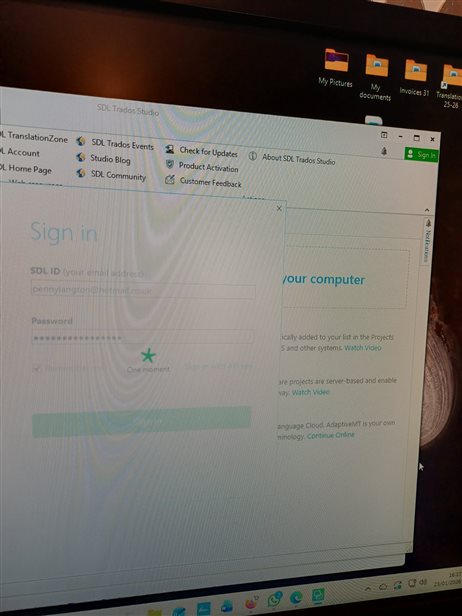
So, assuming I do not need to log on first, I got to Help/Product Activation, but I get a pop-up for a Free Trial Activation (I must have enabled this in error when I was trying to find a work round. 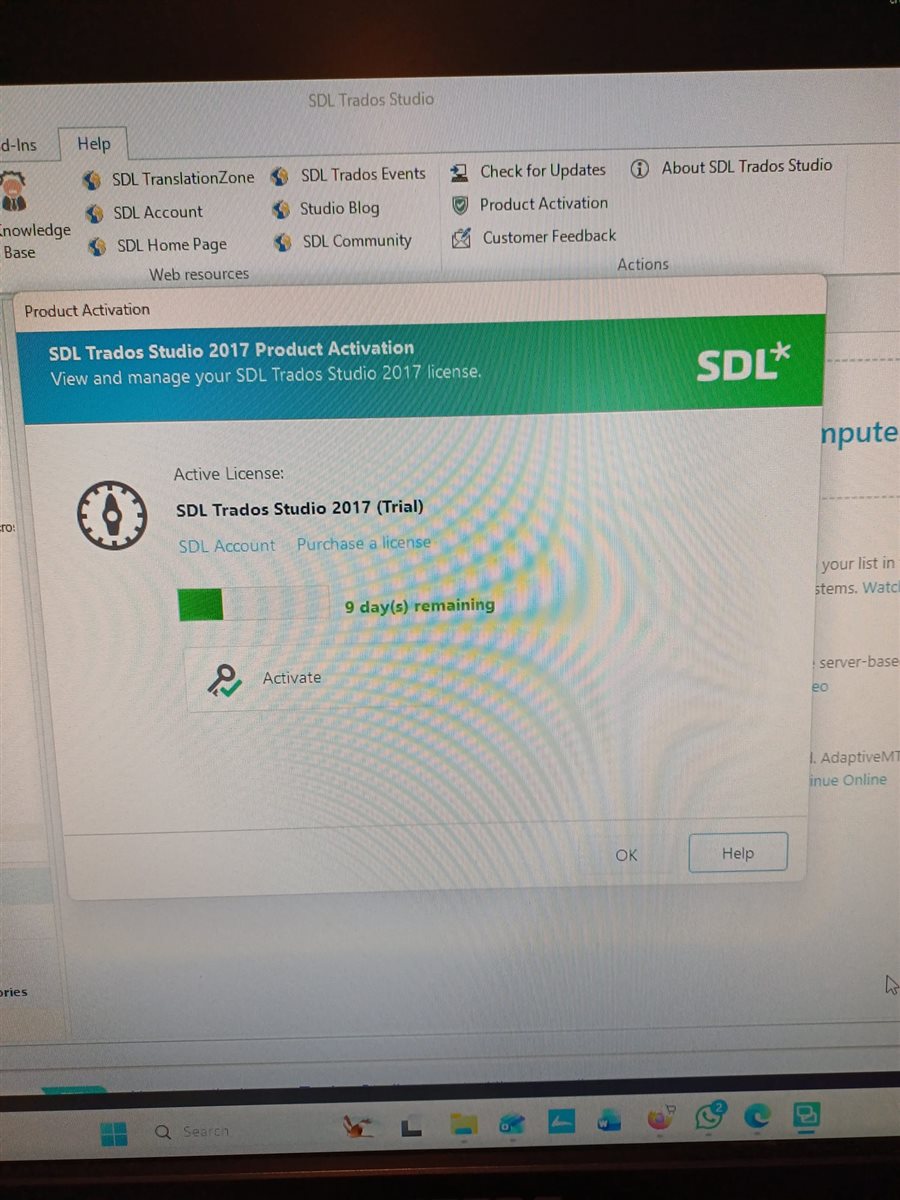
Ignoring the fact that it is for a free trial, I try entering my activation code, cut and pasted from my RWS account. But then I get the message, "the request was abroted. Could not create SSL/TLS secure channel." No further actions seem possible. I'd be very grateful if you could advise what I am doing wrong. With thanks in advance.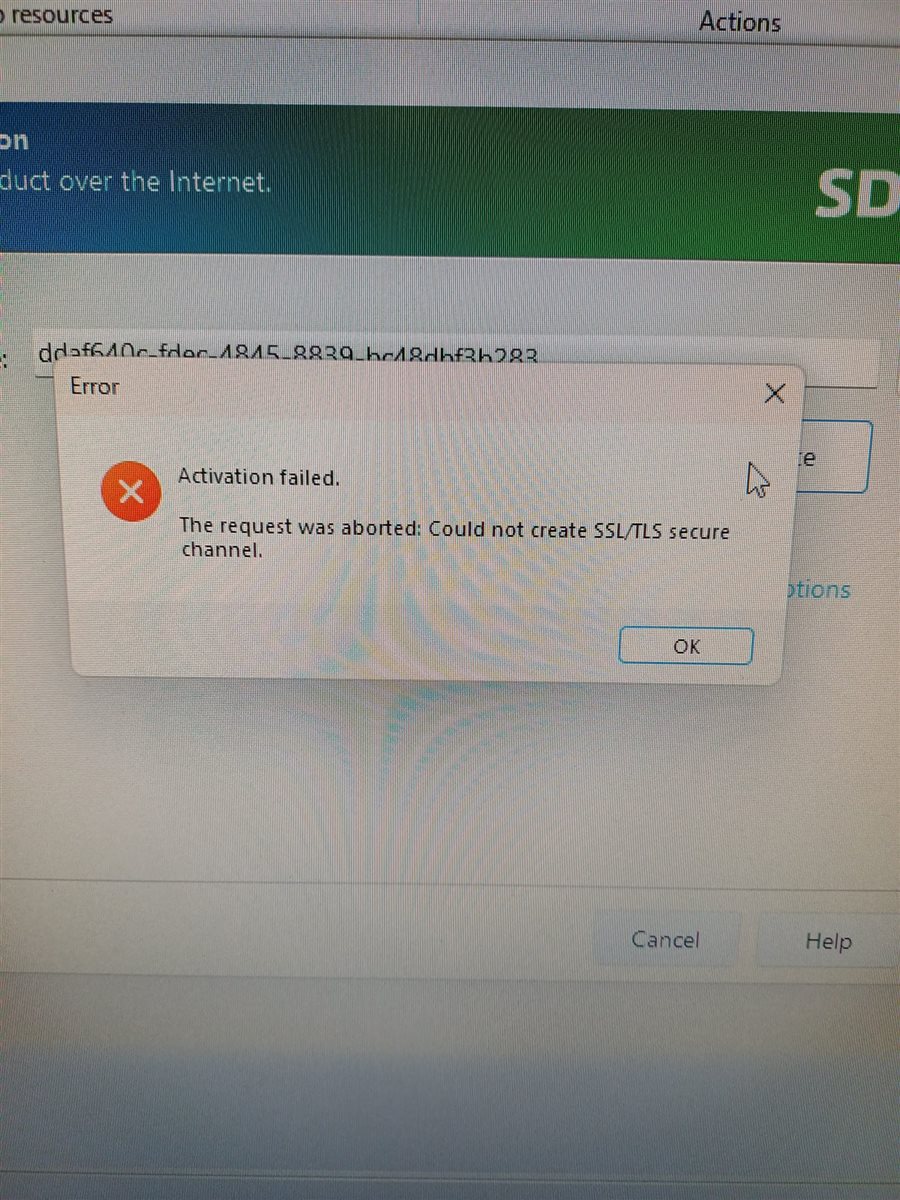
Generated Image Alt-Text
[edited by: RWS Community AI at 4:50 PM (GMT 0) on 23 Jan 2026]


