Reply functionality is temporarily impacted due to a platform issue. We’re working on a fix and appreciate your understanding and patience throughout this process.

Failed to deactivate offline - Trados Studio Freelance 2022

Hi guys,

I keep getting error reports on both ends - when I try offline deactivation in my account I get this message: 
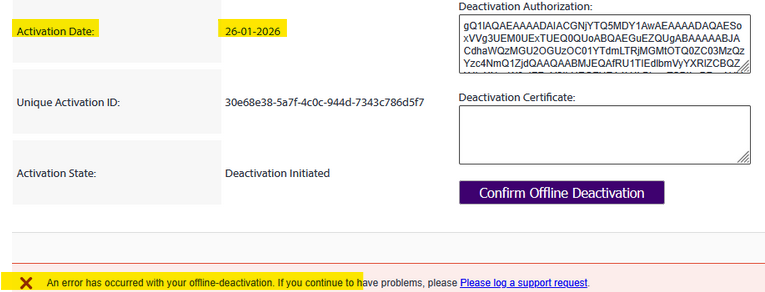
Screenshot showing an offline deactivation error with highlighted activation date, unique activation ID, and deactivation state. A yellow error message states an issue with offline deactivation.

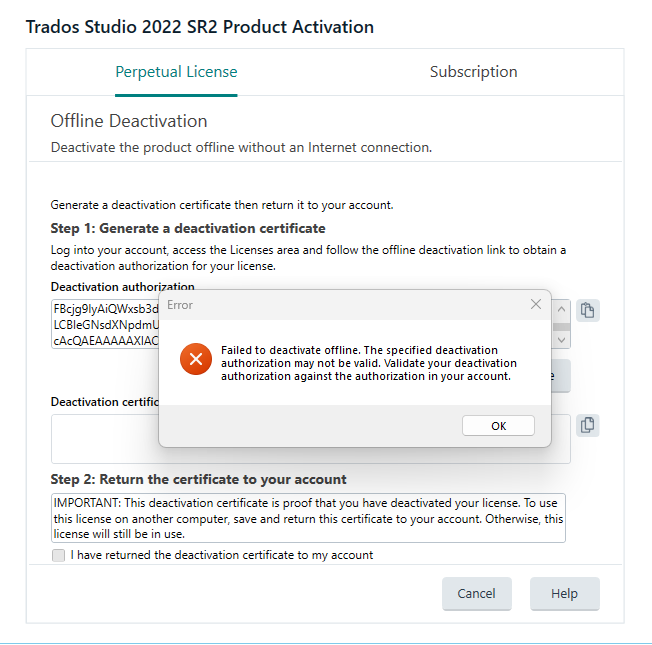
And when I insert that epically long code in the software on the other laptop (that is broken and cannot access the internet anymore), I get another lovely error message:
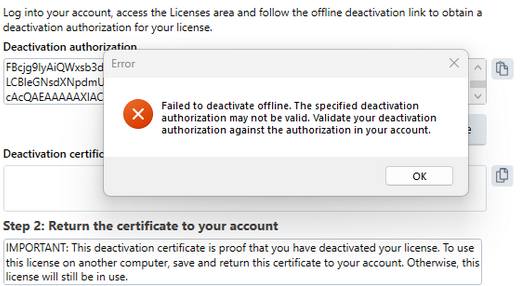
Popup error message stating 'Failed to deactivate offline. The specified deactivation authorization may not be valid.' with deactivation authorization fields visible in the background.

Trados Studio 2022 SR2 Product Activation screen showing offline deactivation steps. An error popup states 'Failed to deactivate offline. The specified deactivation authorization may not be valid.'

Resetting the license also keeps leading to the license magically being reactivated on the old laptop, which really isn't helping:
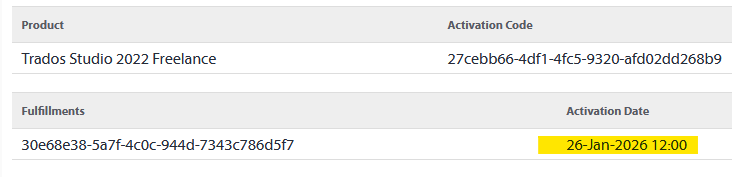
Table showing product details for Trados Studio 2022 Freelance, including activation code, unique activation ID, and activation date highlighted as 26-Jan-2026 12:00.

This has cost me a lot of time and nerves already, so I really hope there is a solution for this. Can someone tell me why this keeps happening and what I can do to resolve it?

Thank you for your help!

Best,

Dani


Generated Image Alt-Text
[edited by: RWS Community AI at 6:31 PM (GMT 0) on 26 Jan 2026]

emoji