
 Translate



Can't activate my SDL Trados Studio 2019 Freelance Plus licence on new (mobile) computer.
One license is on my desktop computer with Windows 10. I bought a laptop for travelling and want to install my plus licence on that computer, too. Both are connected to internet, but of course I am not able to work with Trados on both computers simultaneously.
I don't want to have to deactivate/activate licences when I swap computers, therefore I bought this "Plus" licence. Somehow it doesn't work anymore.
When entering the activation code, I receive the following error message: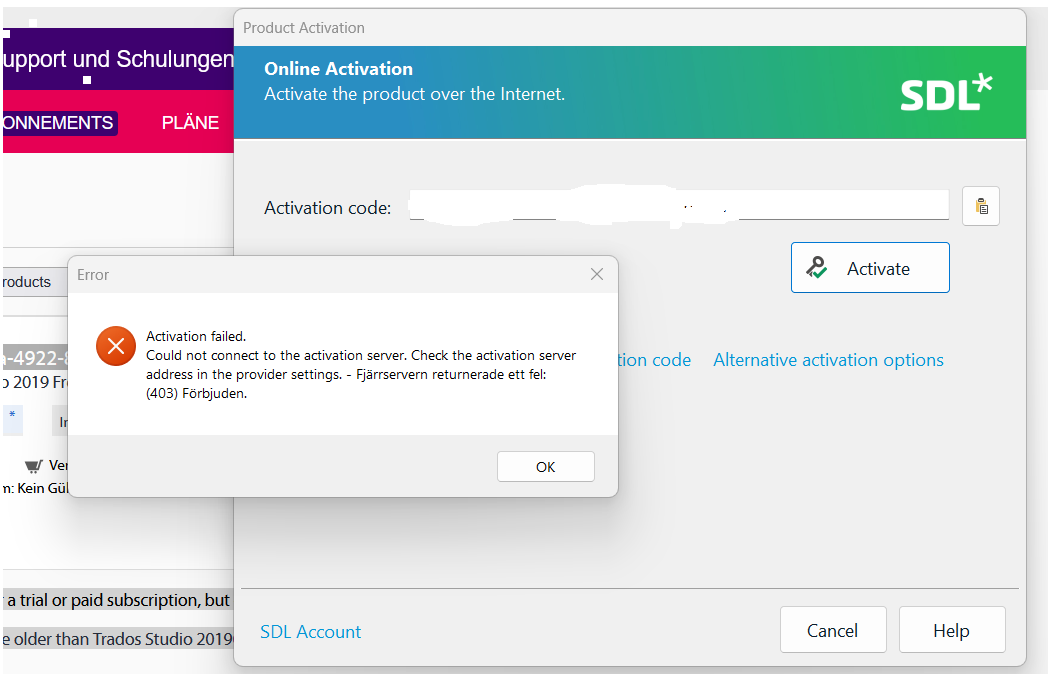
Any tips would be appreciated.
Generated Image Alt-Text
[edited by: RWS Community AI at 2:12 PM (GMT 0) on 1 Mar 2026]


