
 Translate



Hi
My SDL Trados Studio couldn't be accessed and said Trial ended, need activation ... despite the fact that I've used this one for long and I just had this issue weeks ago.
At that time, resetting the license worked fine.
However, right now, when I tried offline activation, and fill in the activation code, once completed it said below and shut down.
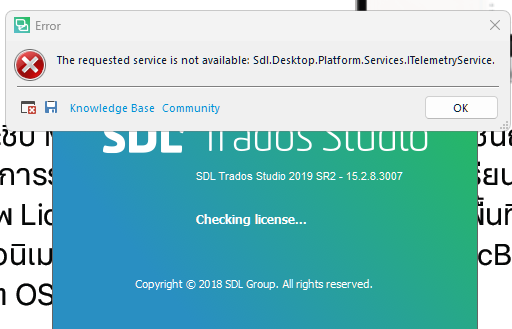
Trying online activation didn't work too. It said: "Activation failed. Could not connect to the activation server. Check the activation server address in the provider settings. The remote server retunred an error: (403) Forbidden.
My Internet connection works well, though.
Please kindly help. I couldn't work and deliver the translation job on time.
Thank you very much.
Generated Image Alt-Text
[edited by: RWS Community AI at 9:54 AM (GMT 0) on 23 Mar 2026]


